
What this calculator does
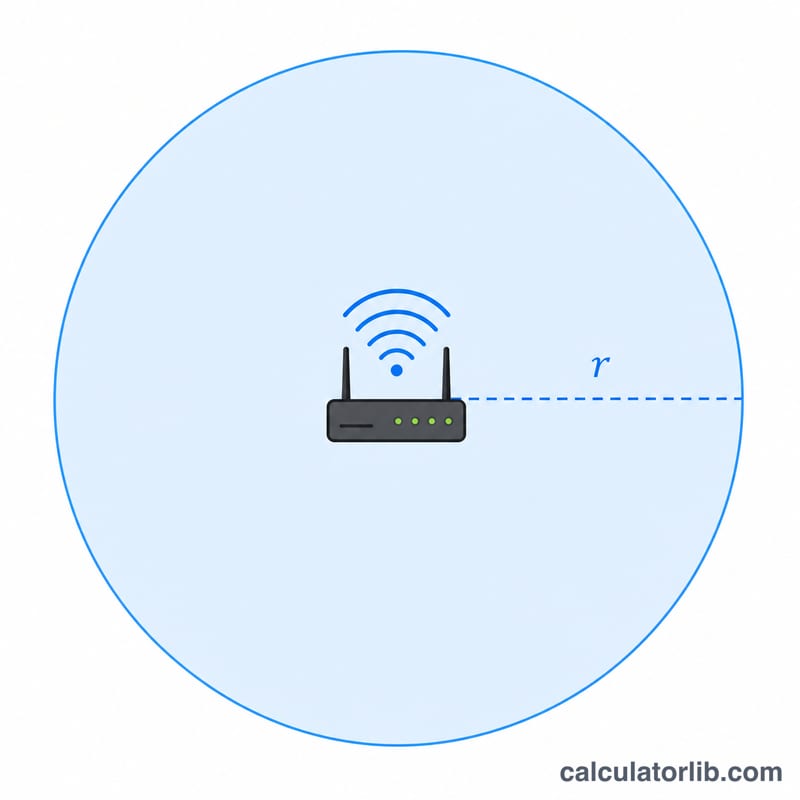
The WiFi Coverage Area Calculator estimates how much floor area a single wireless router or access point can cover, then tells you how many devices you need to blanket a home or office in signal. It models each router's reach as a circle of radius equal to its effective range, so the covered area is simply the area of that circle.
How to use it
Enter the router's effective range in meters (a typical indoor 2.4 GHz router reaches roughly 10–20 m through walls; line-of-sight outdoors can be much more). Then enter the total floor area you want to cover in square meters. The calculator returns the coverage area per router and the number of routers or access points needed, rounded up so no corner is left uncovered.
The formula explained
Coverage per router is the area of a circle: \(A_{\text{cov}} = \pi r^2\), where r is the range. The number of routers is the total area divided by that coverage, rounded up to the next whole device: \(N = \left\lceil \frac{A}{\pi r^2} \right\rceil\). Rounding up guarantees full coverage rather than leaving a partial gap.
Worked example
Suppose a router has a 15 m range and you want to cover 1000 m². Coverage per router = $$\pi \times 15^2 = 706.86 \text{ m}^2.$$ Routers needed = $$\left\lceil \frac{1000}{706.86} \right\rceil = \lceil 1.41 \rceil = \mathbf{2}.$$ So two access points should cover the space.
FAQ
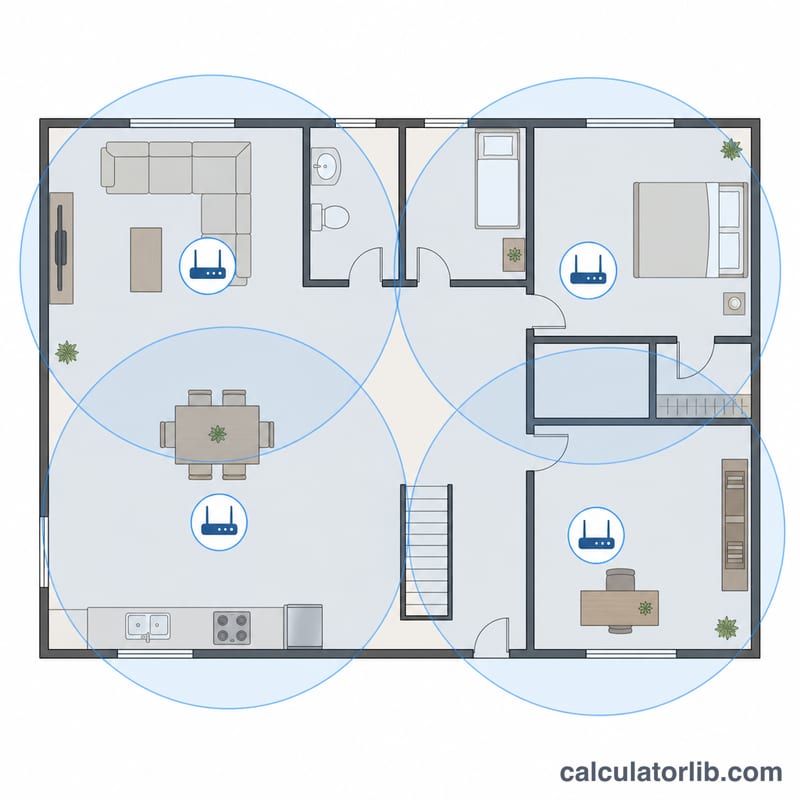
Is real coverage really circular? No — walls, floors, and interference distort it. This is a planning estimate; overlap your access points slightly for reliability.
What range should I use? Use a conservative real-world figure (often 10–15 m indoors) rather than the spec sheet's open-air maximum.
Does this account for multiple floors? It treats area as a flat plane. For multi-story buildings, add up the floor area of each level or plan one access point per floor zone.