What is DPI?
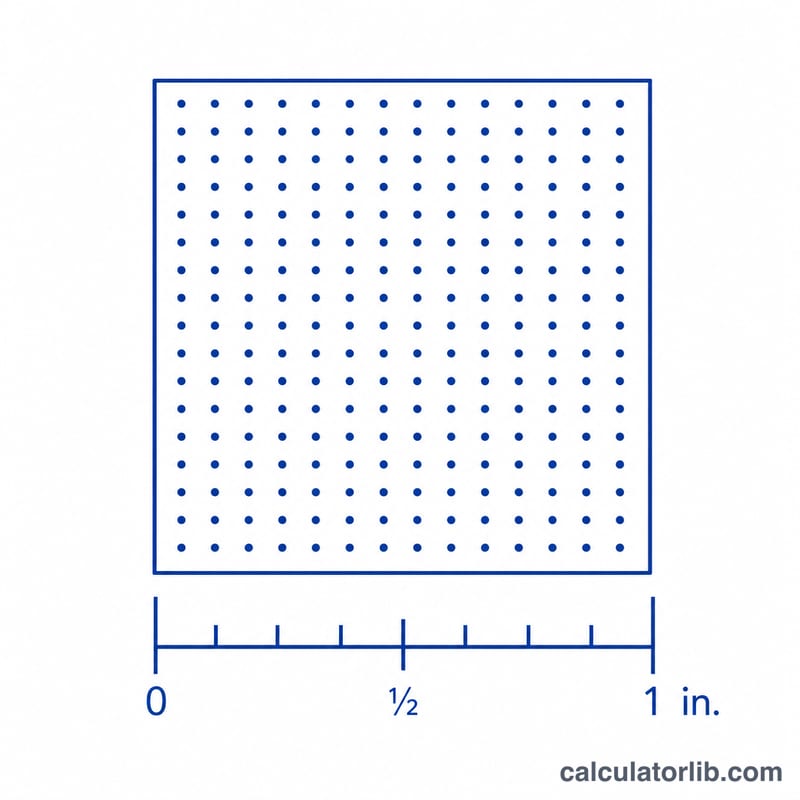
DPI (dots per inch) measures how many image pixels are packed into each printed inch. The higher the DPI, the sharper and more detailed your print appears. This calculator tells you the effective DPI you will get when an image of a given pixel dimension is printed at a chosen physical size.
How to use this calculator
Enter the pixel dimension of your image along one edge (for example, the width in pixels) and the print size you want for that same edge in inches. The calculator divides pixels by inches to give the DPI. Repeat for the other edge if your image is not being scaled proportionally.
The formula explained
The math is simply $$\text{DPI} = \frac{\text{Pixels (px)}}{\text{Print Size (in)}}$$ If you spread a fixed number of pixels over a larger printed area, each inch contains fewer pixels, so the DPI drops. Shrink the print and DPI rises.
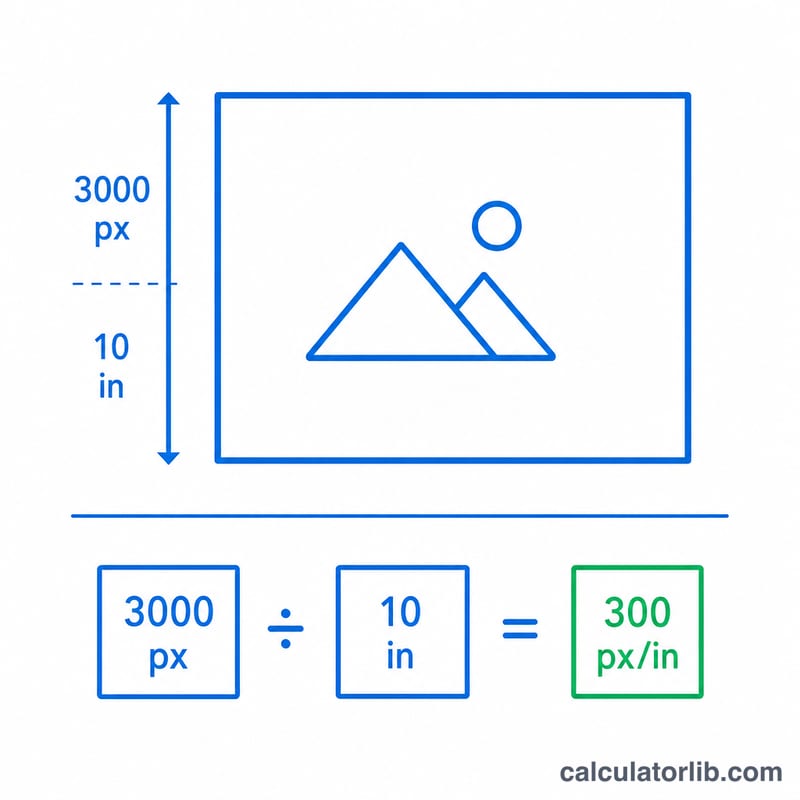
Worked example
Suppose your photo is 3000 pixels wide and you want to print it 10 inches wide. $$\text{DPI} = 3000 \div 10 = 300\ \text{DPI}$$ which is the standard target for high-quality photo prints.
Recommended DPI by Print Type and Viewing Distance
The right DPI depends on what you are printing and how far away people will look at it. The values below are common industry guidelines, not strict rules. Your printer or print shop may ask for different targets.
| Print type | Typical target DPI | Typical viewing distance |
|---|---|---|
| Fine art prints, photo books, close-view prints | 300 | Arm's length or closer (about 30 cm / 12 in) |
| Standard photo prints | 240–300 | About 30–50 cm (12–20 in) |
| Magazines and brochures | 300 | About 30–40 cm (12–16 in) |
| Posters | 150–200 | About 1–2 m (3–6 ft) |
| Large-format banners and billboards | 72–100, or lower at long distance | Several metres to far beyond; the longer the distance, the lower the DPI that still looks fine |
| Screen-only use | 72–96 PPI | Depends on the display; screens use pixels per inch (PPI), not print DPI |
Strictly, PPI describes the pixel density of an image or screen and DPI describes the ink dots a printer lays down. In practice, print calculators use the two terms interchangeably.
Common Print Sizes: Pixels Needed and Resulting DPI
Pixels needed = DPI × inches, applied to each side. For example, an 8×10 in print at 300 DPI needs \(300 \times 8 = 2400\) by \(300 \times 10 = 3000\) pixels.
| Print size (in) | Pixels at 300 DPI | Pixels at 150 DPI |
|---|---|---|
| 4×6 | 1200 × 1800 | 600 × 900 |
| 5×7 | 1500 × 2100 | 750 × 1050 |
| 8×10 | 2400 × 3000 | 1200 × 1500 |
| 11×14 | 3300 × 4200 | 1650 × 2100 |
| 16×20 | 4800 × 6000 | 2400 × 3000 |
| 24×36 | 7200 × 10800 | 3600 × 5400 |
Typical 12 MP camera image (4000 × 3000 px)
The table shows the DPI of each side when the image fills the print (landscape orientation, long side matched to the print's long side). The lower value governs. Because 4000 × 3000 is a 4:3 image, sizes such as 4×6 or 24×36 require some cropping.
| Print size (in) | Width DPI | Height DPI | Resulting DPI (lower) |
|---|---|---|---|
| 4×6 | 4000 ÷ 6 ≈ 667 | 3000 ÷ 4 = 750 | ≈ 667 |
| 5×7 | 4000 ÷ 7 ≈ 571 | 3000 ÷ 5 = 600 | ≈ 571 |
| 8×10 | 4000 ÷ 10 = 400 | 3000 ÷ 8 = 375 | 375 |
| 11×14 | 4000 ÷ 14 ≈ 286 | 3000 ÷ 11 ≈ 273 | ≈ 273 |
| 16×20 | 4000 ÷ 20 = 200 | 3000 ÷ 16 = 187.5 | ≈ 188 |
| 24×36 | 4000 ÷ 36 ≈ 111 | 3000 ÷ 24 = 125 | ≈ 111 |
Interpreting Your DPI Result
| DPI | Expected quality |
|---|---|
| 300 or more | Excellent; sharp fine detail, even at close range |
| 200–299 | Good; very acceptable for most prints |
| 150–199 | Acceptable for larger prints viewed from a distance |
| 100–149 | Visibly soft at close range |
| Below 100 | Likely to look pixelated up close |
- The lower DPI governs. Calculate DPI separately for the width and the height. The smaller of the two decides how sharp the print will look.
- DPI depends on both pixels and print size. The same image has a high DPI at a small size and a low DPI at a large size: \(\text{DPI} = \text{pixels} \div \text{inches}\). Doubling the print size halves the DPI.
- Viewing distance matters. The farther away viewers stand, the less resolution they can perceive, so a 150 DPI poster seen from a few feet can look as sharp as a 300 DPI print held in the hand.
These bands are general rules of thumb. Image content, sharpness, noise, and printer quality also affect how a print looks.
FAQ
What DPI is good for printing? 300 DPI is the gold standard for photos and detailed graphics. 150–200 DPI is acceptable for large prints viewed from a distance, and 72 DPI is typical for screen-only images.
Is DPI the same as PPI? They are often used interchangeably. PPI (pixels per inch) describes digital images, while DPI technically refers to printer dots, but for sizing prints the calculation is identical.
What if my DPI is too low? Either print smaller, use a higher-resolution source image, or accept some softness. You cannot truly add detail by upscaling.