
What is the Pixels to Print Size Calculator?
This tool converts an image's pixel dimensions into a physical print size at a chosen resolution measured in DPI (dots per inch) or PPI (pixels per inch). It tells you how large you can print a digital photo before it starts to look soft or pixelated, and also reports the image's total megapixels.
How to use it
Enter your image's width and height in pixels (you can find these in your photo's file properties or image editor) and the desired print resolution. For sharp photo prints, 300 DPI is the standard; for posters viewed from a distance, 150 DPI is often acceptable. The calculator returns the print size in both inches and centimeters.
The formula explained
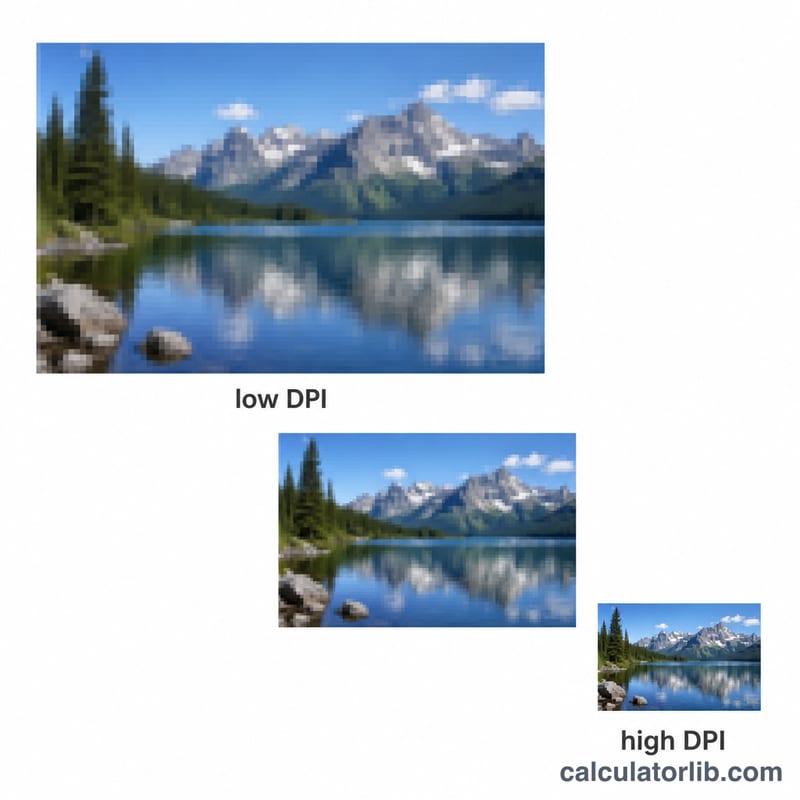
The relationship is simple: print dimension (inches) = pixels ÷ DPI. A higher DPI packs more pixels into each inch, producing a smaller but sharper print. To get centimeters, multiply the inch value by 2.54. Megapixels are calculated as (width × height) ÷ 1,000,000.
$$\text{Print Size (in)} = \frac{\text{Width (px)}}{\text{DPI}} \times \frac{\text{Height (px)}}{\text{DPI}}$$ $$\text{Print Size (cm)} = \left(\frac{\text{Width (px)}}{\text{DPI}} \times 2.54\right) \times \left(\frac{\text{Height (px)}}{\text{DPI}} \times 2.54\right)$$ $$\text{Megapixels} = \frac{\text{Width (px)} \times \text{Height (px)}}{1{,}000{,}000}$$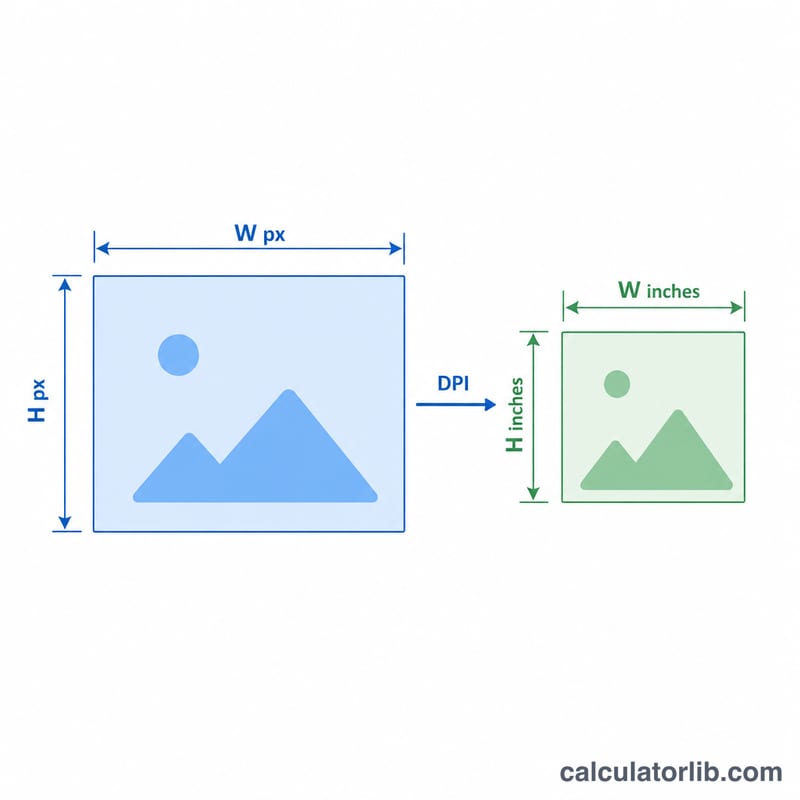
Worked example
A 3000 × 2000 pixel image at 300 DPI prints at \(3000 \div 300 = 10\) inches wide and \(2000 \div 300 \approx 6.67\) inches tall. In centimeters that is \(25.4 \text{ cm} \times 16.93 \text{ cm}\). The image is \(3000 \times 2000 = 6{,}000{,}000\) pixels, or 6 megapixels.
FAQ
What DPI should I use for printing? Use 300 DPI for high-quality photo prints and 150 DPI for large-format or poster prints viewed from a distance.
Is DPI the same as PPI? For this calculation they are treated the same — both describe how many pixels map to one inch of print.
Can I print larger than the calculated size? Yes, but lowering the effective DPI below ~150 may make the print look soft or pixelated.