
What Is the Resolution Scale Calculator?
The Resolution Scale Calculator lets you resize an image or video resolution by a chosen scale factor. Enter the original width and height in pixels along with a multiplier (for example 2 to double, or 0.5 to halve), and the tool returns the new dimensions, the total pixel count, and the resolution in megapixels.
How to Use It
Type the original width and height in pixels — for instance 1920 × 1080 for Full HD. Then enter a scale factor: use values above 1 to upscale and values below 1 to downscale. Decimals such as 1.5 or 0.75 are fully supported. The results update to show your scaled resolution.
The Formula Explained
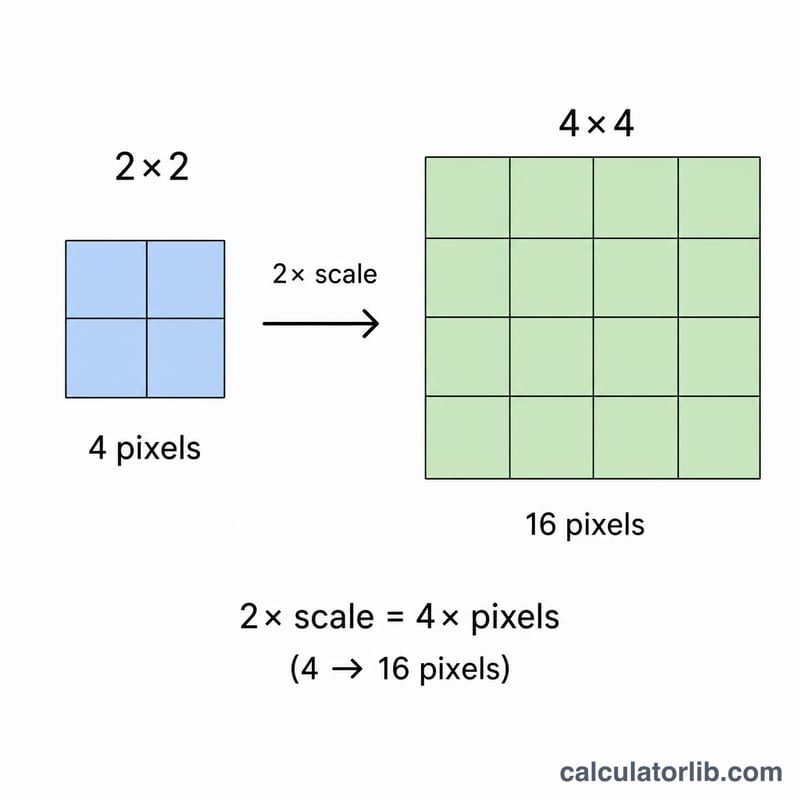
Scaling is a simple proportional operation. The new width is the original width multiplied by the scale factor, and the new height is the original height multiplied by the same factor: \(W' = W \times S\) and \(H' = H \times S\). Because both dimensions use the same factor, the aspect ratio is preserved. The total pixel count is the product of the scaled dimensions, \(P = W' \times H'\), which means doubling the scale quadruples the pixel count.
$$\begin{gathered} W_{new} = \text{Width} \times \text{Scale} \qquad H_{new} = \text{Height} \times \text{Scale} \\[1.5em] \text{Megapixels} = \frac{W_{new} \times H_{new}}{1{,}000{,}000} \end{gathered}$$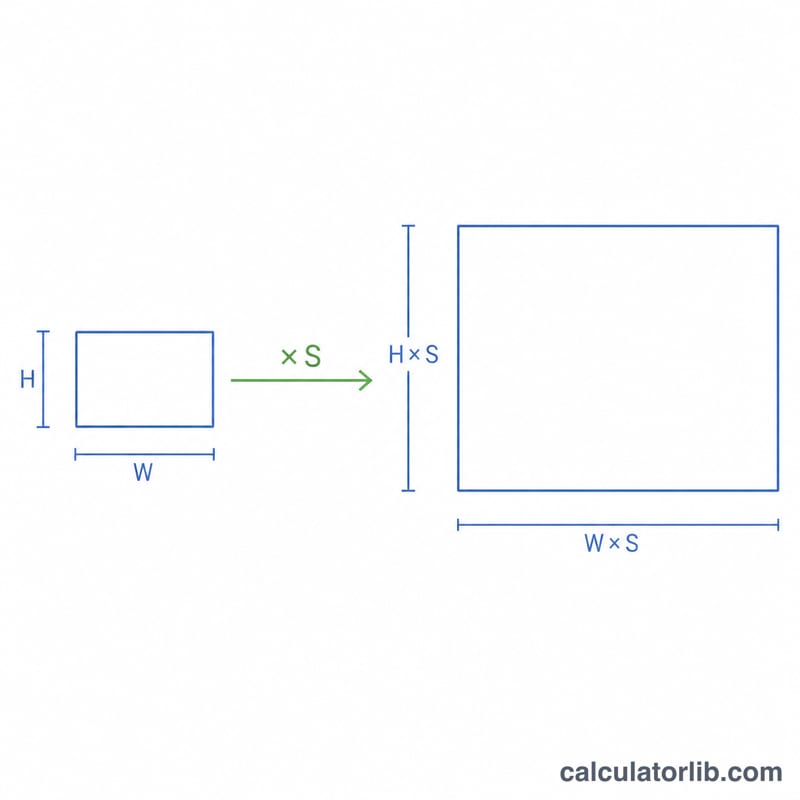
Worked Example
Start with a 1920 × 1080 image and a scale of 2. The new width is \(1920 \times 2 = 3840\) px and the new height is \(1080 \times 2 = 2160\) px — that is a 4K (UHD) frame. The pixel count is $$3840 \times 2160 = 8{,}294{,}400 \text{ pixels},$$ or about 8.29 megapixels.
FAQ
Does scaling keep the aspect ratio? Yes. Applying the same factor to both width and height preserves the original aspect ratio.
Can I downscale? Absolutely — use a scale factor below 1, such as 0.5 to halve each dimension.
Why does pixel count grow so fast? Pixel count scales with the square of the factor, so a 2× scale yields 4× the pixels.