
What this calculator does
This tool converts a rectangular print size, measured in inches, into the pixel dimensions an image file must have to print at a chosen resolution. Resolution is expressed in DPI (dots per inch), often used interchangeably with PPI (pixels per inch) for digital images. Knowing the required pixel size before you print, crop, or export helps you avoid blurry, pixelated results.
How to use it
Enter the width and height of your intended print in inches, then enter the target DPI. Common print resolutions are 300 DPI for high-quality photo prints, 150 DPI for posters viewed at a distance, and 72 DPI for older screen graphics. The calculator returns the exact pixel width and height, the total pixel count, and the equivalent in megapixels.
The formula explained
The math is direct multiplication. Each inch of print contains DPI pixels, so the horizontal pixel count is the print width in inches multiplied by DPI, and the vertical count is the print height multiplied by DPI. Total pixels is the product of the two, and dividing by 1,000,000 gives megapixels — useful for checking whether a camera or image source has enough resolution.
$$\begin{gathered} W_{px} = \text{Width (in)} \times \text{DPI} \qquad H_{px} = \text{Height (in)} \times \text{DPI} \\[1.5em] \text{Megapixels} = \frac{W_{px} \times H_{px}}{1{,}000{,}000} \end{gathered}$$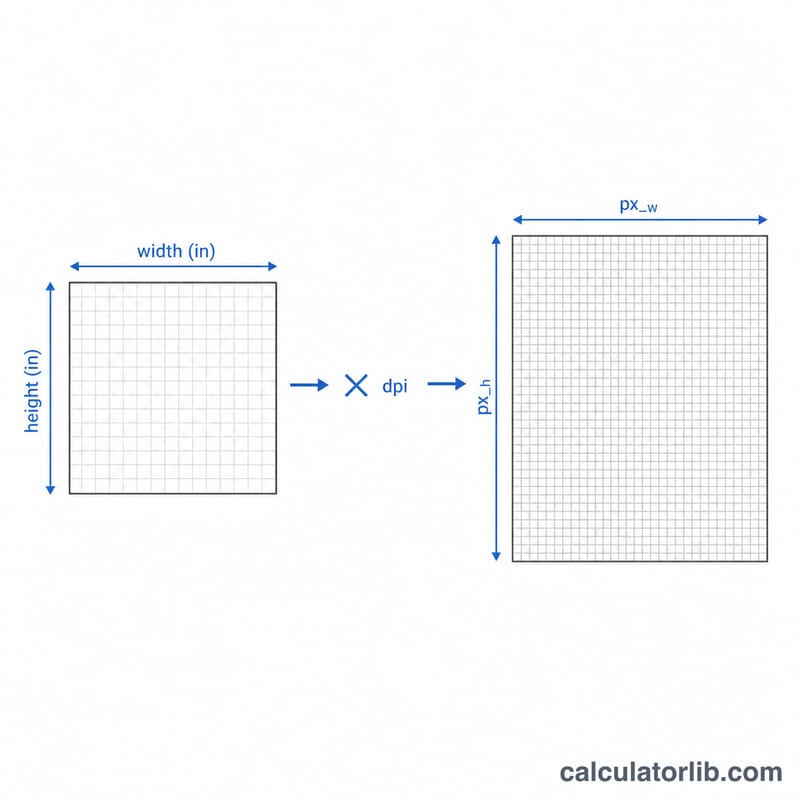
Worked example
Suppose you want a 6 in × 4 in photo at 300 DPI. Width pixels = \(6 \times 300 = 1800\). Height pixels = \(4 \times 300 = 1200\). Total = \(1800 \times 1200 = 2{,}160{,}000\) pixels, or about 2.16 megapixels. So a 2.2 MP image is the minimum needed for a sharp 6×4 print.
FAQ
What DPI should I use? 300 DPI is the standard for sharp photo prints. For large posters viewed from several feet away, 150 DPI is usually fine.
Is DPI the same as PPI? For sizing digital images they are treated the same here: both describe how many pixels map to each printed inch.
What if my image has fewer pixels than the result? The print will be upscaled and may look soft. Either reduce the print size, lower the target DPI, or use a higher-resolution source.