
What Is Frame Time?
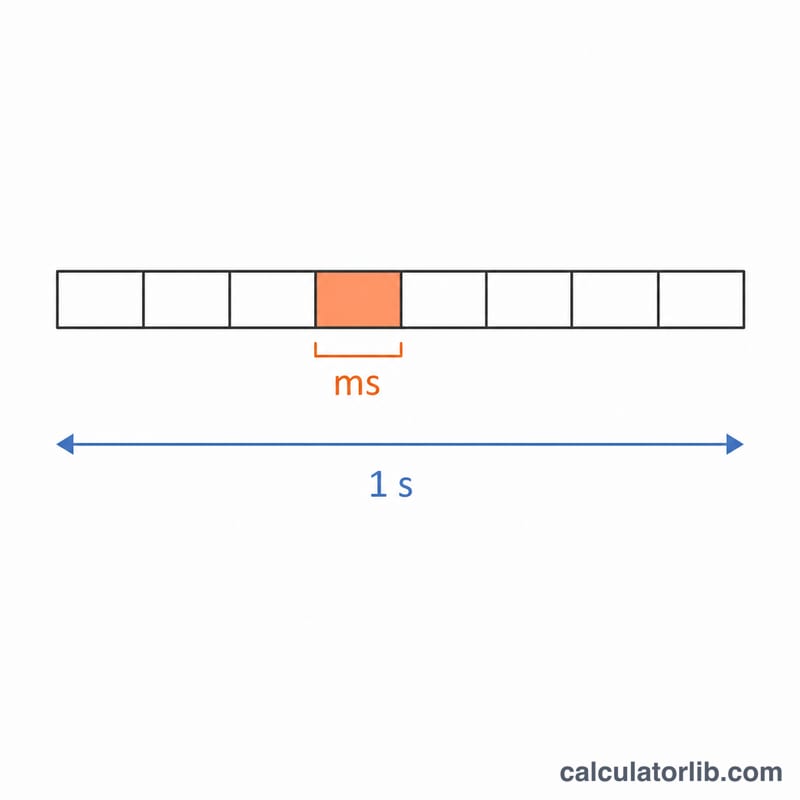
Frame time is the amount of time it takes to render a single frame, usually measured in milliseconds (ms). While frames per second (FPS) tells you how many frames are drawn each second, frame time tells you the gap between consecutive frames. The two are simply reciprocals of each other: a higher FPS means a lower frame time. This calculator converts any frame rate into its corresponding frame time.
How to Use This Calculator
Enter your frame rate in FPS and the calculator returns the time per frame in milliseconds. For example, 60 FPS produces a frame time of about 16.67 ms, while 144 FPS gives roughly 6.94 ms. Lower frame times generally mean smoother, more responsive motion in games and video.
The Formula Explained
The conversion uses a single equation:
$$\text{Frame Time (ms)} = \frac{1000}{\text{FPS}}$$
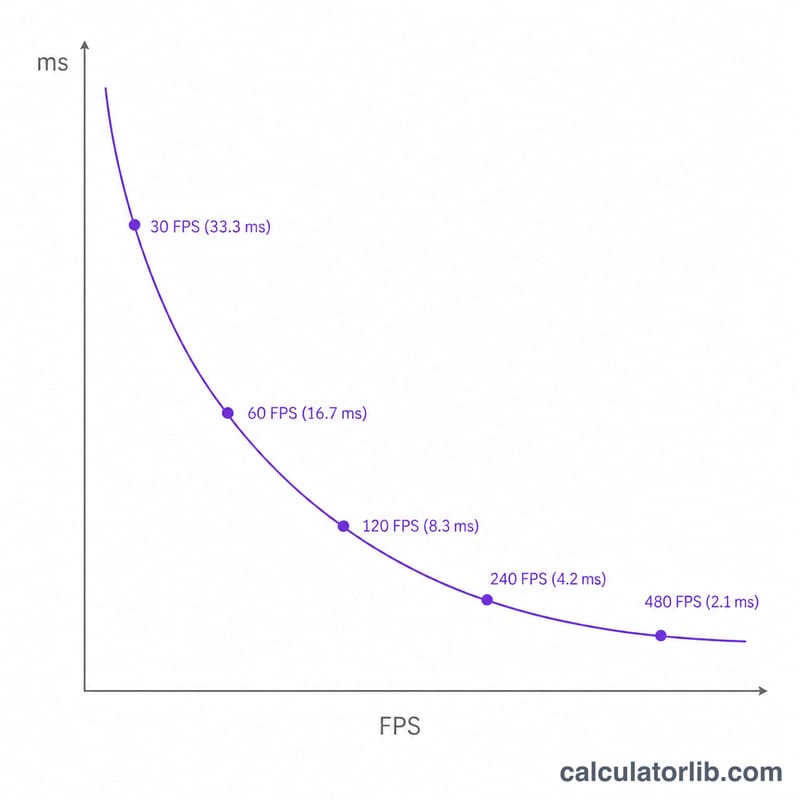
There are 1000 milliseconds in one second. Dividing 1000 by the number of frames in that second yields the duration of each frame. Because the relationship is inverse, doubling the FPS halves the frame time.
Worked Example
Suppose a game runs at 30 FPS. Plugging into the formula: $$\frac{1000}{30} = 33.333 \text{ ms}.$$ This means each frame stays on screen for about 33.3 ms. Compared to 60 FPS (16.67 ms), the 30 FPS experience feels noticeably less responsive.
FAQ
Why is lower frame time better? A shorter frame time means frames update more frequently, producing smoother motion and lower input latency.
What frame time is "good"? Many gamers target 16.67 ms (60 FPS) or below; competitive players often aim for 6.94 ms (144 FPS) or less.
Can I convert frame time back to FPS? Yes—just invert the formula: \( \text{FPS} = \frac{1000}{\text{frame time (ms)}} \).