
What Is Packet Loss?
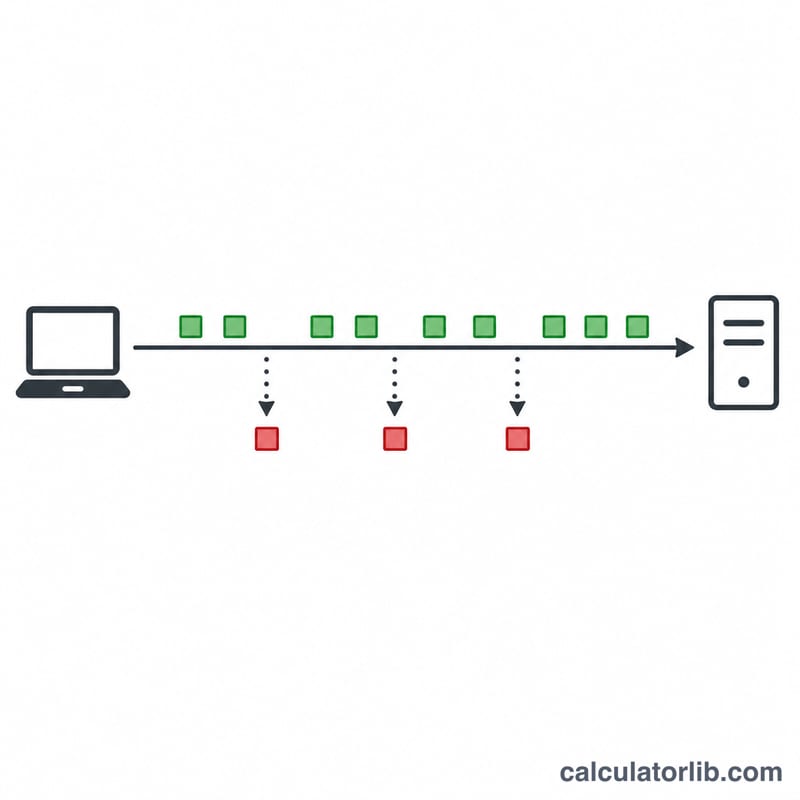
Packet loss happens when one or more data packets travelling across a network fail to reach their destination. It is a key indicator of network health, affecting everything from video calls and online gaming to VoIP and large file transfers. This calculator converts raw counts — how many packets you sent and how many were lost — into an easy-to-read loss percentage.
How to Use It
Enter the total number of packets sent (for example, the count reported by a ping test) and the number of packets lost. The calculator returns the packet loss percentage, the number of packets received, and the overall success rate. Tools like ping, mtr, or your router's diagnostics report these counts directly.
The Formula
The math is a simple ratio scaled to a percentage:
$$\text{packet\_loss\_\%} = \frac{\text{packets\_lost}}{\text{packets\_sent}} \times 100$$
The success rate is the complement: \((\text{packets\_received} / \text{packets\_sent}) \times 100\), where \(\text{packets\_received} = \text{packets\_sent} - \text{packets\_lost}\).

Worked Example
Suppose a ping test sends 1,000 packets and 25 come back as lost. The packet loss is $$\left(\frac{25}{1000}\right) \times 100 = 2.5\%$$ That means 975 packets were received, for a success rate of 97.5%. As a rule of thumb, under 1% loss is generally fine, 1–2.5% may cause noticeable issues for real-time traffic, and anything above 5% usually degrades the experience significantly.
FAQ
What is an acceptable packet loss rate? For most browsing and downloads, occasional loss under 1% is acceptable. Real-time applications like gaming and video calls are more sensitive and prefer loss below 0.5–1%.
Why am I losing packets? Common causes include network congestion, faulty cables or hardware, Wi-Fi interference, overloaded routers, and problems at your ISP.
Can packet loss be zero? Yes — on a healthy wired connection over a short test you can see 0% loss. Over long periods or busy networks, small amounts of loss are normal.