What This Calculator Does
The Circular Convolution Calculator computes the circular (cyclic) convolution of two discrete-time sequences — a core operation in digital signal processing (DSP). Unlike linear convolution, circular convolution wraps the sequences around a fixed period N, which is exactly what happens when you multiply two signals' Discrete Fourier Transforms (DFTs) and transform back. Enter your sequences and the tool instantly returns the resulting output sequence, plus its maximum and minimum values for quick analysis.
The Inputs
- First Sequence: your input signal x, entered as comma-separated numbers (e.g.
1, 2, 3, 4). - Second Sequence: the second signal h, also comma-separated (e.g.
1, 1, 1).
If the two sequences have different lengths, the calculator pads the shorter one with zeros up to N = the length of the longer sequence. Both are then treated as periodic with period N.
The Formula
Circular convolution is defined as:
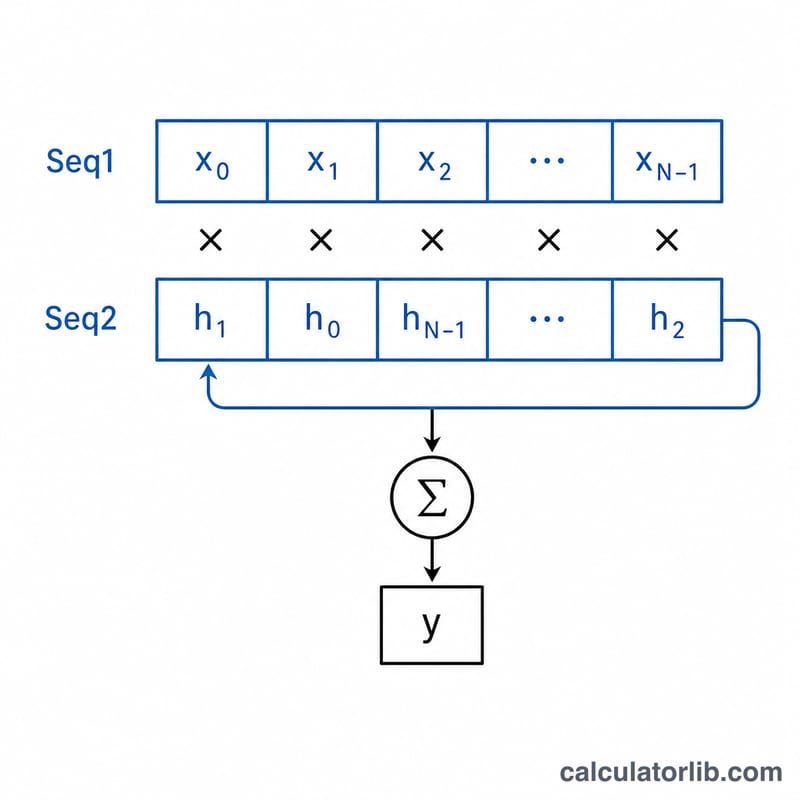
$$y[n] = \sum_{k=0}^{N-1} x[k] \cdot h\big[(n - k)\bmod N\big]$$
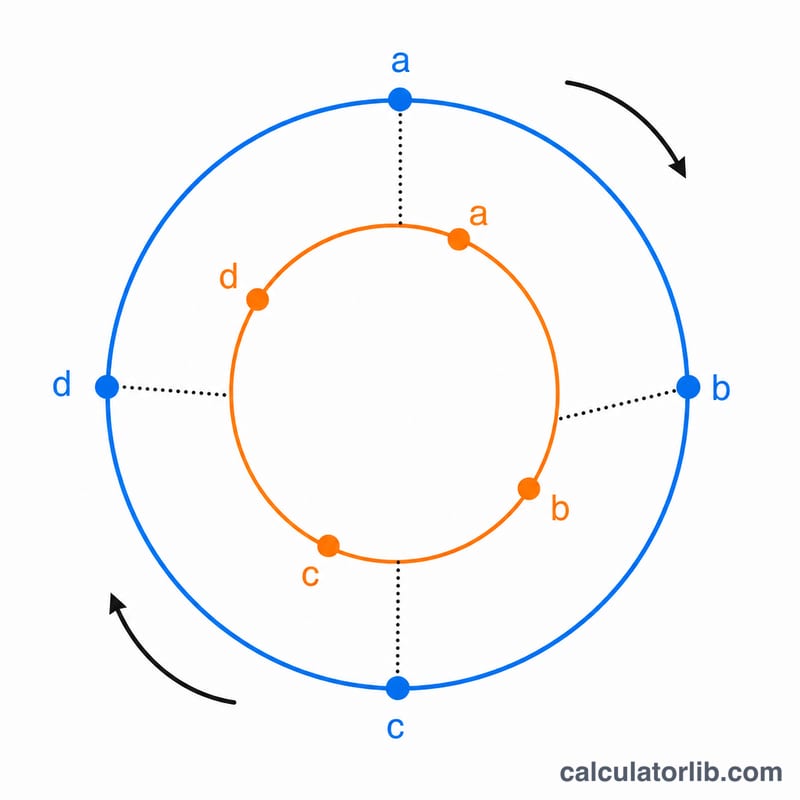
The key difference from linear convolution is the modulo N index. When (n − k) goes negative, it wraps around to the end of the sequence rather than producing a zero. This is why the result always has exactly N samples — the same length as the longer input.
Worked Example
Let x = [1, 2, 3, 4] and h = [1, 1, 1, 1] (both length N = 4). Computing each output:
- \(y[0] = 1\cdot 1 + 2\cdot 1 + 3\cdot 1 + 4\cdot 1 = 10\)
- \(y[1] = 1\cdot 1 + 2\cdot 1 + 3\cdot 1 + 4\cdot 1 = 10\)
- \(y[2] = 10\), \(y[3] = 10\)
Result: [10, 10, 10, 10], with maximum 10 and minimum 10. Because h is all ones, every output equals the sum of x — a useful sanity check.
Frequently Asked Questions
How is this different from linear convolution? Linear convolution produces a sequence of length (len(x) + len(h) − 1) with no wrap-around. Circular convolution keeps the length at N and folds overflow back to the start, matching DFT-based filtering.
What if my sequences are different lengths? The shorter one is zero-padded to match the longer length N, so both are aligned before convolution.
Can I use negative or decimal numbers? Yes. Inputs are parsed as decimals, so values like -1.5, 0.25, 3 work fine.