
What is the circumference of a circle?
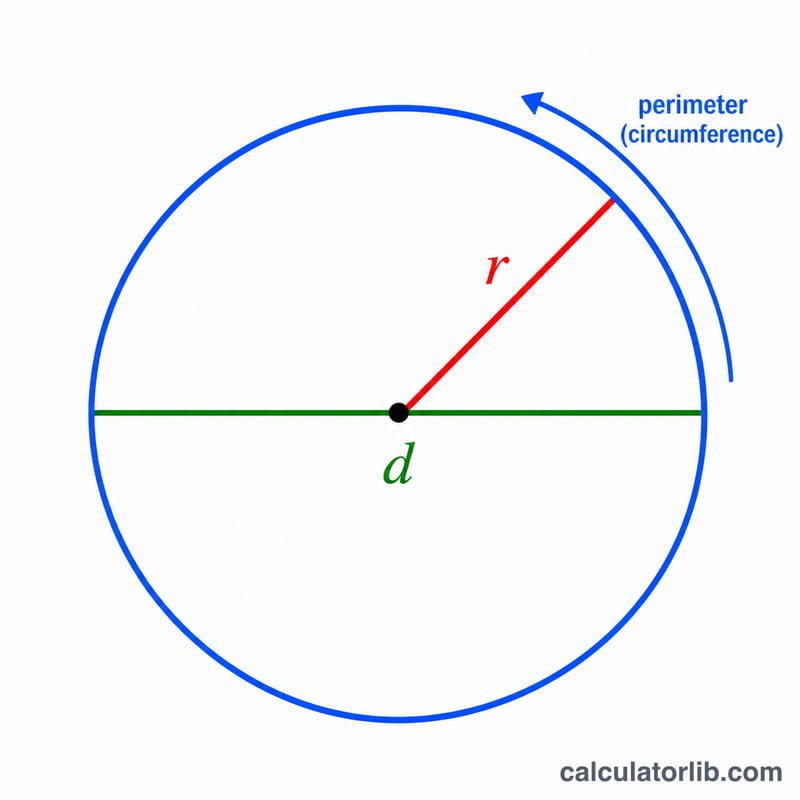
The circumference is the total distance around the edge of a circle — essentially its perimeter. It is directly proportional to the circle's size and is calculated from either the radius (the distance from the center to the edge) or the diameter (the distance straight across through the center). This calculator works for any unit of measurement, so the result is expressed in the same units you enter.
How to use this calculator
Choose whether you want to enter the radius or the diameter, then type the value. The calculator instantly returns the circumference, along with the corresponding radius, diameter, and area for reference. If you enter a diameter, it is simply halved to find the radius before computing the result.
The formula explained
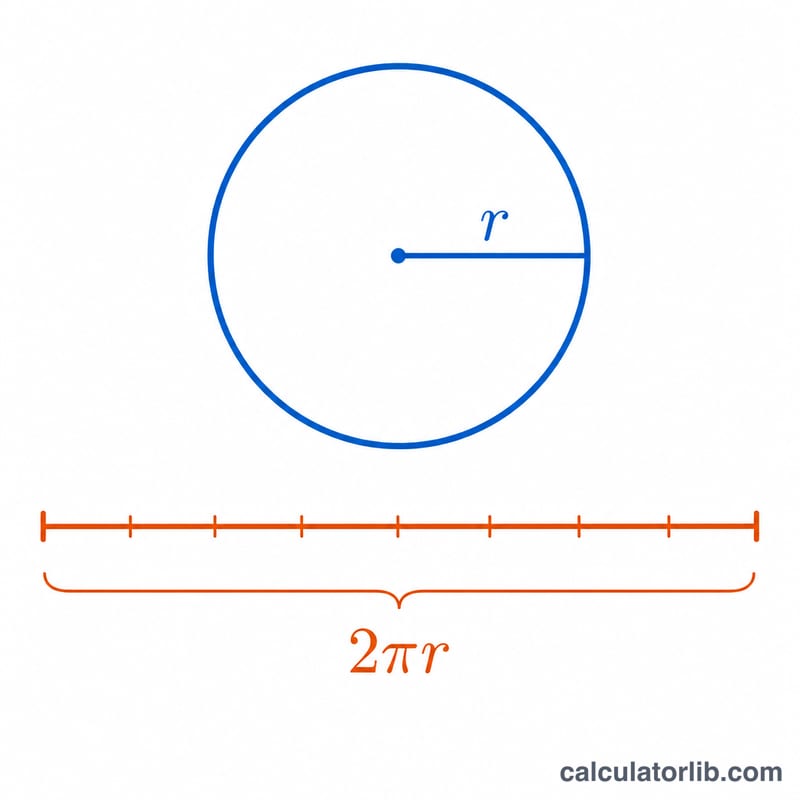
The circumference C is given by $$C = 2\pi r$$ where \(r\) is the radius and \(\pi\) (pi) \(\approx 3.14159\). Because the diameter d equals \(2r\), the same formula can be written as $$C = \pi d$$ The constant \(\pi\) represents the unchanging ratio of any circle's circumference to its diameter.
Worked example
Suppose a circle has a radius of 5 units. Then $$C = 2 \times \pi \times 5 = 10\pi \approx 31.42 \text{ units}$$ The diameter is 10 units and the area is \(\pi \times 5^2 \approx 78.54\) square units.
FAQ
What if I only know the diameter? Select "Diameter" and enter it; the formula \(C = \pi d\) is applied directly.
What value of π is used? The calculator uses the full-precision value of \(\pi\) built into the math library for accurate results.
What units does the answer use? The circumference uses the same unit you entered (cm, m, inches, etc.), and the area uses that unit squared.