
What this calculator does
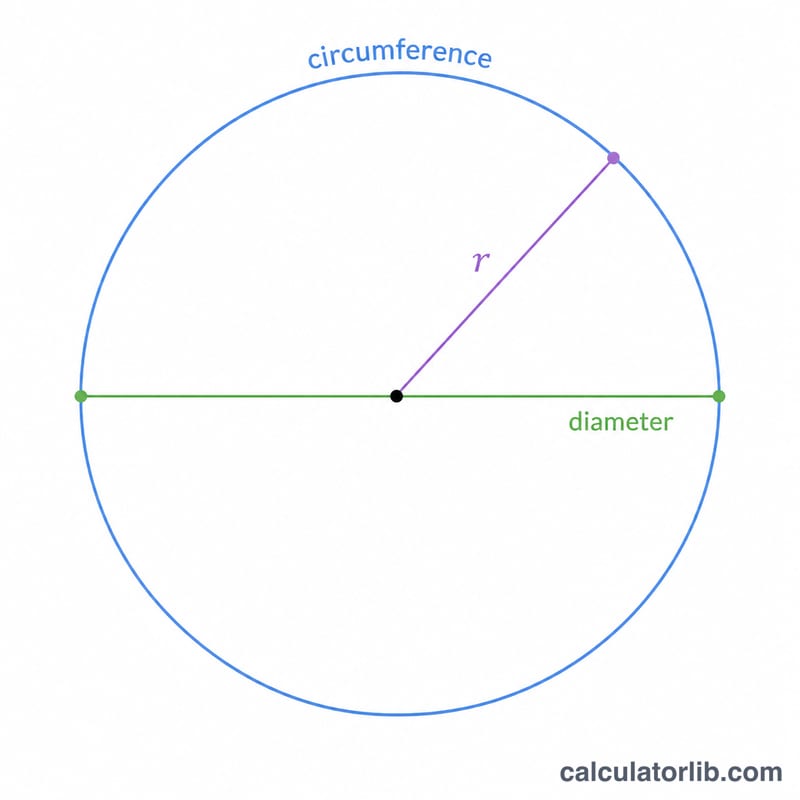
This tool computes the two key measurements of a circle: its area (the space enclosed inside) and its circumference (the distance around the edge). You can start from either the radius or the diameter, and the values are unit-agnostic geometric lengths, so whatever length unit you enter (cm, m, inches), the area comes out in that unit squared and the circumference in that same unit.
How to use it
Pick whether your input is the radius \(r\) or the diameter \(R\) from the dropdown, then type a positive number. Press calculate to see the area \(S\) and circumference \(L\). If you enter a diameter, the calculator simply halves it to get the radius before applying the formulas, so radius mode with value 5 and diameter mode with value 10 give identical answers.
The formula explained
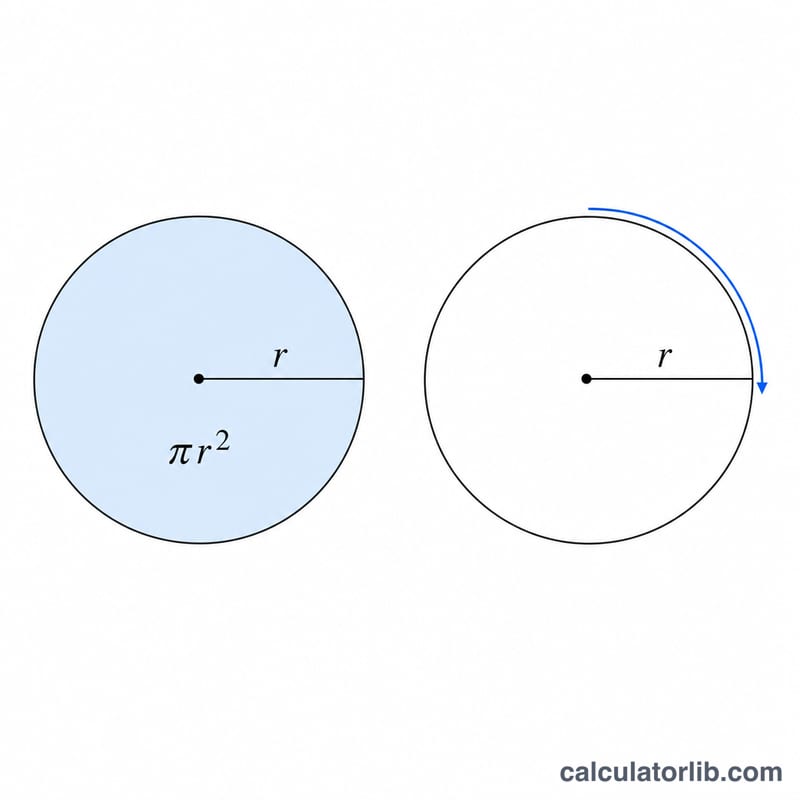
A circle is defined by its radius \(r\). The diameter is twice the radius: \(R = 2r\). The area is $$S = \pi r^{2}$$ where \(\pi\) (pi) is approximately 3.14159265358979. The circumference is $$L = 2\pi r$$ which is equivalent to \(L = \pi R\). Note that doubling the radius quadruples the area but only doubles the circumference, because area depends on \(r\) squared while circumference depends on \(r\) linearly.
Worked example
Suppose the radius is 5. The area is $$S = \pi \times 5^{2} = \pi \times 25 \approx 78.539816339745$$ square units. The circumference is $$L = 2\pi \times 5 \approx 31.415926535898$$ units. If instead you knew the diameter was 10, the calculator divides by 2 to get \(r = 5\) and returns the very same numbers.
FAQ
Can I enter a diameter directly? Yes — choose "Diameter \(R\)" in the dropdown and the tool halves it automatically.
What units does it use? It is unit-free. Use any consistent length unit; the area is that unit squared and the circumference is that unit.
What if I enter 0 or a negative number? Zero produces a degenerate point with area and circumference of 0. Negative input is treated as its absolute value, since a length cannot be negative.