
What is the Least to Greatest Decimals Calculator?
This tool takes any list of decimal numbers and arranges them in ascending order — from the smallest (least) value to the largest (greatest). It removes the guesswork of comparing decimals by hand, which is a common source of errors because more digits after the point do not mean a bigger number (0.5 is greater than 0.45).
How to use it
Type your decimals into the box, separated by commas, spaces, or semicolons — for example 0.5, 0.25, 1.7, 0.9. Press calculate and you'll see the full list sorted least to greatest, along with the count of numbers, the smallest value, and the largest value.
The formula explained
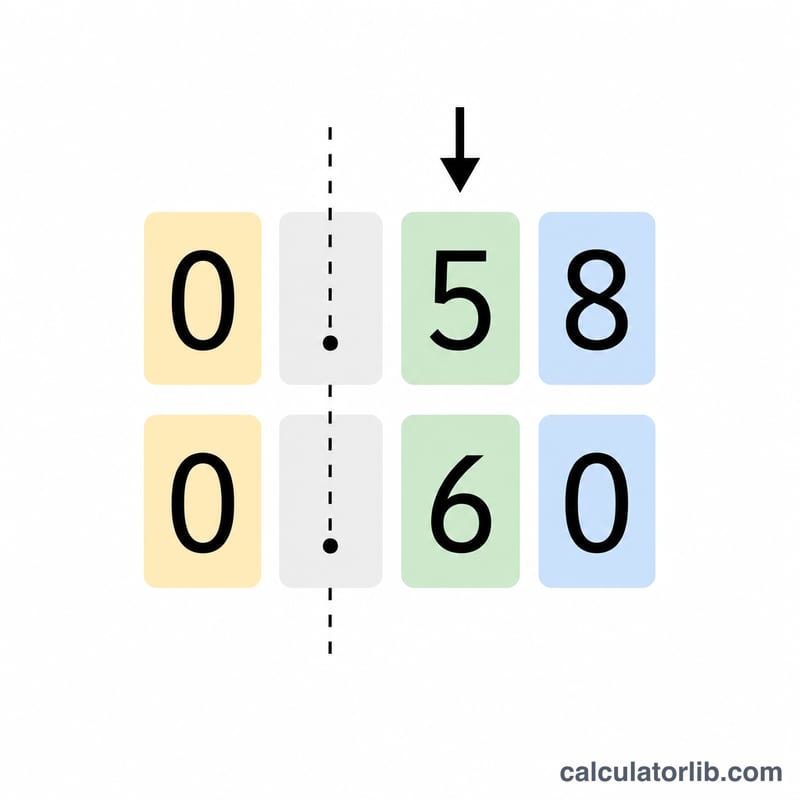
Sorting in ascending order means producing a sequence where every number is less than or equal to the one that follows it: \(d_{1} \le d_{2} \le \cdots \le d_{n}\). To compare two decimals, line them up by their decimal point and compare digit by digit from left to right. Adding trailing zeros (so all numbers share the same number of decimal places) makes the comparison straightforward.
$$\text{Sorted} = \operatorname{sort}_{\nearrow}\left(\text{Decimal numbers}\right) \;\Rightarrow\; x_{1} \le x_{2} \le \cdots \le x_{n}$$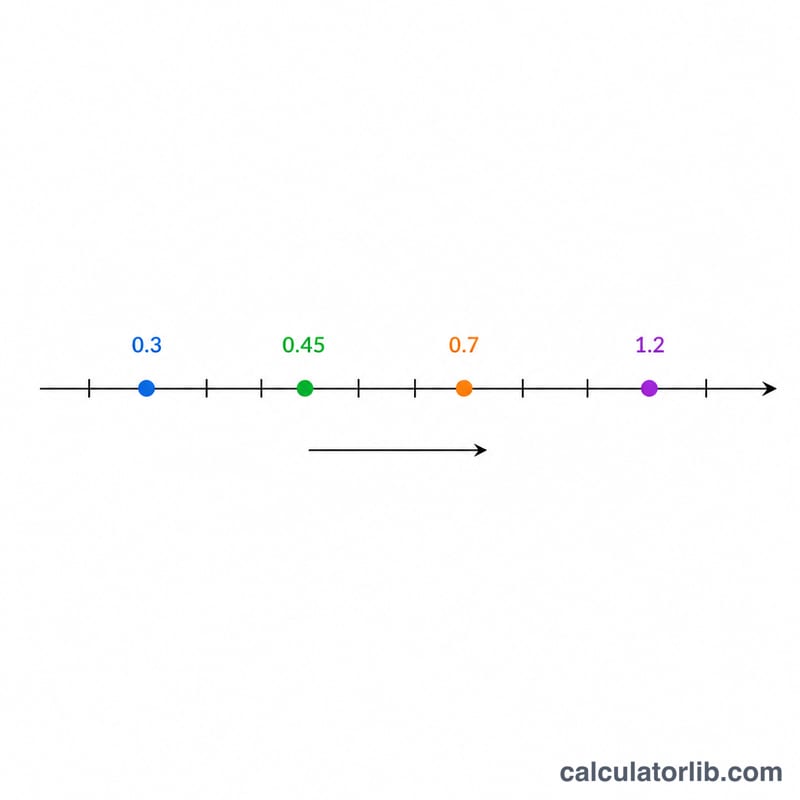
Worked example
Given 0.5, 0.25, 1.7, 0.9: pad to equal places → \(0.50,\ 0.25,\ 1.70,\ 0.90\). Comparing, the order from least to greatest is
$$0.25 \le 0.5 \le 0.9 \le 1.7$$The smallest is \(0.25\) and the largest is \(1.7\).
FAQ
Does it handle negative decimals? Yes. Negative values are smaller than zero, so \(-0.3\) sorts before \(0.1\).
What separators can I use? Commas, spaces, or semicolons all work, and you can mix them.
What if two numbers are equal? Duplicates are kept and placed next to each other, since equal values satisfy \(d_{i} \le d_{i+1}\).