

What This Calculator Does
The Loan Comparison Calculator lets you put two loans side by side and see which one is genuinely cheaper. A lower APR doesn't always win — a longer term can pile on interest even at a lower rate. By comparing monthly payment, total interest, and total cost, you get the full picture before you sign.
How to Use It
Enter the loan amount (principal), the APR as a percentage, and the term in months for each loan. The calculator converts the APR to a monthly rate, computes the standard amortized monthly payment, then multiplies by the number of months to find the total cost. The loan with the lower total cost is highlighted, along with how much you save.
The Formula Explained
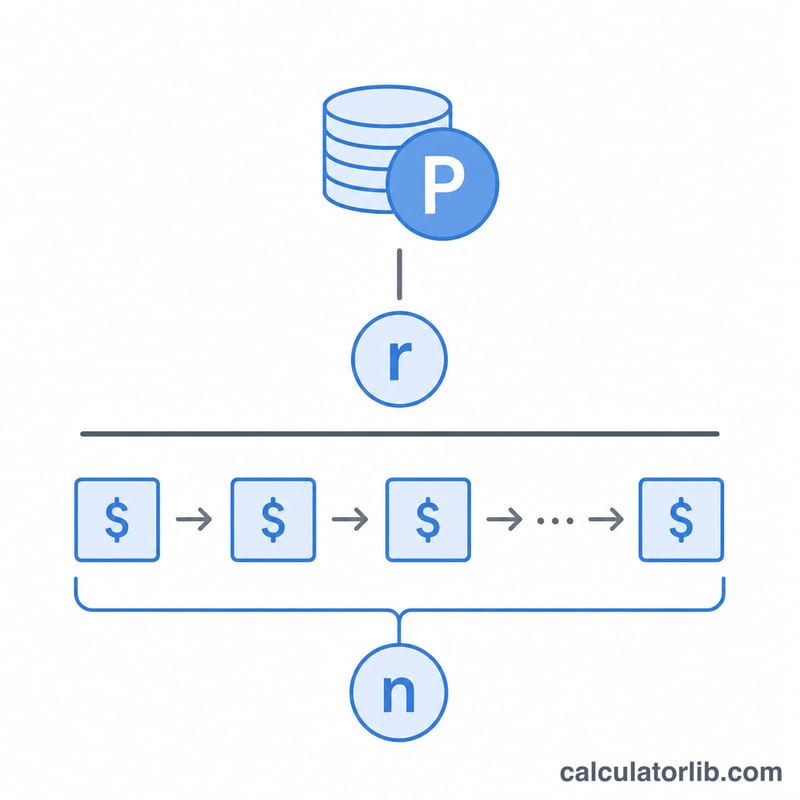
Each payment uses the amortization formula $$M = \frac{P \cdot r}{1 - (1 + r)^{-n}}$$ where P is the principal, r is the monthly interest rate (APR ÷ 100 ÷ 12), and n is the number of monthly payments. Total cost is \(M \times n\), and total interest is that total minus the principal.
Worked Example
Loan A: $20,000 at 6% APR over 60 months. Monthly rate = \(0.005\), payment ≈ $386.66, total cost ≈ $23,199.36, interest ≈ $3,199.36. Loan B: $19,000 at 4.5% APR over 72 months. Monthly rate = \(0.00375\), payment ≈ $301.61, total cost ≈ $21,715.67, interest ≈ $2,715.67. Loan B is cheaper overall, saving about $1,483.69 — even though its monthly payment is also lower because it borrows less.
FAQ
Does a lower monthly payment mean a cheaper loan? No. A longer term lowers the monthly payment but can increase total interest. Always compare total cost.
What is APR here? The annual percentage rate, treated as a nominal annual rate compounded monthly for the payment math.
Can I compare different loan amounts? Yes — the loans can have different principals, rates, and terms. Total cost reflects everything you'll actually repay.