
What Is the Money Multiplication Calculator?
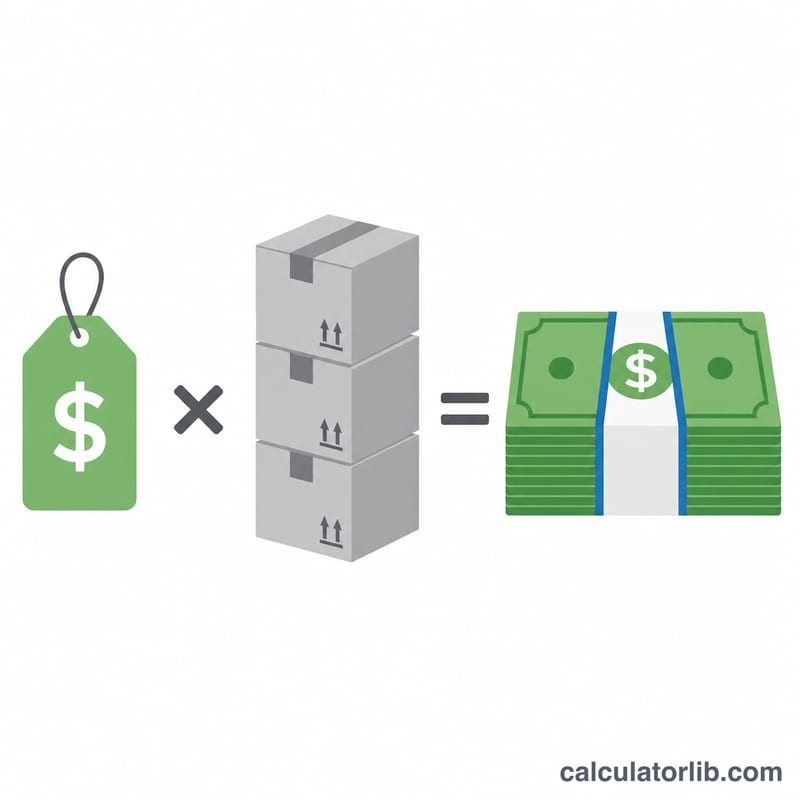
This calculator multiplies a unit price by a quantity to give you a total cost. It is the everyday math behind a shopping cart, a quote, or an invoice line item — but done instantly and without rounding mistakes. Whether you are pricing 12 items at $4.50 each or estimating a bulk order, you get an accurate total in one click.
How to Use It
Enter the unit price (the cost of a single item) and the quantity (how many you are buying). The calculator returns the total. Both fields accept decimals, so you can use cents in the price (like 9.99) and fractional quantities (like 2.5 kg) when needed.
The Formula Explained
The core equation is simple multiplication:
$$\text{Total} = \text{Unit Price (\$)} \times \text{Quantity}$$
Because money is just a number, multiplying scales the single-item price up by the count. Quantity can be whole units (a number of items) or a measured amount (weight, length, hours).
Worked Example
Suppose a notebook costs $9.99 and you buy 3 of them. Multiply: $$9.99 \times 3 = \$29.97$$ That is the total you would pay before any tax or discount. If you instead bought 10, it would be \(9.99 \times 10 = \$99.90\).
FAQ
Does this include tax? No — it gives the pre-tax subtotal. Add sales tax or VAT separately if required.
Can I use a decimal quantity? Yes. Enter values like 2.5 for items sold by weight, time, or length.
What currency does it use? The result shows a dollar sign for clarity, but the math works for any currency — just read the total in your own currency.