What Is the Nether Portal Calculator?
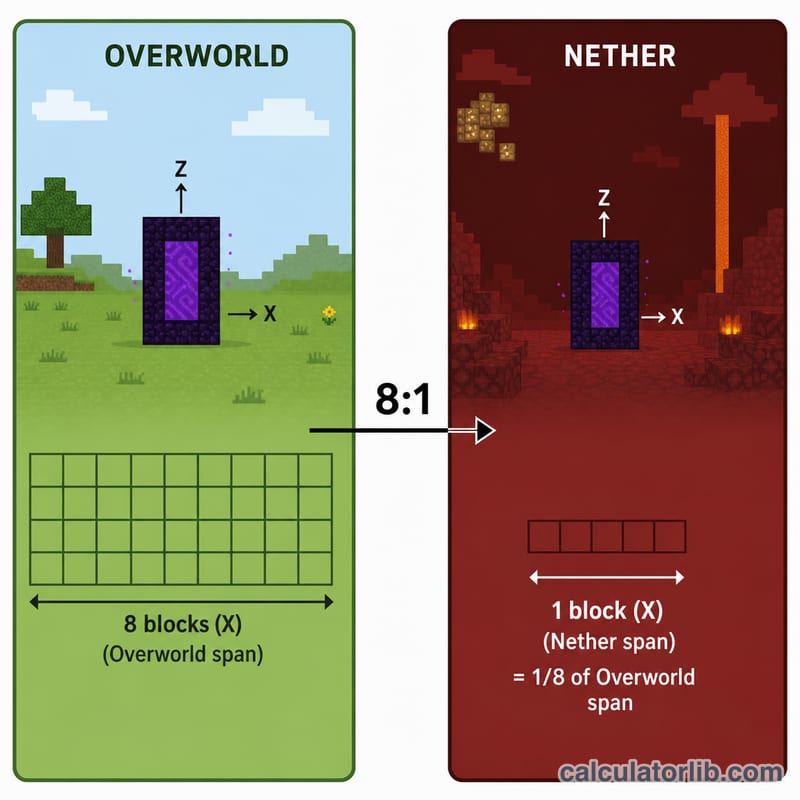
In Minecraft, the Nether is compressed relative to the Overworld: every block you travel in the Nether equals 8 blocks in the Overworld. This 1:8 ratio applies to the horizontal X and Z axes. The Nether Portal Calculator converts coordinates between the two dimensions so your portals link to each other instead of generating a brand-new portal in the wrong place.
How to Use It
Pick a direction — Overworld → Nether or Nether → Overworld — then enter the X, Y, and Z coordinates of your existing portal. The calculator returns the matching coordinates where you should build the paired portal. The Y (height) coordinate is unaffected by the ratio and stays the same in both dimensions.
The Formula Explained
The conversion only touches the horizontal axes:
Overworld → Nether: \(X \div 8\) and \(Z \div 8\).
Nether → Overworld: \(X \times 8\) and \(Z \times 8\).
For accurate linking, build the destination portal within about 16 blocks (horizontally) of these target coordinates so the game pairs them.
Worked Example
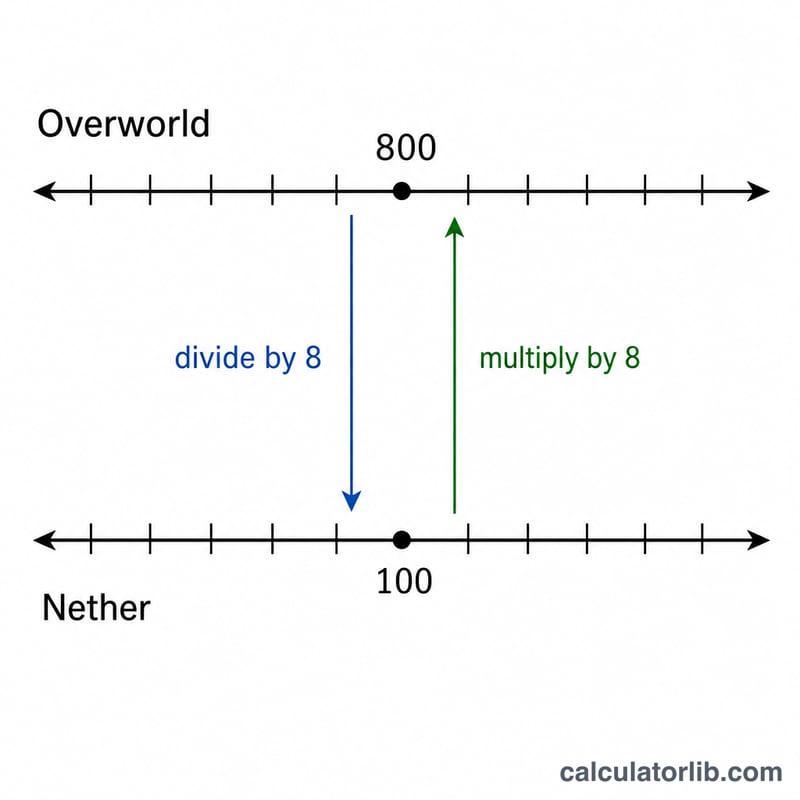
Suppose your Overworld portal is at X = 800, Y = 64, Z = -400. Dividing the horizontal axes by 8 gives:
$$X_{n} = \frac{800}{8} = 100 \qquad Z_{n} = \frac{-400}{8} = -50 \qquad Y_{n} = 64$$while Y stays 64. So build your Nether portal near (100, 64, -50).
Key Terms & Variables
| Term | Meaning |
|---|---|
| Overworld | The default dimension where you spawn, with normal terrain, biomes and a day/night cycle. Distances here are the "real" distances the 1:8 ratio compresses. |
| Nether | The hellish dimension reached through a nether portal. Its horizontal space is compressed 8× relative to the Overworld, which makes it a fast-travel layer. |
| X axis | East–west position. Increasing X moves east, decreasing X moves west. |
| Z axis | North–south position. Increasing Z moves south, decreasing Z moves north. |
| Y axis | Height (altitude) in blocks. Y is never divided or multiplied by the portal conversion. |
| 1:8 compression ratio | One block of horizontal movement in the Nether equals eight blocks in the Overworld. Hence \(X_{n} = X_{o}/8\) and \(Z_{n} = Z_{o}/8\), or the reverse when travelling out of the Nether. |
| Portal linking | The pairing between one Overworld portal and one Nether portal. Entering a portal sends you to its linked counterpart; correct linking is what makes a Nether highway predictable. |
| Portal search radius | When you enter a portal, the game converts your coordinates and then looks for an existing portal near that target — within 128 blocks in the destination dimension when arriving in the Overworld, and within 16 blocks when arriving in the Nether. Because of the 1:8 ratio, 16 Nether blocks correspond to 128 Overworld blocks, so both limits describe the same real-world distance. |
| Portal generation | If no portal is found inside the search radius, the game builds a brand-new obsidian portal at a suitable spot near the target — often in an inconvenient place such as high on a Nether wall. Pre-building your own portal at the calculated coordinates prevents this. |
| Nether portal frame | The obsidian frame you light with flint and steel. The minimum size is 4 blocks wide by 5 blocks tall, which needs only 10 obsidian blocks because the four corners may be left empty. Larger frames also work. |
| F3 debug screen | The Java Edition debug overlay (press F3, or Fn + F3 on many laptops) that shows your exact X, Y, Z position and the block you are standing on. On Bedrock Edition, enable "Show Coordinates" in the world settings instead. |
| Chunk | A 16 × 16 block column of the world, the unit the game loads and saves. The F3 screen also shows your position within the current chunk, which is useful when aligning builds. |
FAQ
Does Y change between dimensions? No — only X and Z are divided or multiplied by 8. Y stays identical.
How close does the destination need to be? Build within roughly 16 blocks horizontally of the calculated coordinates to guarantee the portals link.
Why do portals sometimes not link? If there is no existing portal within range, the game creates a new one. Building at the exact calculated spot prevents this.