
What Is the Vacation Countdown Calculator?
The Vacation Countdown Calculator tells you exactly how long you have to wait until your next getaway. Enter the date (and optional time) your vacation begins and the day you are counting from, and it instantly shows the remaining days, hours, and minutes. It is perfect for building excitement, planning packing checklists, or sharing a countdown with travel companions.
How to Use It
Pick your Vacation Date using the date picker. If you know your departure time (for example a 6:00 AM flight), enter it in the Vacation Time field for a precise hour-and-minute countdown; otherwise it defaults to midnight. The From Date defaults to today, but you can change it to count from any reference day. The result updates with the full breakdown plus totals in weeks, hours, and minutes.
The Formula Explained
The calculator finds the difference between two moments in time: your vacation date/time and your starting date. That difference is measured in seconds, then divided down. Whole days come from dividing total seconds by 86,400. The remaining seconds are split into leftover hours (÷3,600) and leftover minutes (÷60), giving you a clean "X days, Y hours, Z minutes" countdown.
$$\text{Days Left} = \left\lfloor \frac{\left(\text{Vacation Date} + \text{Vacation Time}\right) - \text{From Date}}{86400} \right\rfloor$$$$\begin{gathered} \text{Days Left} = \left\lfloor \frac{\Delta}{86400} \right\rfloor \qquad \text{Weeks} = \frac{\Delta}{86400 \times 7} \\[1.5em] \text{where}\quad \left\{ \begin{aligned} \Delta &= \left(\text{Vacation Date} + \text{Vacation Time}\right) - \text{From Date} \\ \Delta &= \text{difference in seconds} \end{aligned} \right. \end{gathered}$$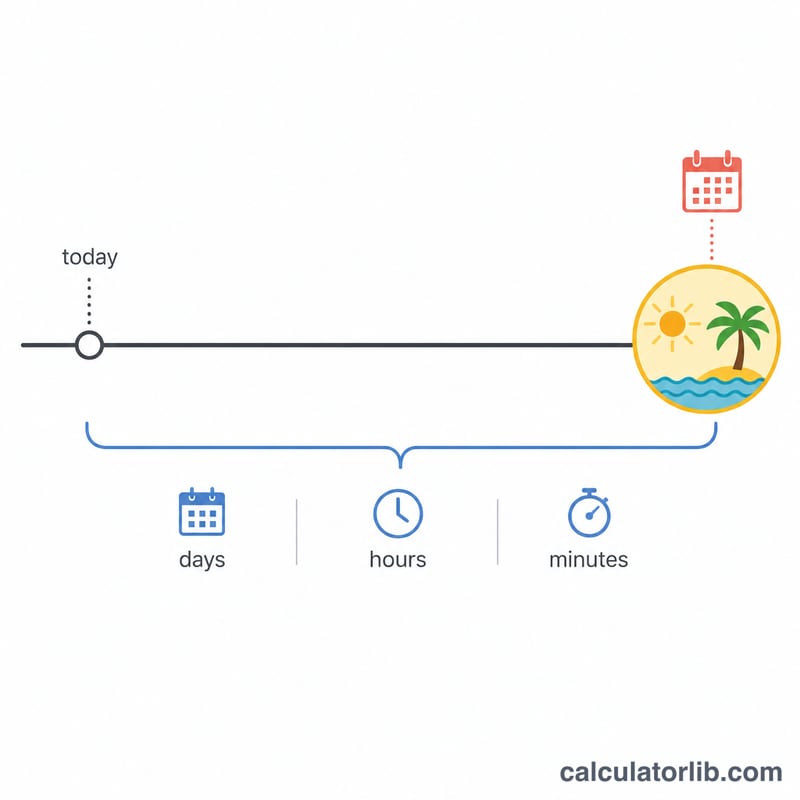
Worked Example
Suppose today is July 1, 2024 and your vacation starts July 15, 2024 at 06:00. That is 14 full days plus 6 hours, which equals 14 days, 6 hours, 0 minutes — or 2 weeks. In total that is 342 hours and 20,520 minutes until your trip begins.
$$14 \text{ days} + 6 \text{ hours} = 14 \text{ days}, 6 \text{ hours}, 0 \text{ minutes} = 2 \text{ weeks}$$$$342 \text{ hours} = 20{,}520 \text{ minutes}$$
Countdown Scenarios: Common Trip Lead Times
The table shows how common booking lead times convert into weeks and hours. Weeks are days ÷ 7 (rounded to two decimals) and hours are days × 24. Months vary in length (28 to 31 days), so the day counts for "months" are approximations: 6 months is taken here as 180 days, while the real number depends on which months your countdown spans. A one-year figure assumes a non-leap year of 365 days.
| Lead time | Total days | Weeks (days ÷ 7) | Hours (days × 24) |
|---|---|---|---|
| 30 days | 30 | 4.29 | 720 |
| 60 days | 60 | 8.57 | 1,440 |
| 90 days | 90 | 12.86 | 2,160 |
| About 6 months | ≈180 | ≈25.71 | ≈4,320 |
| 1 year (365 days) | 365 | 52.14 | 8,760 |
Because the calculator also uses your departure time, the "days left" figure is rounded down to whole days. The remaining part of a day appears as hours and minutes.
Trip Planning Timeline: What to Do as Departure Nears
The milestones below are general planning guidelines only. Real lead times vary by destination, airline, season and your personal circumstances, so always check the official requirements for your own trip.
- 6–12 months out: Choose your destination and rough dates. Check that your passport is valid for the whole trip. Many countries require validity beyond your return date, and the exact rule varies by country. Research visa or entry-authorization requirements with the official government source for your destination.
- 3–6 months out: Book flights or other main transport and accommodation, especially for peak seasons or popular destinations, when prices and availability can change quickly. Check cancellation and change policies before paying.
- 2–3 months out: Consider travel insurance, ideally soon after your first major payment so that cancellation cover applies. Read what is and is not covered. Apply for any visas, since processing times differ widely between countries.
- 4–8 weeks out: Plan activities, reservations and local transport. Check any health recommendations or vaccinations with a qualified professional or official health authority. Let your bank know about your plans if it advises doing so.
- 1–2 weeks out: Confirm all bookings, download tickets and maps, arrange pet or home care, and check the forecast and baggage allowances.
- Final week: Pack, weigh your luggage, charge devices, and gather passports, documents, medications and currency or cards.
- About 24 hours before: Many airlines open online check-in around this time, though the window differs by airline. Check in, confirm your departure time, and plan your journey to the airport or station.
Use the countdown calculator to see how many days remain, then match that figure against this list to judge which tasks are still ahead of you. This is general information, not professional travel, medical, legal or insurance advice.
FAQ
Does it count today? The countdown measures from midnight of your From Date to the exact vacation moment, so a same-day trip shows the hours remaining within the day.
What if my vacation already passed? If the vacation date is earlier than the From Date, the result will be negative, indicating the trip is in the past.
Do I have to enter a time? No. If you leave the time blank it defaults to 00:00 (midnight), which is fine for a simple day-based countdown.