What Is the Download Speed Calculator?
This tool tells you how fast a file actually downloaded by comparing the file's size to the time it took to arrive. You enter the file size in megabytes (MB) and the number of seconds the download lasted, and the calculator returns your real-world download speed in megabits per second (Mbps) — the unit internet providers use to advertise plans — as well as megabytes per second (MB/s).
How to Use It
Enter the file size in MB. If your file is shown in gigabytes (GB), multiply by 1,000 first (or by 1,024 for binary GiB). Enter the download time in seconds. Click calculate to see your speed instantly. This is a universal calculation that works the same anywhere in the world.
The Formula Explained
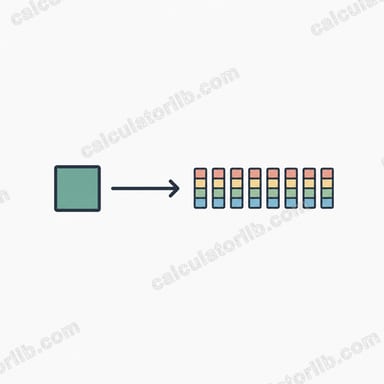
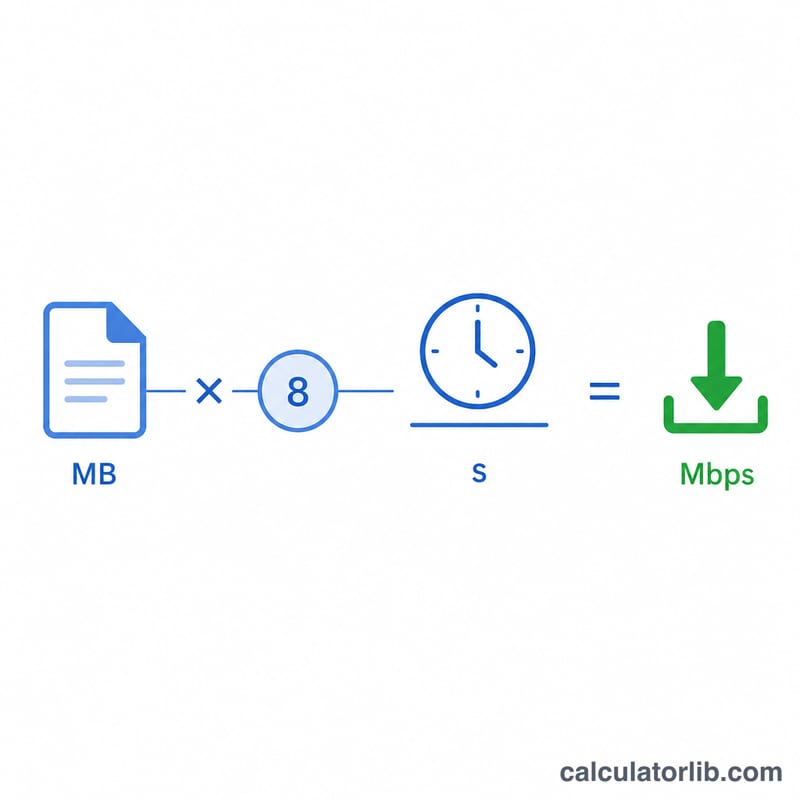
Network speeds are measured in bits, while file sizes are measured in bytes, and there are 8 bits in a byte. So we first convert the file size to megabits by multiplying MB by 8, then divide by the elapsed time:
$$\text{Speed (Mbps)} = \frac{\text{File Size (MB)} \times 8}{\text{Time (s)}}$$
To get megabytes per second instead, simply divide file size by time without the \(\times 8\) step.
Worked Example
Suppose you downloaded a 100 MB file in 20 seconds. Convert to megabits: \(100 \times 8 = 800\) megabits. Divide by time: $$800 \div 20 = 40 \text{ Mbps}$$ In megabytes per second that is \(100 \div 20 = 5\) MB/s.
Interpreting Your Download Speed Result
The calculator converts a file size in megabytes (MB) and a time in seconds into megabits per second (Mbps) using \(\text{Speed (Mbps)} = \frac{ \text{File Size (MB)} \times 8}{\text{Time (s)}}\). For example, a 500 MB file that downloads in 40 seconds gives \(\frac{500 \times 8}{40} = \) 100 Mbps.
The ranges below are general guidelines. They are loosely based on the bitrates streaming services typically recommend, not guarantees.
- Under 5 Mbps: basic web browsing, email, music and standard-definition (SD) video. HD video may buffer, and video calls can be unreliable.
- 5–25 Mbps: HD streaming and most video calls for one or two users. Some services suggest roughly 5 Mbps per HD stream.
- 25–100 Mbps: 4K streaming (often about 15–25 Mbps per stream), several users or devices at once, and moderately large downloads.
- 100–500 Mbps: busy households with many devices, multiple 4K streams, cloud backups and fast game downloads.
- 1000+ Mbps (gigabit): very fast large downloads. Other limits, such as the server, Wi-Fi, your device or the storage drive, often become the bottleneck.
Real-world throughput is usually below the advertised plan speed. Protocol overhead (TCP/IP headers, retransmissions), Wi-Fi signal quality, network congestion, server limits and device capability all reduce the measured rate. A result somewhat below your plan speed is normal. A result far below it may point to a congested network, a slow server or a weak wireless connection.
Mbps, MB/s and File Size Conversion Table
Internet speeds are usually quoted in megabits per second (Mbps), while file sizes and download managers often use megabytes per second (MB/s). Divide Mbps by 8 to get MB/s.
| Speed (Mbps) | Speed (MB/s) |
|---|---|
| 8 | 1 |
| 10 | 1.25 |
| 50 | 6.25 |
| 100 | 12.5 |
| 500 | 62.5 |
| 1000 (1 Gbps) | 125 |
Unit sizes
| Relationship | Value |
|---|---|
| 1 byte | 8 bits |
| 1 MB (megabyte) | 8 Mb (megabits) |
| 1 GB (decimal) | 1000 MB |
| 1 GiB (binary) | 1024 MiB |
| 1 Gbps | 1000 Mbps |
Network speeds use decimal prefixes (1 Gbps = 1000 Mbps). Some operating systems report file sizes in binary units (GiB, MiB) but label them GB or MB. A file shown as 1 GiB is about 1073.7 MB in decimal terms, so it takes about 7% longer to download than 1 GB.
Download Time vs. Speed Comparison
Times are calculated as \(\text{Time (s)} = \frac{\text{Size (MB)} \times 8}{\text{Speed (Mbps)}}\), with 1 GB = 1000 MB. They assume ideal conditions with no protocol overhead, so real downloads will usually take longer.
| File size | 10 Mbps | 50 Mbps | 100 Mbps | 500 Mbps | 1000 Mbps |
|---|---|---|---|---|---|
| 100 MB | 80 s (1 min 20 s) | 16 s | 8 s | 1.6 s | 0.8 s |
| 1 GB | 800 s (13 min 20 s) | 160 s (2 min 40 s) | 80 s (1 min 20 s) | 16 s | 8 s |
| 5 GB | 4000 s (1 h 6 min 40 s) | 800 s (13 min 20 s) | 400 s (6 min 40 s) | 80 s (1 min 20 s) | 40 s |
| 50 GB | 40,000 s (11 h 6 min 40 s) | 8000 s (2 h 13 min 20 s) | 4000 s (1 h 6 min 40 s) | 800 s (13 min 20 s) | 400 s (6 min 40 s) |
Worked example: a 5 GB file is 5000 MB, so at 100 Mbps the time is \(\frac{5000 \times 8}{100} = 400\) seconds, or 6 minutes 40 seconds.
FAQ
Why is my measured speed lower than my plan? Overhead, server limits, Wi-Fi, and other devices on the network all reduce real throughput below your advertised maximum.
What's the difference between Mbps and MB/s? Mbps is megabits per second; MB/s is megabytes per second. Since 1 byte = 8 bits, \(\text{MB/s} = \text{Mbps} \div 8\).
Should I use 1000 or 1024 to convert GB to MB? Storage marketing uses 1,000; operating systems often use 1,024 (binary). Use whichever matches how your file size was reported.