
What Is the Mass to Density Calculator?
This tool computes the density of an object or substance from its mass and volume. Density tells you how much matter is packed into a given space and is one of the most fundamental physical properties used across physics, chemistry, engineering, and materials science. The calculator uses SI units: mass in kilograms (kg) and volume in cubic metres (m³), returning density in kilograms per cubic metre (kg/m³).
How to Use It
Enter the mass of your object in kilograms and its volume in cubic metres, then read the resulting density. If you measured volume in litres, divide by 1000 to convert to m³ first (1 L = 0.001 m³). For grams, divide by 1000 to get kilograms.
The Formula Explained
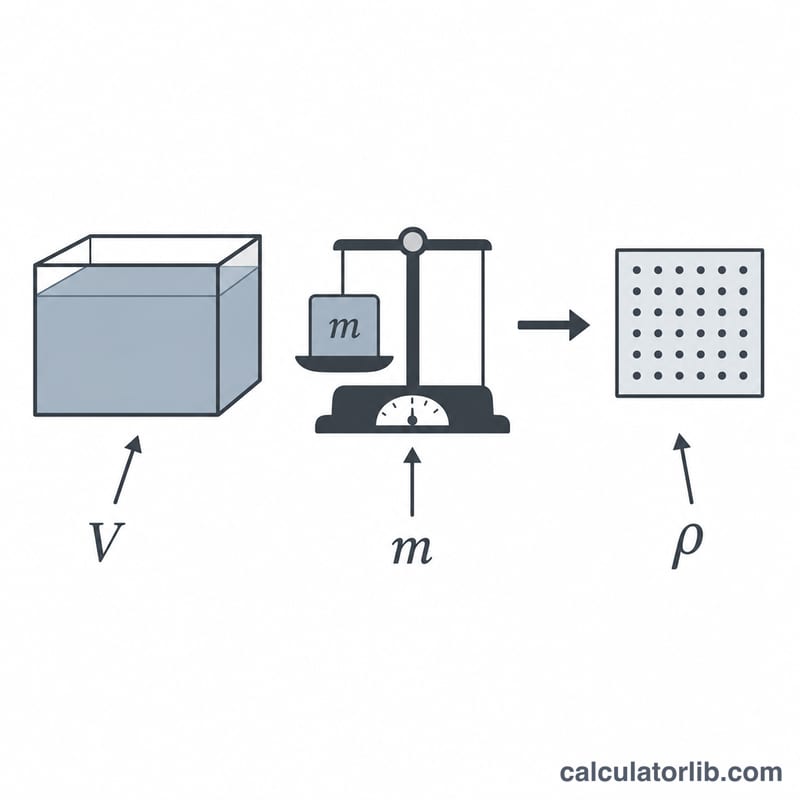
Density (\(\rho\), the Greek letter "rho") is defined as mass per unit volume:
$$\rho = \frac{m}{V}$$
Here \(m\) is mass and \(V\) is volume. Because volume sits in the denominator, the same mass spread over a larger volume yields a lower density. A volume of zero is physically meaningless, so the calculator guards against division by zero.
Worked Example
Suppose a block has a mass of 10 kg and occupies a volume of 2 m³. Then $$\rho = 10 \div 2 = 5 \ \text{kg/m}^3.$$ As a real-world check, pure water has a density of about 1000 kg/m³, while aluminium is roughly 2700 kg/m³.
FAQ
What units does this use? Mass in kilograms and volume in cubic metres, giving density in kg/m³.
How do I convert kg/m³ to g/cm³? Divide by 1000 — so 1000 kg/m³ equals 1 g/cm³.
Why is my density different from a reference value? Measurement errors, temperature, pressure, or impurities can all shift the result; double-check your volume measurement, as it is the most common source of error.