

What is a net-to-gross (gross-up) calculator?
A gross-up calculator works backwards from a known net amount to find the gross amount it came from, given a single percentage deduction. If a value has already had a percentage taken off — such as tax, commission, a discount, or a fee — this tool reverses that math to recover the original figure before the deduction was applied.
How to use it
Enter the net amount you ended up with, then enter the total deduction as a percentage. The calculator returns the gross amount along with the size of the deduction in currency units. The deduction percentage must be below 100% — a 100% deduction would leave nothing to gross up from.
The formula explained
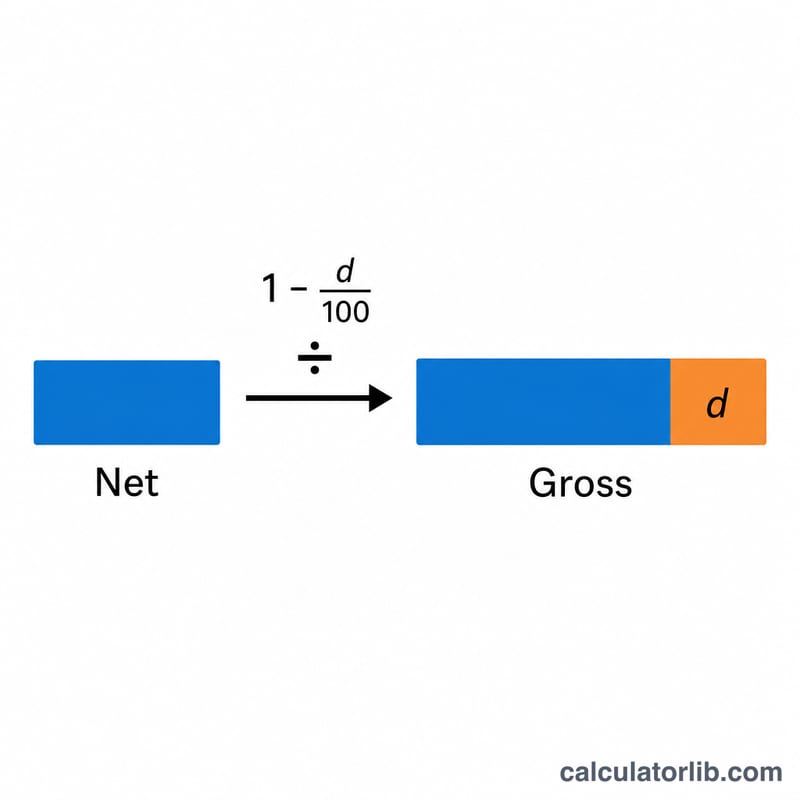
Because a deduction multiplies the gross by (1 − d/100) to produce the net, we simply divide the net by that same factor to get back to the gross:
$$\text{Gross} = \frac{\text{Net Amount}}{1 - \dfrac{\text{Deduction (\%)}}{100}}$$
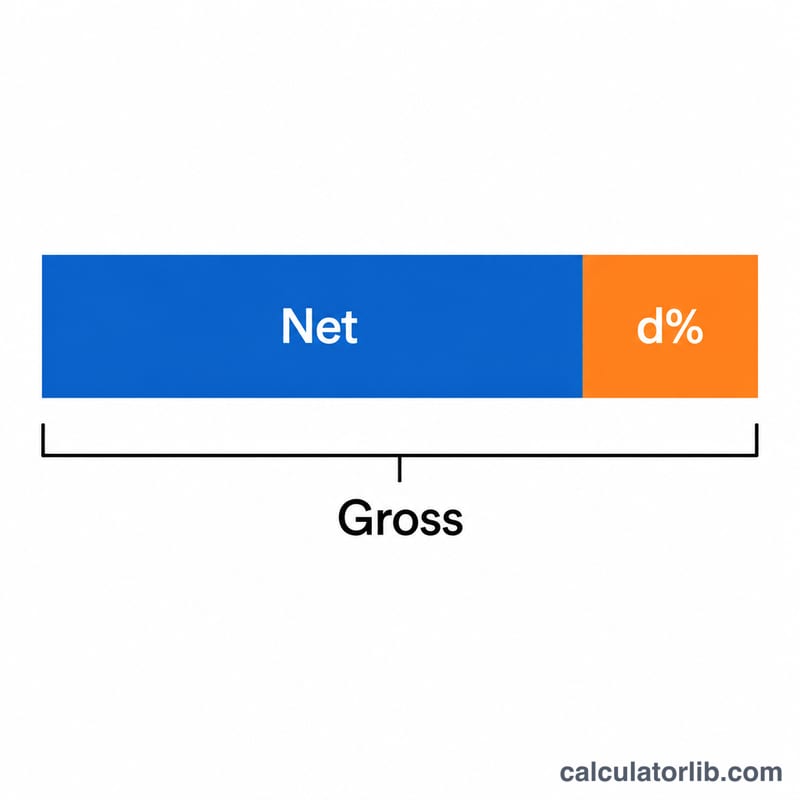
The deduction amount is then just \(\text{Gross} - \text{Net}\). Note that grossing up a percentage is not the same as adding that percentage back to the net — adding 25% to a net of 750 gives 937.50, but grossing up 750 by a 25% deduction gives 1,000.
Worked example
Suppose you received 750 after a 25% deduction. The factor is \(1 - 0.25 = 0.75\). $$\text{Gross} = \frac{750}{0.75} = 1{,}000$$ The deduction amount is \(1{,}000 - 750 = 250\), which is indeed 25% of 1,000.
FAQ
Why not just add the percentage back? Because the percentage was taken from the gross, not the net. Adding it to the net under-counts the original figure.
Can I use this for tax gross-up? Yes, when a single flat percentage applies. For tiered or marginal tax brackets you need a dedicated tax tool.
What if the deduction is 0%? The gross equals the net, since nothing was removed.