
What Is Pixel Aspect Ratio?
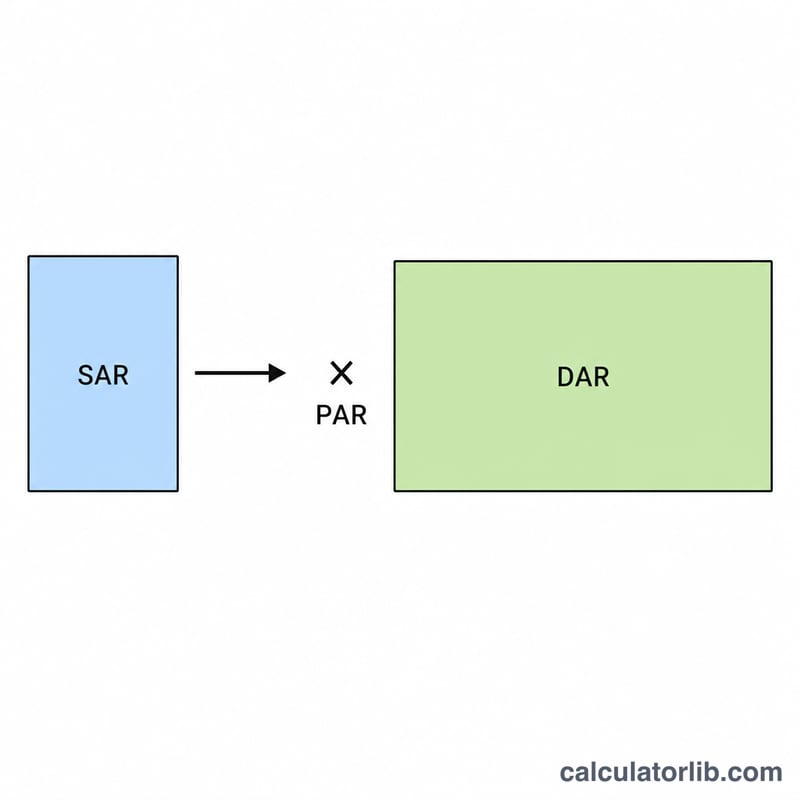
Pixel Aspect Ratio (PAR) describes the shape of an individual pixel. Square pixels have a PAR of 1.0, while many video formats use non-square (anamorphic) pixels where PAR is greater or less than 1. PAR ties together three quantities: the Storage Aspect Ratio (SAR), which is simply the stored pixel width divided by the stored pixel height, and the Display Aspect Ratio (DAR), which is the shape the picture should have on screen. The relationship is \(\text{DAR} = \text{SAR} \times \text{PAR}\), which rearranges to \(\text{PAR} = \text{DAR} \div \text{SAR}\).
$$\text{PAR} = \frac{\text{DAR}}{\text{SAR}} = \frac{\dfrac{\text{DAR Width}}{\text{DAR Height}}}{\dfrac{\text{Stored Width}}{\text{Stored Height}}}$$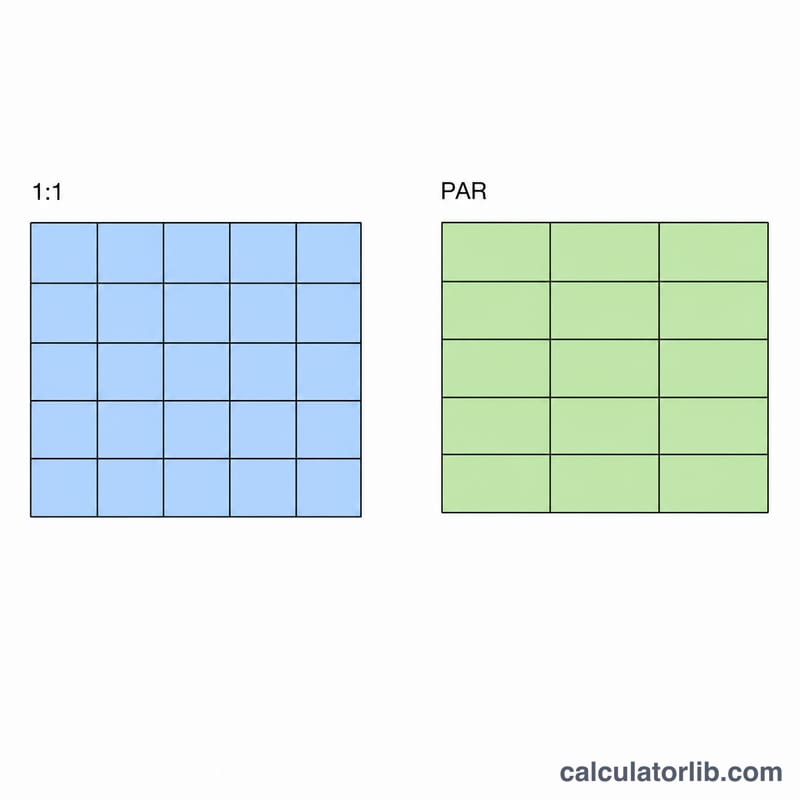
How to Use This Calculator
Enter the stored frame dimensions in pixels (for example 720 \(\times\) 576 for PAL DV) and the intended display aspect ratio (for example 16 and 9 for widescreen). The calculator first computes SAR from the stored dimensions, then divides your DAR by that SAR to find the pixel aspect ratio.
Worked Example
Take standard-definition PAL widescreen: stored resolution 720 \(\times\) 576, displayed at 16:9. \(\text{SAR} = 720 \div 576 = 1.25\). \(\text{DAR} = 16 \div 9 \approx 1.7778\). Therefore $$\text{PAR} = 1.7778 \div 1.25 = 1.4222$$ Each stored pixel is about 1.42\(\times\) wider than it is tall, which stretches the 720\(\times\)576 frame into a 16:9 picture on playback.
FAQ
What does a PAR of 1.0 mean? The pixels are perfectly square, so SAR equals DAR and no horizontal or vertical scaling is needed.
Why is PAR greater than 1 in some video? Anamorphic formats store wide content in a narrower pixel grid; the player stretches each pixel horizontally on display, giving a PAR above 1.
Is this calculator specific to any region? No — the math is universal. The PAL and NTSC examples are just common cases; any stored resolution and display ratio work.