
What Is an Aspect Ratio Calculator?
An Aspect Ratio Calculator is a simple tool that works out the proportional relationship between the width and height of an image, video, screen, or design element. Aspect ratio is expressed as two numbers separated by a colon — like 16:9 or 4:3 — and it describes shape rather than size. This calculator is used worldwide and is not tied to any country or standard, making it useful for photographers, video editors, web designers, and anyone who needs to resize media without distorting it.
How to Use the Calculator
Using the tool takes only a few seconds:
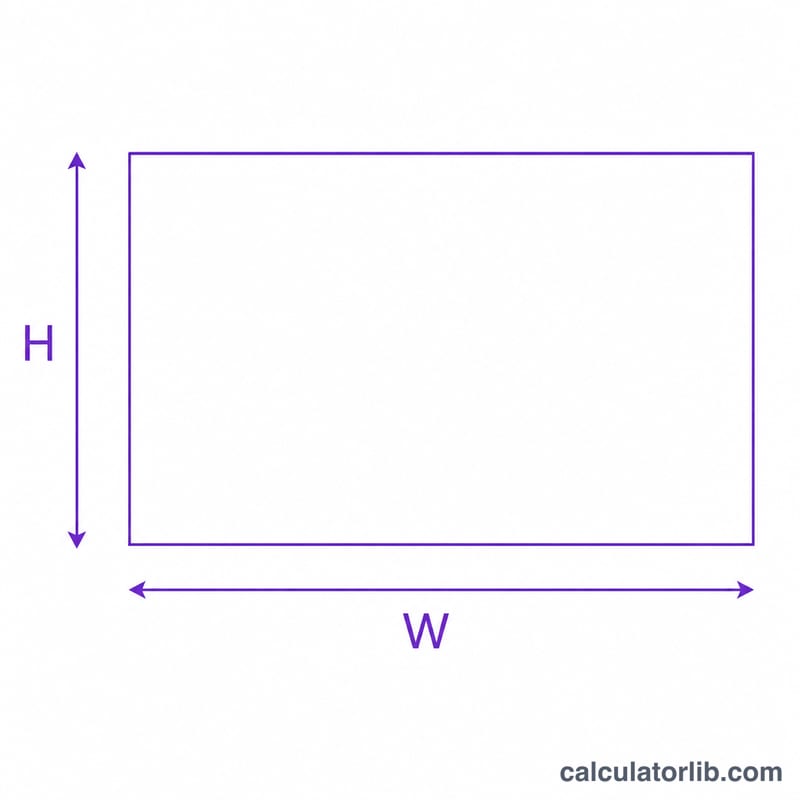
- Enter the current width and height of your image or video in pixels (or any unit).
- The calculator instantly displays the simplified aspect ratio, such as 16:9.
- To resize, enter a new width and the calculator returns the matching height (or vice versa) so your image keeps its exact proportions.
This prevents stretched or squashed visuals, which is essential when preparing content for different screens or platforms.
The Formula Explained
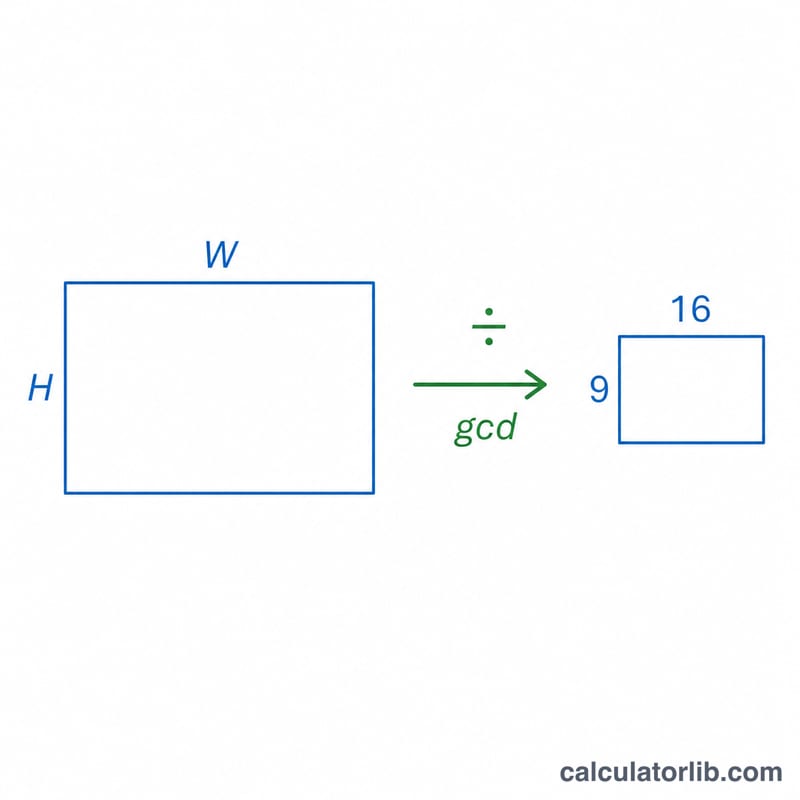
Aspect ratio is calculated by dividing both dimensions by their greatest common divisor (GCD):
- $$\text{Aspect Ratio} = \frac{\text{Width}}{\gcd} : \frac{\text{Height}}{\gcd}$$
For resizing while keeping proportions, the calculator uses:
- $$\text{New Height} = \left(\frac{\text{Original Height}}{\text{Original Width}}\right) \times \text{New Width}$$
Worked Example
Suppose you have an image that is 1920 pixels wide and 1080 pixels tall. The greatest common divisor of 1920 and 1080 is 120. Dividing both numbers by 120 gives 16 and 9, so the aspect ratio is 16:9.
Now imagine you want to shrink it to a width of 1280 pixels. Using the formula: $$\left(\frac{1080}{1920}\right) \times 1280 = 720$$ The new dimensions are 1280 \(\times\) 720, which keeps the same 16:9 ratio with no distortion.
Key Terms Explained
- Aspect ratio
- The proportional relationship between an image's width and height, written as \(W:H\) (e.g. 16:9). It describes shape, not size, so any image with the same ratio looks proportionally identical regardless of pixel count.
- Greatest common divisor (GCD)
- The largest whole number that divides both the width and height without a remainder. Dividing each dimension by the GCD reduces the ratio to its simplest form. For 1920 and 1080, the GCD is 120, so the ratio simplifies to \(1920\div120 : 1080\div120 = 16:9\).
- Simplified ratio
- The aspect ratio after both sides have been divided by their GCD, leaving the smallest whole-number pair (e.g. 16:9 instead of 1920:1080).
- Decimal ratio
- The single number obtained by dividing width by height (\(W \div H\)). For 16:9 this is \(16 \div 9 \approx 1.778\). It is handy for quick comparisons between ratios.
- Landscape vs portrait orientation
- Landscape means the width is greater than the height (decimal ratio > 1, e.g. 16:9). Portrait means the height is greater than the width (decimal ratio < 1, e.g. 9:16). A ratio of exactly 1:1 is square.
- Pixel dimensions
- The exact number of pixels across (width) and down (height), such as 1920×1080. Two images can share an aspect ratio while having very different pixel dimensions and therefore different resolution and file size.
Frequently Asked Questions
What are the most common aspect ratios? Popular ratios include 16:9 (widescreen video and most displays), 4:3 (older monitors and presentations), 1:1 (square social media posts), and 21:9 (ultrawide cinema).
Does aspect ratio affect image quality? The ratio itself does not reduce quality, but resizing to a much smaller size or stretching to a different ratio can cause blur or distortion.
Can I use any unit? Yes. Pixels, centimetres, or inches all work — the ratio depends only on the relationship between the two numbers, not the unit.