
What is the Working Hours Between Two Times Calculator?
This tool calculates how many hours you actually worked between a start time and an end time, then subtracts any unpaid break. It is useful for timesheets, payroll, freelancing, and tracking shift length. It correctly handles overnight shifts where the end time falls on the next day.
How to use it
Enter your start time and end time in 24-hour format, then enter the total break in minutes (use 0 if you took no break). The calculator returns the net working hours as a decimal and as hours and minutes, plus the gross duration and the break that was deducted.
The formula explained
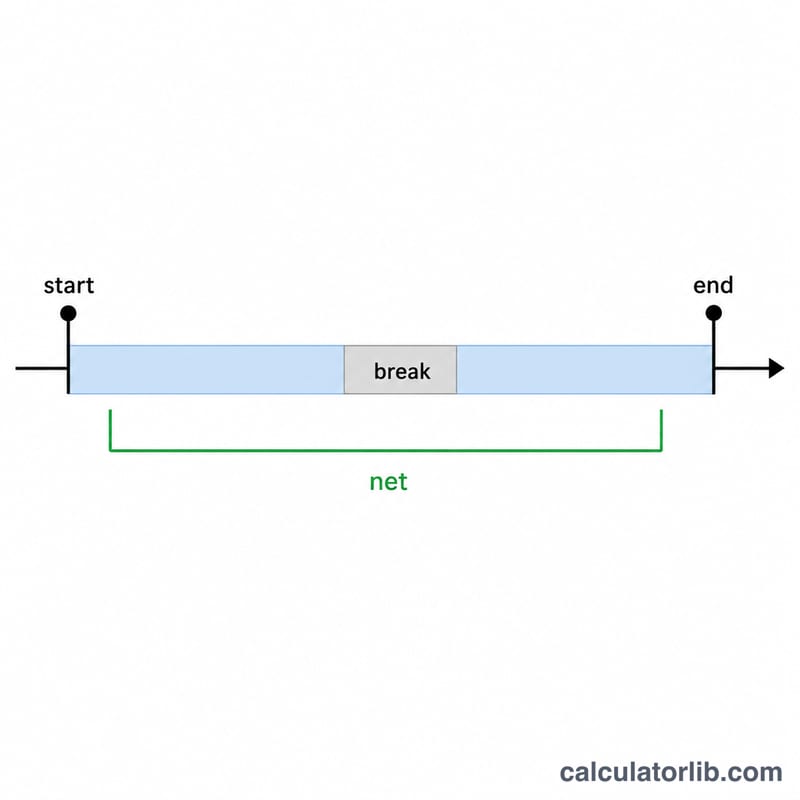
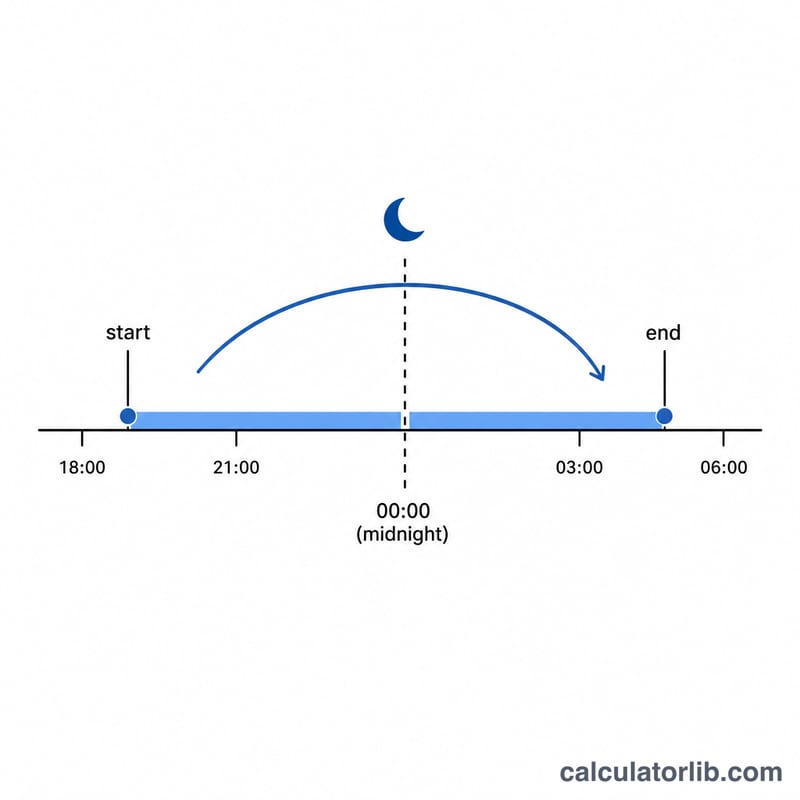
Times are converted to seconds since midnight. Gross duration is the difference divided by 3600 to get hours. If the end is before the start, 24 hours are added to account for a shift crossing midnight. The break, given in minutes, is divided by 60 to convert to hours and then subtracted from the gross duration to give net working hours.
$$\text{Net Hours} = \left(\text{End time} - \text{Start time}\right) - \frac{\text{Break (min)}}{60}$$
Worked example
For a 09:00 to 17:00 shift with a 30-minute break: gross duration = \((17 - 9) = 8\) hours. Break = \(30 \div 60 = 0.5\) hours. Net working hours = \(8 - 0.5 =\) 7.5 hours, or 7h 30m.
$$\text{Net Hours} = \left(17 - 9\right) - \frac{30}{60} = 8 - 0.5 = 7.5\ \text{hours}$$
FAQ
Does it handle night shifts? Yes. If the end time is earlier than the start time (e.g. 22:00 to 06:00), it assumes the shift ends the next day and adds 24 hours.
What if my break is longer than the shift? Net hours cannot be negative, so the result is capped at 0.
Are seconds supported? Input is in hours and minutes only; results are rounded to the nearest minute for the h/m display.