
What is the Countdown to Payday Calculator?
The Countdown to Payday Calculator tells you exactly how many days and weeks remain until your next payday. Whether you are budgeting for the rest of the month, planning a purchase, or simply counting down to payday, this tool gives you a quick, clear answer based on your pay day of the month and today's date.
How to use it
Enter the day of the month you normally get paid (for example, 25 if you are paid on the 25th), then enter today's day of the month. Finally, choose how many days are in the current month (28, 29, 30, or 31) so the rollover into next month is accurate. The calculator instantly returns the number of days and weeks left.
The formula explained
If your pay day is still ahead of today this month, the calculation is simply payday − today. If today is your pay day, the countdown is zero. If your pay day has already passed this month, the calculator rolls over: it counts the remaining days in the current month (daysInMonth − today) and adds your pay day in the next month, giving (daysInMonth − today) + payday. Weeks are found by dividing the days by 7.
$$\text{Days Until Payday} = \begin{cases} \text{Payday} - \text{Today}, & \text{Payday} \geq \text{Today} \\[1em] \left(\text{Days in Month} - \text{Today}\right) + \text{Payday}, & \text{Payday} < \text{Today} \end{cases}$$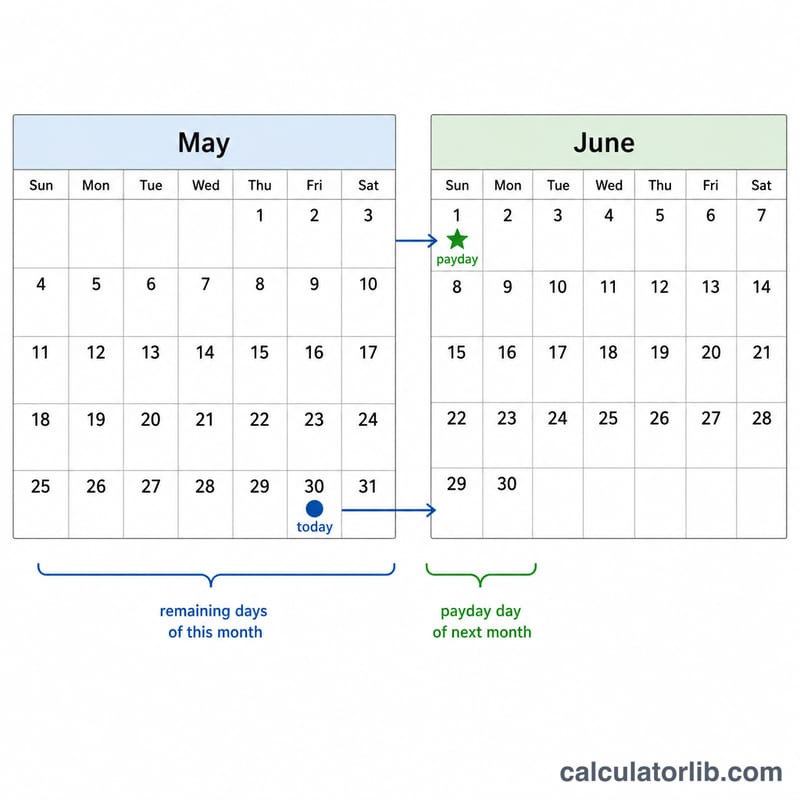
Worked example
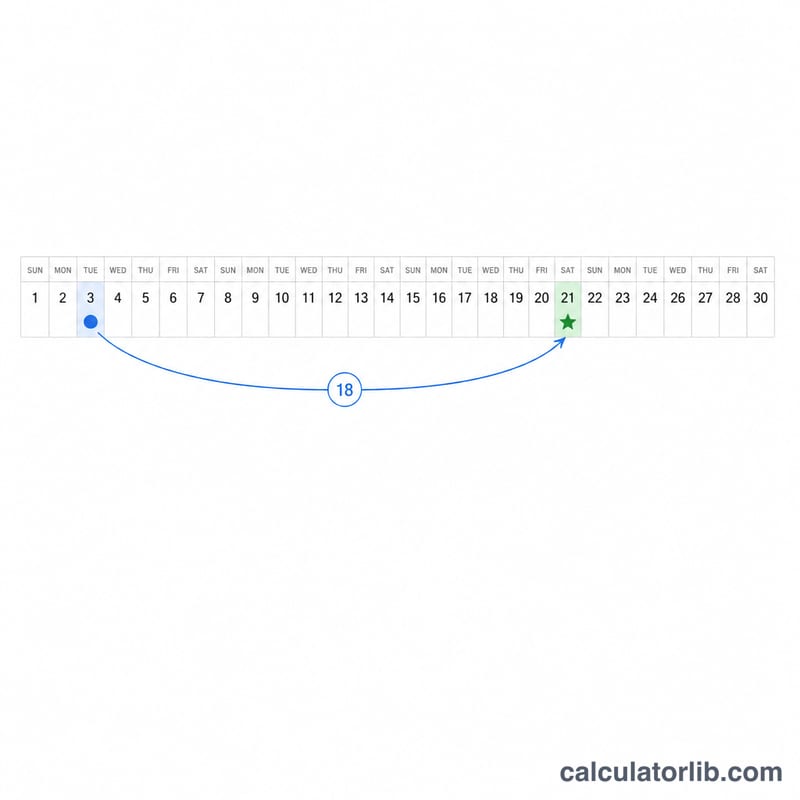
Suppose you are paid on the 1st, today is the 15th, and the month has 31 days. Your pay day has passed, so the countdown rolls over: \((31 - 15) + 1 = 16\) days. In weeks, that is \(16 \div 7 \approx 2.29\) weeks until payday.
FAQ
What if today is my pay day? The calculator returns 0 days — payday is today!
Why do I need to enter days in the month? When your pay day has already passed, the countdown depends on how many days are left in the current month, which varies between 28 and 31.
Does this work for weekly or biweekly pay? This tool is designed for a monthly pay date. For weekly schedules, simply count to your next pay weekday instead.