
What is the 4:3 Aspect Ratio Calculator?
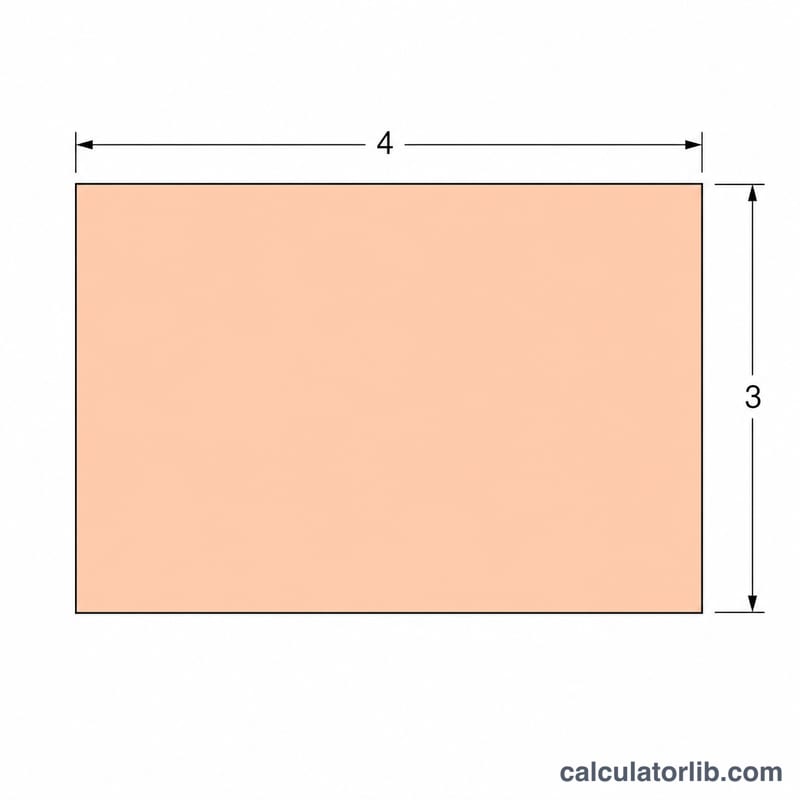
The 4:3 aspect ratio is the classic standard used by older TVs, computer monitors, projectors, and many digital cameras. It means that for every 4 units of width there are 3 units of height. This calculator quickly finds the missing dimension so your image, video, or display fills the frame perfectly without stretching or letterboxing.
How to use it
Choose whether you want to solve for height or width. If you know the width, select "Height (enter width)" and type your width in pixels — the calculator returns the matching 4:3 height. If you know the height instead, select "Width (enter height)" and enter the height to get the matching width.
The formula explained
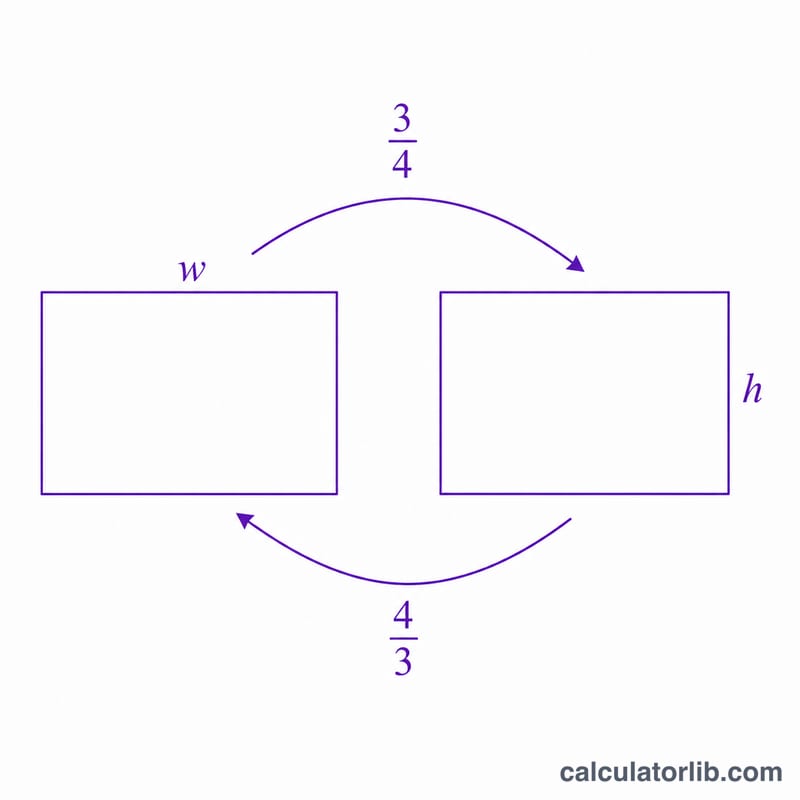
The ratio 4:3 simplifies to a multiplier. To find the height from a known width, multiply by 3/4 (0.75). To find the width from a known height, multiply by 4/3 (about 1.3333). Both formulas keep the proportions identical, so the result is always a true 4:3 rectangle.
$$\text{height} = \text{width} \times \frac{3}{4}, \quad \text{width} = \text{height} \times \frac{4}{3}$$
Worked example
Suppose you have a width of 1024 pixels and want a 4:3 image. Height = \(1024 \times 3/4 = 768\) pixels. So a 1024 × 768 image is exactly 4:3 — one of the most common resolutions for legacy displays. Working backwards, a height of 768 gives a width of \(768 \times 4/3 = 1024\) pixels.
Common 4:3 Resolutions
The 4:3 aspect ratio (also written 1.33:1) was the standard for analog television and early computer displays. In a 4:3 frame, the width is computed from the height as \(\text{Width} = \text{Height} \times \tfrac{4}{3}\), and the height from the width as \(\text{Height} = \text{Width} \times \tfrac{3}{4}\). The resolutions below are the classic, widely-documented 4:3 display modes.
| Name | Width (px) | Height (px) | Megapixels |
|---|---|---|---|
| QVGA | 320 | 240 | 0.08 |
| VGA | 640 | 480 | 0.31 |
| SVGA | 800 | 600 | 0.48 |
| XGA | 1024 | 768 | 0.79 |
| QuadVGA / 1.2MP | 1280 | 960 | 1.23 |
| SXGA+ | 1400 | 1050 | 1.47 |
| UXGA | 1600 | 1200 | 1.92 |
| QXGA | 2048 | 1536 | 3.15 |
Each row keeps the exact 4:3 proportion. For example, XGA at 1024×768 gives \(1024 \times \tfrac{3}{4} = 768\) and dividing both by 256 yields the reduced ratio 4:3.
Width-to-Height Quick Reference
This table shows how the 4:3 calculator responds to common inputs. Enter a width to get the matching height (\(\text{Height} = \text{Width} \times \tfrac{3}{4}\)), or enter a height to get the matching width (\(\text{Width} = \text{Height} \times \tfrac{4}{3}\)).
| Mode | Known value (px) | Computed value (px) |
|---|---|---|
| Width → Height | 800 | 600 |
| Width → Height | 1024 | 768 |
| Width → Height | 1280 | 960 |
| Width → Height | 1600 | 1200 |
| Width → Height | 1920 | 1440 |
| Height → Width | 480 | 640 |
| Height → Width | 768 | 1024 |
| Height → Width | 1050 | 1400 |
| Height → Width | 1200 | 1600 |
Worked example: starting from a width of 1920 px, the height is \(1920 \times \tfrac{3}{4} = 1440\) px, giving the resolution 1920×1440. If you instead need an arbitrary ratio, the general Aspect Ratio Calculator accepts any width and height, while the Aspect Ratio to Resolution Calculator can scale a 4:3 frame to a target pixel dimension.
FAQ
Is 1920x1080 a 4:3 ratio? No, 1920x1080 is 16:9 (widescreen). A 4:3 version of 1920 width would be 1440 tall.
What resolutions are natively 4:3? Common ones include 640×480, 800×600, 1024×768, and 1600×1200.
Can I use non-pixel units? Yes — the ratio holds for any unit (cm, inches, points). Just enter the number and treat the output in the same unit.