What this calculator does
This Countdown to Eclipse or Event calculator tells you exactly how much time is left until a chosen moment — a solar eclipse, a rocket launch, a birthday, a product release, or any deadline. It returns the gap broken down into days, hours, minutes, and seconds, plus the totals in seconds and hours. All target times are interpreted in UTC so the result is unambiguous worldwide.
How to use it
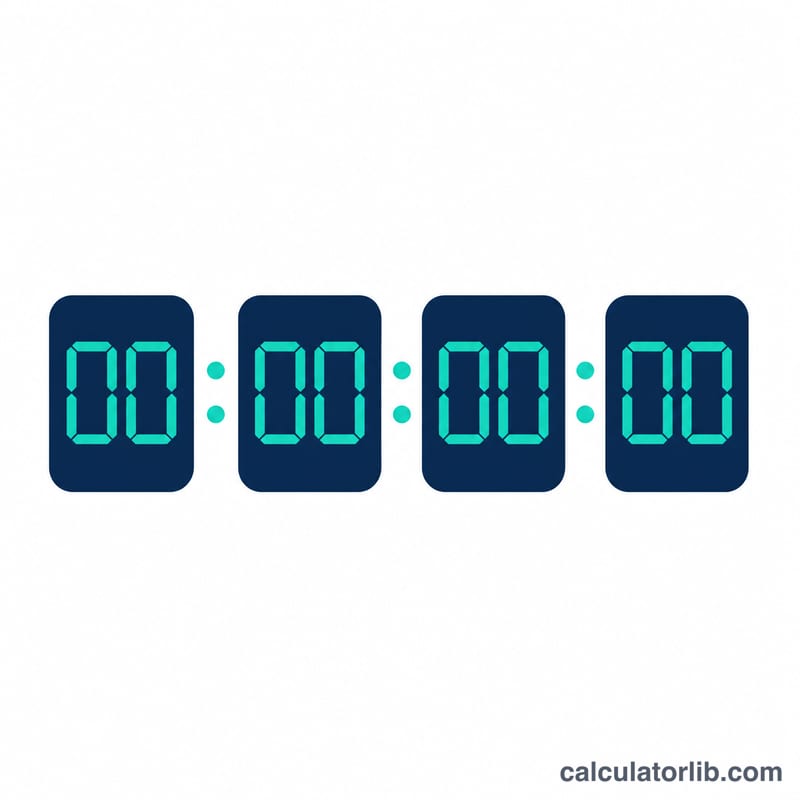
Enter the target date, then set the hour (0–23), minute, and second. Leave the reference "now" field blank to count from the current moment, or supply a specific Unix timestamp in milliseconds to count from a fixed reference point. If the target is in the past, the tool shows how much time has elapsed since the event instead.
The formula explained
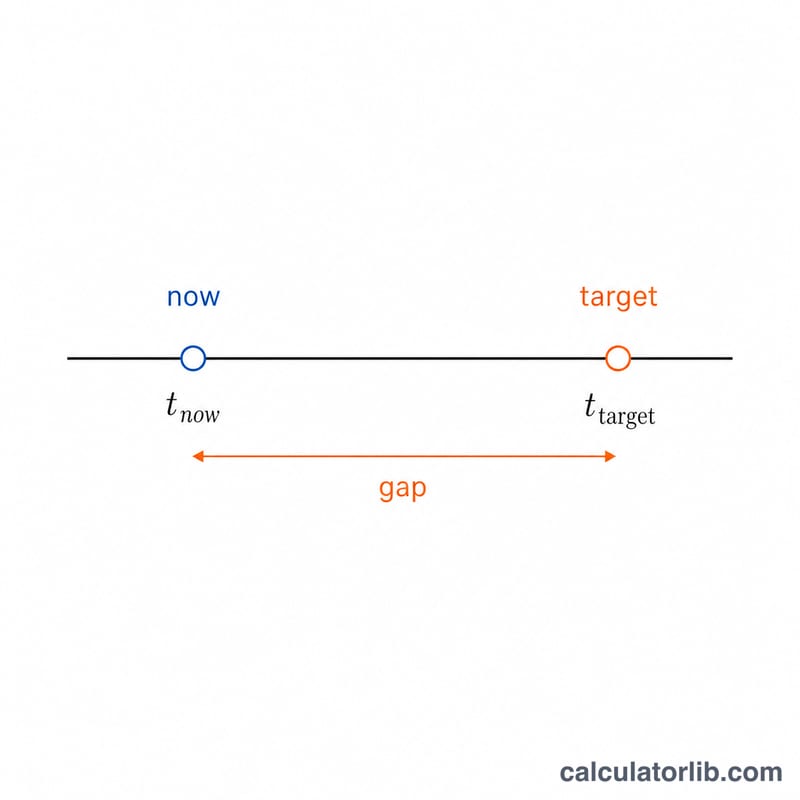
The core operation is a subtraction: the target instant minus the reference instant, both measured as milliseconds since the Unix epoch.
$$\Delta = t_{\text{target}} - t_{\text{now}}$$
Dividing the absolute difference by 1000 and flooring gives the total whole seconds. From there, integer division peels off days (÷86,400), then hours (÷3,600 of the remainder), then minutes (÷60), leaving the seconds.
$$d=\left\lfloor\tfrac{S}{86400}\right\rfloor,\; h=\left\lfloor\tfrac{S\bmod 86400}{3600}\right\rfloor,\; m=\left\lfloor\tfrac{S\bmod 3600}{60}\right\rfloor,\; s=S\bmod 60$$
Worked example
Suppose the gap between now and the target is 90,061 seconds. Days = floor(90061 ÷ 86400) = 1, leaving 3,661 seconds. Hours = floor(3661 ÷ 3600) = 1, leaving 61 seconds. Minutes = floor(61 ÷ 60) = 1, leaving 1 second. So the countdown reads 1 day, 1 hour, 1 minute, 1 second.
$$d=\left\lfloor\tfrac{90061}{86400}\right\rfloor=1,\quad h=\left\lfloor\tfrac{3661}{3600}\right\rfloor=1,\quad m=\left\lfloor\tfrac{61}{60}\right\rfloor=1,\quad s=1$$
Definitions & Glossary
A countdown is arithmetic on two instants, so nearly every mistake people make comes from ambiguity about which instant is meant. These definitions fix the vocabulary used by this calculator.
| Term | Definition |
|---|---|
| UTC (Coordinated Universal Time) | The international time standard on which civil clocks worldwide are based. It is an atomic timescale (TAI) offset by a whole number of seconds and kept within about 0.9 s of the Earth-rotation timescale UT1 by inserting leap seconds. UTC has no daylight saving time and never shifts, which is why astronomical and launch schedules are published in it. Written as 2026-08-12 14:30:00 UTC, sometimes Z ("Zulu"). |
| Unix epoch | The reference instant 1970-01-01 00:00:00 UTC, from which computer timestamps are measured. |
| Unix timestamp in milliseconds | The number of milliseconds elapsed since the Unix epoch — e.g. 1 786 525 200 000 ms corresponds to 2026-08-12 09:00:00 UTC. Because both the target and "now" are converted to this single integer scale, the countdown needs no calendar logic: it is one subtraction. Unix time deliberately ignores leap seconds (each UTC day is defined as exactly 86,400 s). |
| Reference "now" instant | The moment the countdown is measured from. In a live countdown this is the current clock reading, refreshed every tick; in this calculator it can also be pinned to a fixed epoch-millisecond value so a result is reproducible. |
| Target instant | The moment being counted toward: the target date plus HH:MM:SS, interpreted in UTC. Enter the event's UTC time, not your local wall-clock time, unless you first convert it. |
| Remaining vs. elapsed time | If the target is in the future, the difference is remaining time (a countdown). If the target is in the past, the same difference — reported as an absolute value — is elapsed time (a count-up, or "time since"). The calculator uses \(\Delta t = \lvert T - N \rvert\), so the magnitude is identical; only the direction, and therefore the wording, changes. |
| Greatest eclipse | For a solar eclipse, the instant when the axis of the Moon's shadow cone passes closest to the centre of the Earth. It is a single global instant published in UTC, which makes it the natural countdown target. It is close to, but not exactly, the instant of greatest magnitude or greatest duration. |
| Time of maximum (local) | The moment of deepest obscuration as seen from one specific place. It differs from greatest eclipse by minutes to over an hour depending on where you stand, so a countdown built for a viewing site should use the local maximum time converted to UTC. |
| T-0 (launch time) | In spaceflight, the zero point of the launch sequence — nominally engine ignition/liftoff. Times before it are quoted as T-minus (T−10:00 = ten minutes before T-0) and after it as T-plus. Note that a held count (a planned or unplanned pause) makes T-minus time diverge from real clock time, so a wall-clock countdown tracks the scheduled T-0 only. |
| Leap second | An extra second (23:59:60 UTC) occasionally inserted at the end of a June or December to keep UTC aligned with the Earth's slightly irregular rotation. The system has been in use since 1972, and the most recent insertion was at the end of 31 December 2016. In 2022 the General Conference on Weights and Measures (CGPM) resolved to stop using leap seconds by 2035. For countdowns this is a sub-second effect and is normally ignored — as Unix time itself does. |
| Local time offset vs. UTC | The signed difference between a time zone's civil clock and UTC, written as ±HH:MM (e.g. UTC+05:30 for India). Convert with \(\text{UTC} = \text{local} - \text{offset}\). Many, but not all, zones add one hour during daylight saving time, which changes the offset for part of the year. |
Time Unit Conversion Table
Part 1 — Exact time-unit equivalences
These relationships are exact by definition in civil timekeeping (a calendar day is taken as 86,400 s; leap seconds are ignored, as in Unix time).
| Unit | In seconds | In minutes | In hours | In days |
|---|---|---|---|---|
| 1 second | 1 | 1/60 | 1/3,600 | 1/86,400 |
| 1 minute | 60 | 1 | 1/60 | 1/1,440 |
| 1 hour | 3,600 | 60 | 1 | 1/24 |
| 1 day | 86,400 | 1,440 | 24 | 1 |
| 1 week | 604,800 | 10,080 | 168 | 7 |
| 365 days (common year) | 31,536,000 | 525,600 | 8,760 | 365 |
| 366 days (leap year) | 31,622,400 | 527,040 | 8,784 | 366 |
To go from a total of \(S\) seconds back to units, divide by the same constants: minutes \(= S/60\), hours \(= S/3600\), days \(= S/86400\), weeks \(= S/604800\). The calculator's d/h/m/s display uses floor division with remainders, so no unit is double-counted:
$$d = \left\lfloor \frac{S}{86400} \right\rfloor, \qquad h = \left\lfloor \frac{S}{3600} \right\rfloor \bmod 24, \qquad m = \left\lfloor \frac{S}{60} \right\rfloor \bmod 60, \qquad s = S \bmod 60$$Note that months and years are not fixed units — a month is 28–31 days and a year 365 or 366 — which is why a precise countdown is always expressed in days and smaller.
Part 2 — Converting a local event time to UTC
This calculator expects the target in UTC. Convert with:
$$\text{UTC} = \text{local time} - \text{UTC offset}$$The column below shows the UTC instant to enter when an event is announced for 20:00 local time. Watch the date: subtracting a negative offset can push the UTC instant onto the next calendar day, and subtracting a large positive offset can push it onto the previous one.
| Zone (standard time) | Offset | Local event time | Enter as UTC | Date shift |
|---|---|---|---|---|
| PST — US/Canada Pacific | UTC−08:00 | 20:00 | 04:00 | next day |
| EST — US/Canada Eastern | UTC−05:00 | 20:00 | 01:00 | next day |
| UTC / GMT | UTC+00:00 | 20:00 | 20:00 | same day |
| CET — Central European | UTC+01:00 | 20:00 | 19:00 | same day |
| IST — India | UTC+05:30 | 20:00 | 14:30 | same day |
| JST — Japan | UTC+09:00 | 20:00 | 11:00 | same day |
| AEST — Australian Eastern | UTC+10:00 | 20:00 | 10:00 | same day |
Daylight saving time shifts these offsets by one hour, and the rules are national, not universal. In the United States, Pacific and Eastern zones observe DST from the second Sunday in March to the first Sunday in November, becoming PDT (UTC−07:00) and EDT (UTC−04:00). In the European Union, CET becomes CEST (UTC+02:00) from the last Sunday in March to the last Sunday in October. In the eastern Australian states that observe it, AEST becomes AEDT (UTC+11:00) roughly October to April — the southern-hemisphere summer, so it is offset from the northern schedule. India (IST) and Japan (JST) do not observe DST at all. Always check which offset applies on the date of the event, not today's offset.
FAQ
Which time zone is used? The target date and time are treated as UTC, and any supplied "now" timestamp is Unix milliseconds (also UTC), so both align in the same frame.
What if the date already passed? The calculator shows the elapsed time since the event and flags that it has passed.
Can I count down to an eclipse? Yes — enter the eclipse's date and UTC time of maximum, and you'll get a live breakdown of the time remaining.