What Is the FPS Converter Calculator?
The FPS Converter Calculator helps video editors, animators, and game developers translate a frame count from one frame rate (frames per second) to another. When footage shot at one fps is retimed to play at a different fps, the number of frames needed to fill the same span of time changes. This tool computes the converted frame count and shows the clip duration at both the source and target frame rates.
How to Use It
Enter three values: the original frame count, the source frame rate (the fps the footage was created at), and the target frame rate (the fps you want to convert to). The calculator returns the equivalent frame count at the target rate, plus the duration in seconds measured at each rate.
The Formula Explained
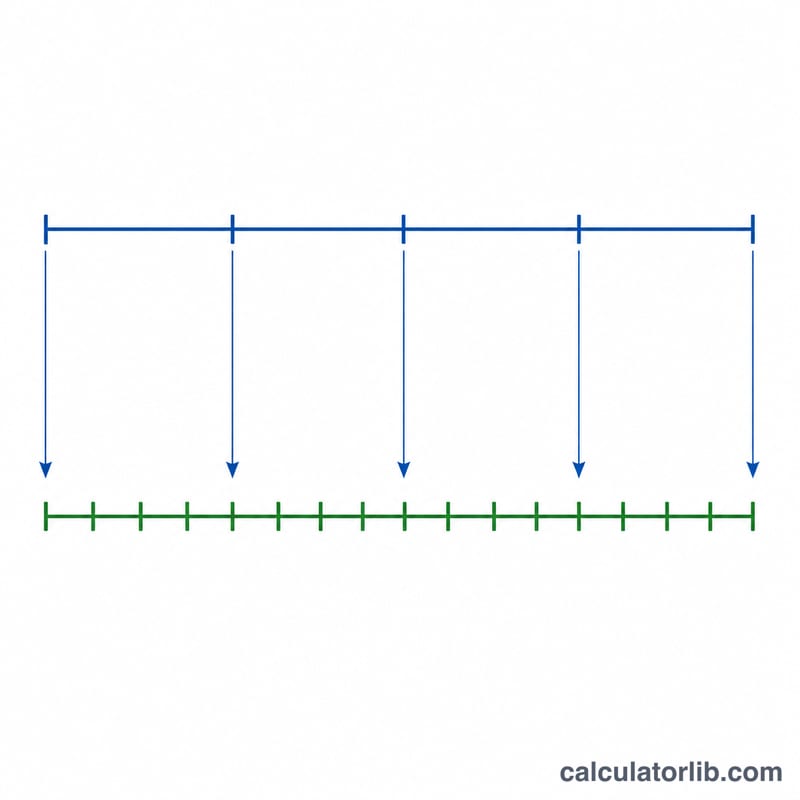
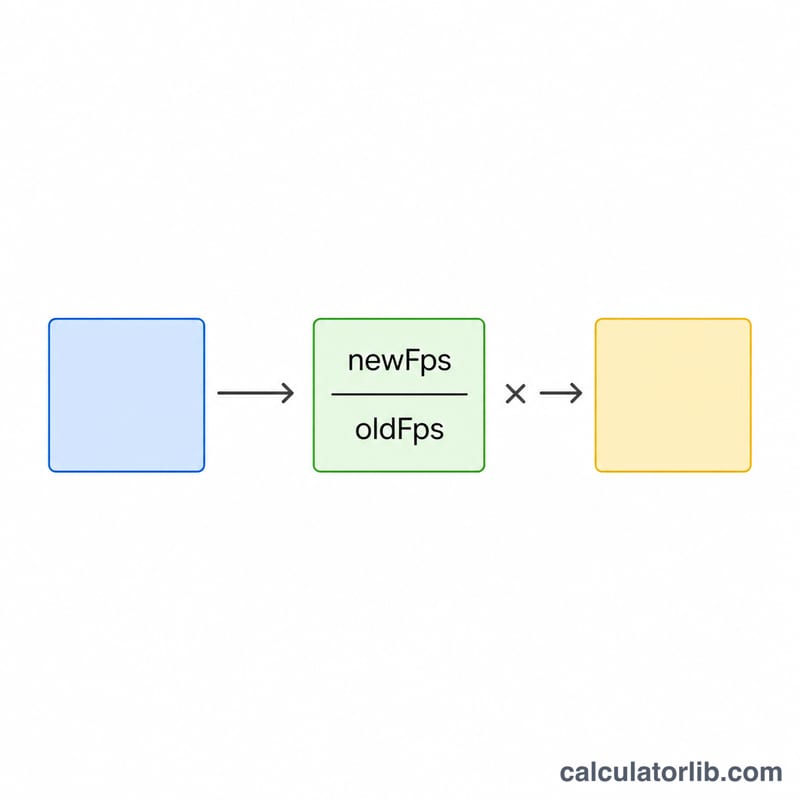
The core relationship is $$N_{new} = \text{Frame Count} \times \frac{\text{Target FPS}}{\text{Source FPS}}$$ Duration is independent of conversion and follows \(\text{durationSeconds} = \text{frameCount} / \text{fps}\). If you keep the same real-world duration, scaling the frame count by the ratio of frame rates produces the number of frames the clip needs at the new rate.
Worked Example
Suppose you have a 1,500-frame clip recorded at 24 fps and you want the equivalent at 30 fps. Frame count $$= 1500 \times (30 / 24) = 1500 \times 1.25 = \textbf{1{,}875 frames}.$$ The source duration is \(1500 / 24 = 62.5\) seconds, and the target duration is \(1875 / 30 = 62.5\) seconds — the clip plays for the same length of time.
Standard Frame Rates and Where They Are Used
Frame rate is the number of still images displayed per second, written as fps (frames per second). The rates below are the ones that appear in practice; note that they belong to specific regional broadcast systems and industry standards, not to a single worldwide convention. The 30 fps family (23.976 / 29.97 / 59.94) comes from the NTSC system historically used in North America, Japan, South Korea and parts of South America, while the 25 fps family (25 / 50) comes from PAL/SECAM territories — most of Europe, Australia, and much of Asia and Africa — and is codified by the EBU (European Broadcasting Union).
| Frame rate | Exact value | Typical use |
|---|---|---|
| 23.976 fps | \(\frac{24000}{1001} = 23.9760239\ldots\) | Film-look material delivered to NTSC video: streaming masters, Blu-ray, most US/Japan TV drama finishing |
| 24 fps | Exactly 24 | Theatrical cinema; the DCI (Digital Cinema Initiatives) digital-cinema specification used for cinema distribution worldwide |
| 25 fps | Exactly 25 | PAL/SECAM-region broadcast and EBU-standard production (Europe, Australia, and many other 50 Hz territories) |
| 29.97 fps | \(\frac{30000}{1001} = 29.9700299\ldots\) | NTSC-region broadcast video: legacy SD/HD television in North America and Japan |
| 30 fps | Exactly 30 | Web and digital-first video, screen recording, some cameras and phones; also NTSC-era black-and-white television |
| 47.952 / 48 fps | \(\frac{48000}{1001}\) / exactly 48 | High-frame-rate cinema and some VR/immersive delivery; 47.952 is the NTSC-compatible pairing of 48 |
| 50 fps | Exactly 50 | PAL-region HFR broadcast — EBU-standard sports and live production, and 1080p50/2160p50 formats |
| 59.94 fps | \(\frac{60000}{1001} = 59.9400599\ldots\) | NTSC-region HFR broadcast: live sports, news and studio production in 60 Hz territories |
| 60 fps | Exactly 60 | Web video, game capture and gameplay streaming, smooth-motion screen content |
| 120 fps and above | Exactly 120, 240, 480, 1000+ | High-speed capture intended to be played back slower for slow motion; also high-refresh gaming capture |
The 1001 divisor is not a rounding artifact. When colour was added to the NTSC system, the field rate was shifted down by a factor of exactly \(1000/1001\) so the colour subcarrier would not beat against the audio carrier. So 23.976, 29.97 and 59.94 are shorthand labels — the true rates are \(24000/1001\), \(30000/1001\) and \(60000/1001\), which are repeating decimals that never terminate. For short clips the difference is invisible, but over long durations it accumulates: material running at \(30000/1001\) fps drifts about 3.6 seconds behind true clock time per hour compared with an exact 30 fps assumption. When precision matters, enter the fraction result (e.g. 29.970029970) rather than the rounded label.
Frame Rate Conversion Scenarios Compared
Every row below is recomputed from the converter's formula:
$$N_{new} = N_{source} \times \frac{fps_{target}}{fps_{source}}$$The duration column is the source clip length, \(t = N_{source} / fps_{source}\), which is also the converted length whenever the material is retimed (frames added or removed to preserve real time).
| Source frames | Source fps | Target fps | Converted frames | Duration (s) | Note |
|---|---|---|---|---|---|
| 1500 | 24 | 30 | 1875 | 62.5 | \(1500 \times \frac{30}{24} = 1875\) — the ratio 30/24 = 1.25 is exact, so the result is a whole number and no frame lands between two others |
| 1500 | 30 | 24 | 1200 | 50 | \(1500 \times \frac{24}{30} = 1200\) — a down-convert; 1 frame in every 5 is dropped (or 5 frames blended into 4) |
| 1000 | 24 | 29.97 | 1248.75 → 1249 | 41.667 | \(1000 \times \frac{29.97}{24} = 1248.75\); duration \(1000/24 = 41.6\overline{6}\) s. Non-integer, so it must be rounded — the extra 0.25 frame is where sync drift starts on long timelines |
| 240 | 60 | 24 | 96 | 4 (or 10) | \(240 \times \frac{24}{60} = 96\). Retimed, the clip stays 4 s and 144 frames are discarded. Conformed instead (all 240 frames replayed at 24 fps), it becomes \(240/24 = 10\) s of 2.5× slow motion |
| 500 | 25 | 30 | 600 | 20 | \(500 \times \frac{30}{25} = 600\) — a PAL-to-NTSC-family step; the 6/5 ratio means 5 source frames become 6 output frames |
Two patterns are worth reading off the table. First, only integer ratios (24→30, 30→24, 25→30, 60→24) produce whole-frame results; any conversion involving a \(1001\)-divisor rate produces a fraction that has to be rounded, and audio must be handled separately so it does not drift. Second, the same arithmetic supports two different intents: keep the duration and change the frame count (retime), or keep the frames and change the duration (conform). The calculator gives you the converted frame count; deciding which of the two you want is an editorial choice.
Key Frame Rate Terms Defined
- Frame rate (fps) — how many individual images are displayed per second of playback. Higher rates show motion more smoothly and are also what makes slow motion possible.
- Frame count — the total number of images in a clip or sequence. It is a pure count and carries no timing information on its own; it only becomes a duration once you pair it with a frame rate.
- Source fps vs. target fps — the source rate is the rate the material was shot or currently carries; the target rate is the rate of the timeline or delivery format you are moving it into. The conversion is driven entirely by their ratio, \(fps_{target} / fps_{source}\).
- Clip duration — real elapsed time, \(t = N / fps\). 1500 frames at 24 fps is \(1500/24 = 62.5\) seconds; the same 1500 frames at 30 fps is \(1500/30 = 50\) seconds.
- Conform — replaying the existing frames at a different rate without adding or removing any. The frame count is unchanged and the duration changes: 240 frames conformed from 60 fps to 24 fps runs 10 seconds instead of 4, giving genuine slow motion with no interpolation artefacts. Audio conformed this way changes pitch and must be re-synced or re-recorded.
- Retime / resample — changing the frame count so the duration is preserved. Software creates or removes frames by dropping, duplicating, blending, or using optical-flow motion estimation. This is what the converter's frame-count result describes, and it is the usual choice for broadcast delivery where the running time is fixed.
- Drop-frame timecode — a labelling scheme used with 29.97 and 59.94 fps material, mainly in NTSC-region broadcast (North America, Japan). Because \(30000/1001\) fps is slightly slower than 30 fps, counting timecode as if it were 30 fps would run ahead of the clock. Drop-frame compensates by skipping certain timecode labels — the first two frame numbers of each minute, except minutes divisible by ten — so the timecode matches wall-clock time. No picture is ever discarded; only numbers in the counting sequence are skipped.
- Non-drop-frame timecode — counts every frame consecutively with no skipped labels. It is simpler and is standard for 24 and 25 fps work, but on 29.97 fps material it slowly falls behind real time (roughly 3.6 seconds per hour).
- 2:3 pulldown (telecine) — the classic method of fitting 24 fps film into 29.97 fps NTSC video. The material is first slowed by \(1000/1001\) to 23.976 fps, then each pair of film frames is distributed across five video fields in a 2–3 pattern, turning 4 film frames into 5 video frames — the same 5/4 ratio you see in the 24→30 row of the scenario table. Reversing it is called inverse telecine or pulldown removal.
- Why 23.976, 29.97 and 59.94 are fractions — they are exactly \(\frac{24000}{1001}\), \(\frac{30000}{1001}\) and \(\frac{60000}{1001}\). When colour was added to monochrome NTSC television, the frame rate was reduced by a factor of \(1000/1001\) so the new colour subcarrier would not interfere with the existing sound carrier on receivers already in homes. The decimal labels are rounded shorthand for those fractions, which is why conversions involving them rarely land on whole frames.
FAQ
Does this resample or interpolate frames? No. It calculates how many frames the new rate requires for the same duration; your editing software handles the actual frame blending or duplication.
Why are both durations the same in my result? When you convert by scaling the frame count, real-world duration is preserved, so both durations match. They differ only if you change the frame count manually.
Can I use decimal frame rates like 29.97? Yes. Enter any positive decimal fps value such as 23.976 or 59.94.