What this calculator does
The Length of a Rectangle Calculator finds the missing length of a rectangle when you already know its width plus one other measurement — either the area or the perimeter. It is a handy geometry helper for homework, construction layouts, flooring, fencing, framing, and any project where you have a known width and a total size.
How to use it
First choose how you want to calculate: from Area & width or from Perimeter & width. Then enter the matching values and the width of the rectangle. The calculator instantly returns the length, and as a check it also reports the resulting area and perimeter so you can confirm the numbers look right.
The formula explained
A rectangle's area is length times width, so rearranging gives length = Area ÷ width. Its perimeter is twice the sum of length and width (\(P = 2(L + w)\)), so rearranging gives length = P ÷ 2 − width. Both formulas isolate the length using the one value you already have alongside the width.
$$L = \frac{\text{Area}}{\text{Width}}$$$$L = \frac{\text{Perimeter}}{2} - \text{Width}$$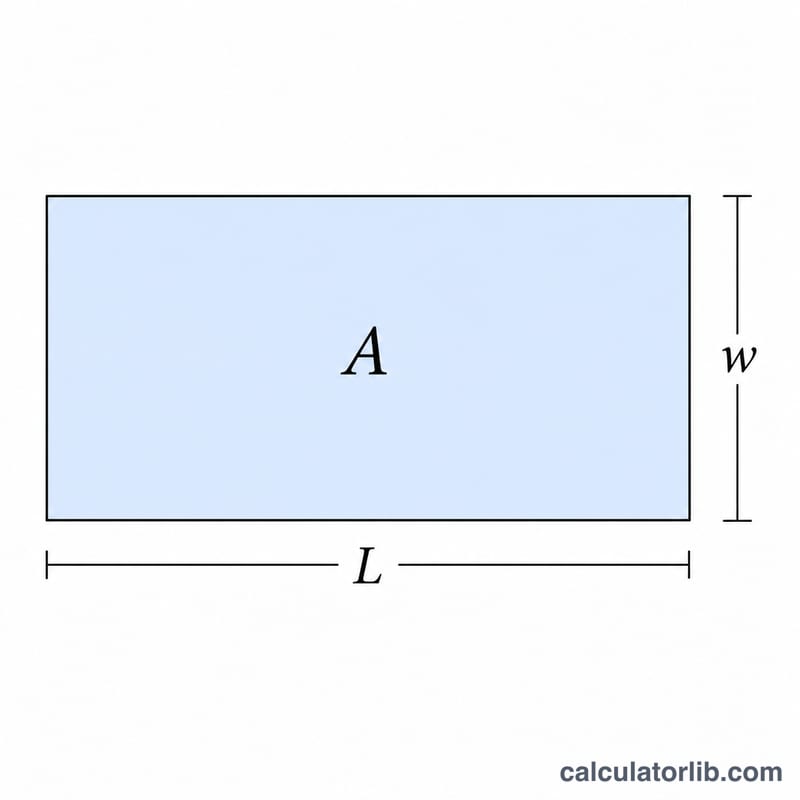
Worked example
Suppose a garden bed has an area of 50 square metres and a width of 5 metres. Using length = Area ÷ width =
$$L = \frac{50}{5} = 10 \text{ metres}$$If instead you knew the perimeter was 30 metres with the same 5 m width,
$$L = \frac{30}{2} - 5 = 15 - 5 = 10 \text{ metres}$$— the same answer, confirming the rectangle.
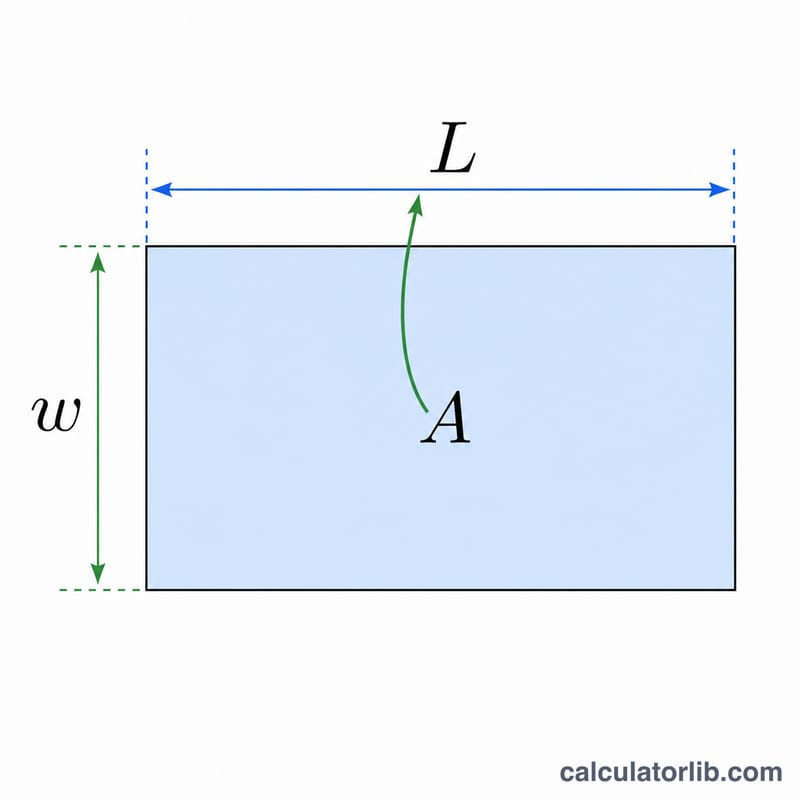
Length Results for Different Area and Width Combinations
The length comes from one of two formulas, depending on what you know. With area \(A\) and width \(W\): \(L = \frac{A}{W}\). With perimeter \(P\) and width \(W\): \(L = \frac{P}{2} - W\). The table also gives the area \(A = L \times W\) and the perimeter \(P = 2(L + W)\) for each result. Units are not specified, so read the numbers in any consistent unit.
| Method | Known value | Width | Resulting length | Resulting area | Resulting perimeter |
|---|---|---|---|---|---|
| Area and width | Area = 24 | 4 | 6 | 24 | 20 |
| Area and width | Area = 50 | 5 | 10 | 50 | 30 |
| Area and width | Area = 120 | 8 | 15 | 120 | 46 |
| Perimeter and width | Perimeter = 30 | 5 | 10 | 50 | 30 |
| Perimeter and width | Perimeter = 40 | 8 | 12 | 96 | 40 |
| Perimeter and width (invalid) | Perimeter = 10 | 6 | -1 (not valid) | None | None |
Check on the invalid case: \(L = \frac{10}{2} - 6 = 5 - 6 = -1\). A length cannot be negative. A perimeter of 10 means \(L + W = 5\), so a width of 6 is already larger than that sum. The inputs do not describe a real rectangle. The width must be less than half the perimeter.
Unit Conversions for Length and Area
Area and width must use compatible units before you divide. If the area is in square metres, convert the width to metres first. Otherwise the length will be wrong by a factor of 100, 12, or similar. The factors below use the international (SI and imperial) definitions. Values marked as rounded are approximations.
Length
| Conversion | Factor |
|---|---|
| 1 m | 100 cm = 3.28084 ft = 39.3701 in (ft and in values rounded) |
| 1 ft | 0.3048 m (exact) = 12 in |
| 1 in | 2.54 cm (exact) |
| 1 yd | 0.9144 m (exact) = 3 ft |
Area
| Conversion | Factor |
|---|---|
| 1 m² | 10,000 cm² = 10.7639 ft² (rounded) |
| 1 ft² | 0.092903 m² (rounded) = 144 in² |
| 1 yd² | 9 ft² = 0.836127 m² (rounded) |
Example: a rectangle has an area of 12 m² and a width of 80 cm. Convert the width: 80 cm = 0.8 m. Then \(L = \frac{12}{0.8} = 15\) m. If you had divided 12 by 80 directly, you would get 0.15, which is meaningless because the units do not match.
FAQ
What units should I use? Any consistent units. If area is in square feet, enter width in feet to get length in feet. The tool is unit-agnostic.
Why does it also show area and perimeter? These are computed back from your result so you can sanity-check that the length is correct.
Can the length be negative? With the perimeter method, a width larger than half the perimeter gives a negative or zero length, which means the inputs are not valid for a real rectangle.