
What is the Minute Calculator?
The Minute Calculator tells you exactly how many minutes pass between a start time and an end time. It is handy for timing workouts, tracking work shifts, measuring meeting lengths, or doing any quick time-difference math without counting on your fingers. Enter two clock times and the tool returns the duration in total minutes, decimal hours, and a clean hours-and-minutes breakdown.
How to use it
Enter the start hours and minutes, then the end hours and minutes using a 24-hour clock (for example, 5:30 PM is 17 hours and 30 minutes). If your end time is earlier than your start time, choose "Treat as next day" to handle an overnight span, or "Same day" to allow a negative result. Press calculate to see the answer.
The formula explained
Each time is first converted to "minutes since midnight": multiply the hours by 60 and add the minutes. Subtracting the start value from the end value gives the elapsed minutes. When the end time wraps past midnight, 1440 minutes (one full day) is added so the duration stays positive.
$$\text{Minutes} = \left(60\,\text{End Hours} + \text{End Minutes}\right) - \left(60\,\text{Start Hours} + \text{Start Minutes}\right)$$When the end time wraps past midnight:
$$\text{Minutes} = \Big[\left(60\,\text{End Hours} + \text{End Minutes}\right) - \left(60\,\text{Start Hours} + \text{Start Minutes}\right)\Big] + 1440$$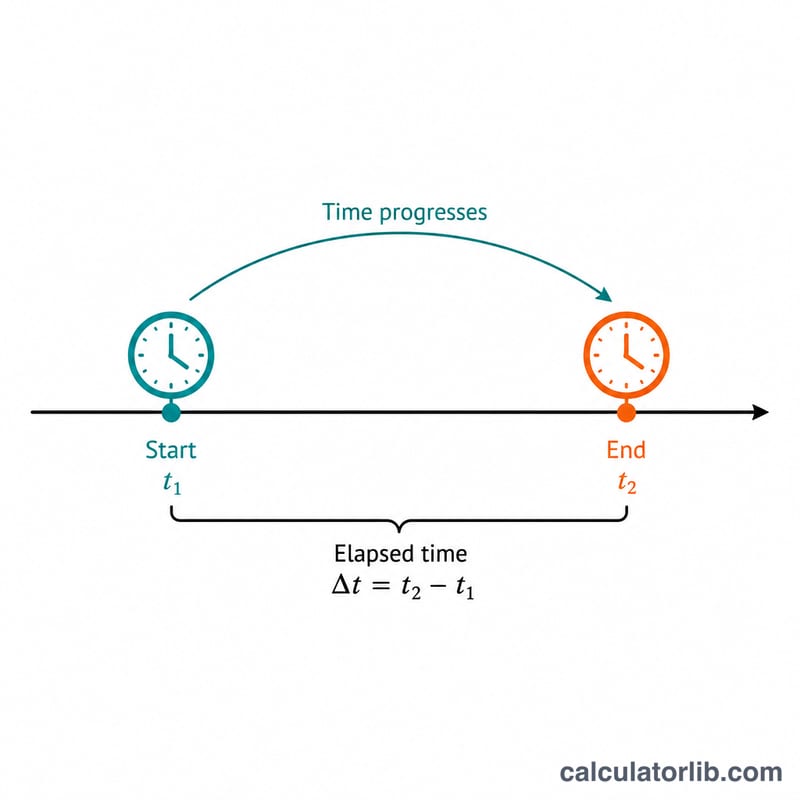
Worked example
Start at 9:00 (\(9\times60 + 0 = 540\) minutes) and end at 17:30 (\(17\times60 + 30 = 1050\) minutes). The difference is \(1050 - 540 =\) 510 minutes, which equals 8.5 decimal hours, or 8 hours and 30 minutes.
FAQ
Does it handle overnight shifts? Yes. If your end time is before your start time, pick "Treat as next day" and the calculator adds 24 hours so the result is correct.
Can I get the answer in hours? Absolutely — the result also shows the duration as decimal hours and as a separate hours-and-minutes figure.
Why use a 24-hour clock? It avoids AM/PM confusion. Convert PM times by adding 12 to the hour (1 PM = 13, 11 PM = 23).