
What it does
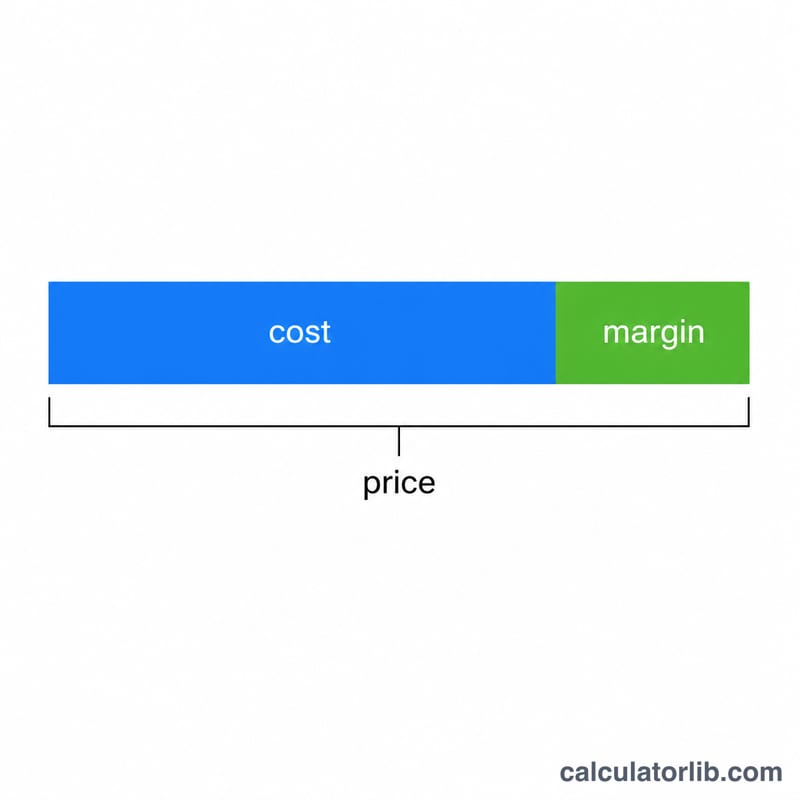
This calculator works out the selling price you must charge to hit a desired gross margin, starting from your unit cost. Gross margin is profit expressed as a percentage of the selling price (not of cost), so the price has to be solved for rather than simply marked up. The tool also returns the profit per unit and the equivalent markup percentage so you can compare pricing approaches.
How to use it
Enter the cost of the item and the gross margin percentage you want to achieve. The result is the price at which, after subtracting cost, your profit equals that margin share of the price. Margin must be below 100% — a 100% margin would imply infinite price for any positive cost.
The formula explained
Margin is defined as \((\text{Price} - \text{Cost}) / \text{Price}\). Rearranging to solve for price gives $$\text{Price} = \frac{\text{Cost}}{1 - \dfrac{\text{Margin (\%)}}{100}}$$ For example, at a 40% margin the denominator is 0.60, so the price is cost divided by 0.60. The difference between price and cost is your profit, and dividing that profit by cost gives the equivalent markup.
Worked example
Suppose an item costs $50 and you want a 40% gross margin. $$\text{Price} = \frac{50}{1 - 0.40} = \frac{50}{0.60} = \$83.33$$ Profit per unit = \(83.33 - 50 = \$33.33\). Equivalent markup = \(33.33 / 50 \times 100 = 66.67\%\). Notice the markup (66.67%) is larger than the margin (40%) — a common source of confusion.
FAQ
What is the difference between margin and markup? Margin is profit as a percent of the selling price; markup is profit as a percent of cost. The same dollar profit gives a higher markup figure than margin figure.
Can margin be 100%? No. A 100% margin means cost is zero relative to price, which is mathematically undefined for any positive cost, so keep margin below 100%.
Does this include taxes or fees? No. It uses only the unit cost you enter. Add any platform fees or taxes to the cost first if you want them covered by the margin.