What is the Long Multiplication Calculator?
This tool multiplies two numbers using the standard algorithm for long multiplication — the column method taught in school. Beyond just giving the answer, it reproduces the full hand-written solution: a right-aligned digit grid, every partial product, the carry digits, and a plain-language step-by-step breakdown. It works with positive numbers, negative numbers, and decimals.
How to use it
Enter the Multiplicand (the top number) and the Multiplier (the bottom number), then read off the product and the worked solution. You can use a minus sign for negatives and a decimal point for fractions. The grid and steps are computed on the absolute, decimal-point-free values so the columns line up exactly as you would write them by hand.
The formula explained
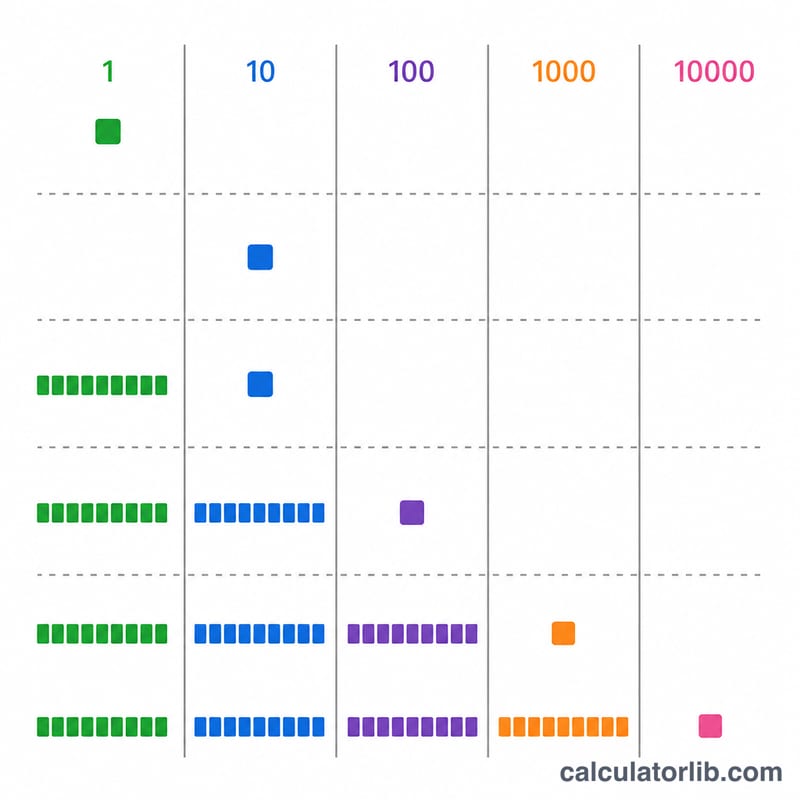
The product is simply $$\text{Product} = \text{Multiplicand} \times \text{Multiplier}$$ The algorithm shows how that result is built: take each digit of the multiplier from right to left at place k (ones = 0, tens = 1, ...), multiply the whole multiplicand by that single digit, and shift the partial product left by k columns. Summing every shifted partial product gives the final answer: $$\text{product} = \sum (|M| \cdot m_k) \times 10^k$$ Signs combine separately (negative \(\times\) negative = positive), and decimal places add: if the inputs have \(d_A\) and \(d_B\) fractional digits, the product has \(d_A + d_B\).
Worked example
For \(2552 \times 64\): multiply by the ones digit 4 to get $$2552 \times 4 = 10208$$ Multiply by the tens digit 6 to get \(2552 \times 6 = 15312\), then shift left one place \(\rightarrow 153120\). Add the partial products: $$10208 + 153120 = \mathbf{163{,}328}$$
How to Do Long Multiplication by Hand, Step by Step
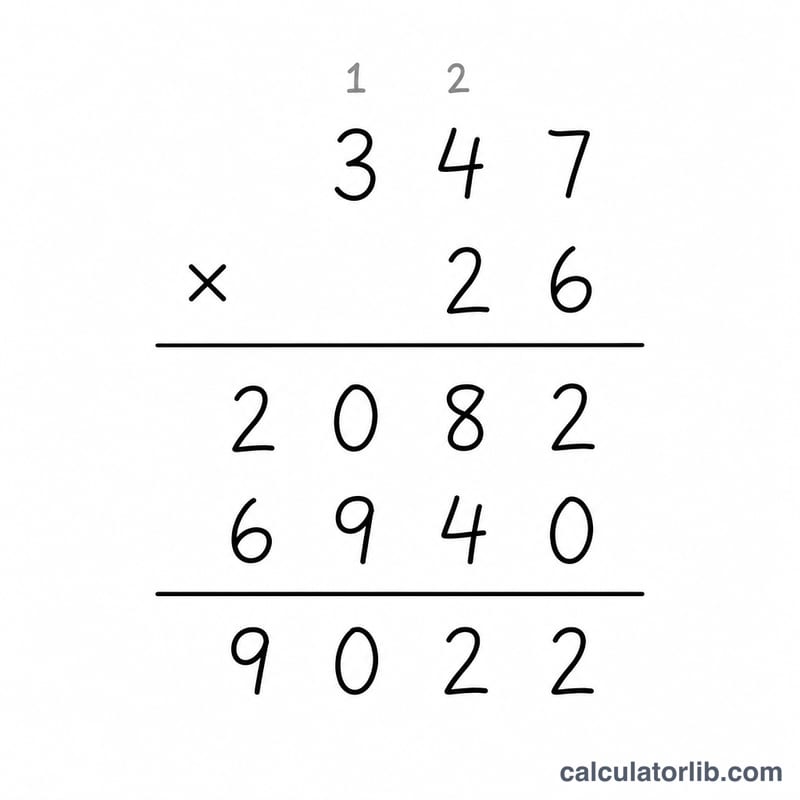
Long multiplication (the standard algorithm) breaks one big multiplication into many single-digit multiplications, then adds the results. Follow these steps:
- Set up. Write the two numbers one above the other, right-aligned, so the ones digits line up. Ignore any signs and decimal points for now and treat both numbers as whole numbers.
- Multiply by the rightmost multiplier digit. Multiply the multiplicand by the ones digit of the multiplier, one digit at a time from right to left. Write the ones digit of each result and carry the tens digit to the next column, adding it to the next product.
- Repeat for each later multiplier digit. For every place you move left in the multiplier, start the new row with one placeholder zero for each place shifted (one zero for the tens digit, two zeros for the hundreds digit, and so on).
- Add the partial products. Add all rows column by column, from right to left, carrying whenever a column sum is 10 or more.
- Reapply sign and decimal point. Same signs give a positive product; different signs give a negative product. Place the decimal point so the product has \(d_A + d_B\) fractional digits, where \(d_A\) and \(d_B\) are the numbers of decimal places in the two original factors.
Mini-illustration of a carry: \(7 \times 8 = 56\). Write the 6 in the current column and carry the 5 to the next column, where it is added to that column's product.
Short example: \(347 \times 5\). First \(7 \times 5 = 35\): write 5, carry 3. Then \(4 \times 5 = 20\), plus the carried 3 is 23: write 3, carry 2. Then \(3 \times 5 = 15\), plus the carried 2 is 17: write 17. The row reads 1735.
More Worked Examples
Example 1: 347 × 205 (a zero in the multiplier)
| Multiplier digit | Calculation | Partial product |
|---|---|---|
| 5 (ones) | \(347 \times 5\) | 1735 |
| 0 (tens) | \(347 \times 0\) | 0 (a row of zeros) |
| 2 (hundreds) | \(347 \times 200\) | 69400 |
Sum: \(1735 + 0 + 69400 = \)71,135.
Example 2: −12.5 × 3.4 (decimals and a negative sign)
- Ignore the sign and the decimal points: \(125 \times 34\).
- Partial products: \(125 \times 4 = 500\) and \(125 \times 30 = 3750\).
- Add: \(500 + 3750 = 4250\).
- Decimal places: 1 in 12.5 plus 1 in 3.4 gives 2, so 4250 becomes 42.50, which is 42.5.
- The signs differ (one negative, one positive), so the product is negative: \(-12.5 \times 3.4 = -42.5\).
Example 3: 986 × 478 (several carries)
- \(986 \times 8\): \(6 \times 8 = 48\) (write 8, carry 4); \(8 \times 8 = 64\), plus 4 is 68 (write 8, carry 6); \(9 \times 8 = 72\), plus 6 is 78. Row: 7888.
- \(986 \times 70\): \(986 \times 7 = 6902\), with one placeholder zero. Row: 69020.
- \(986 \times 400\): \(986 \times 4 = 3944\), with two placeholder zeros. Row: 394400.
- Add: \(7888 + 69020 + 394400 = \)471,308.
Key Terms in Long Multiplication
- Multiplicand: the number being multiplied (the top number in the written layout).
- Multiplier: the number you multiply by (the bottom number); its digits are used one at a time.
- Partial product: the result of multiplying the whole multiplicand by a single digit of the multiplier, shifted to that digit's place value.
- Carry (regroup): the tens part of a single-digit product that is moved to the next column and added there, for example 7 × 8 = 56: write 6, carry 5.
- Place value: the worth of a digit based on its position (ones, tens, hundreds, and so on).
- Placeholder zero: a zero written at the right end of a partial product to account for the multiplier digit's place (one zero for tens, two for hundreds).
- Product: the final answer, the sum of all partial products, with sign and decimal point applied.
- Fractional digits (decimal places): the digits after the decimal point in a number. The product has as many fractional digits as the two factors have combined, \(d_A + d_B\).
The digit grid works on absolute values with the decimal point removed. The sign and decimal point are applied only after the whole-number multiplication is finished.
FAQ
Does it handle decimals? Yes. For example \(2.55 \times 6.4\): drop the points to get \(255 \times 64 = 16320\), then place the point so there are 3 fractional digits \(\rightarrow 16.32\).
How are negatives treated? The grid is built from the magnitudes, and the final product gets the combined sign, so \(-2.5 \times 6 = -15\).
What if a multiplier digit is 0? That partial product is a row of zeros, still shifted into its column, and contributes nothing to the sum.