
What this calculator is
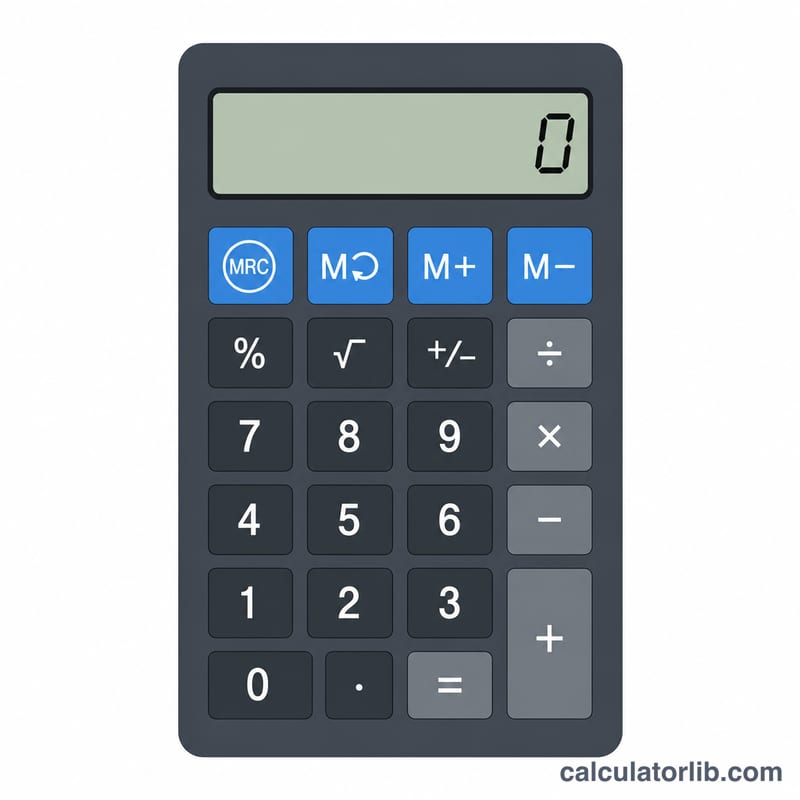
This is a basic online calculator that behaves like a classic handheld pocket calculator. It performs the four core operations (add, subtract, multiply, divide) plus a handful of useful extras: square root, percent, pi, power, negate and two rounding keys. It also includes the four standard memory keys (mc, mr, m+, m-) so you can store and recall a running value.
How to use it
Click the on-screen keys or use your keyboard (digits, ".", "+", "-", "*", "/", "=" and Enter). Numbers build up in the display window as you type. Press an operator, type the next number, then press "=" to get the answer. Press "=" again to repeat the last operation. The small panel at the top right shows an "M" indicator with the value currently stored in memory. The simple form above the keypad lets you verify a single operation server-side.
The formula explained
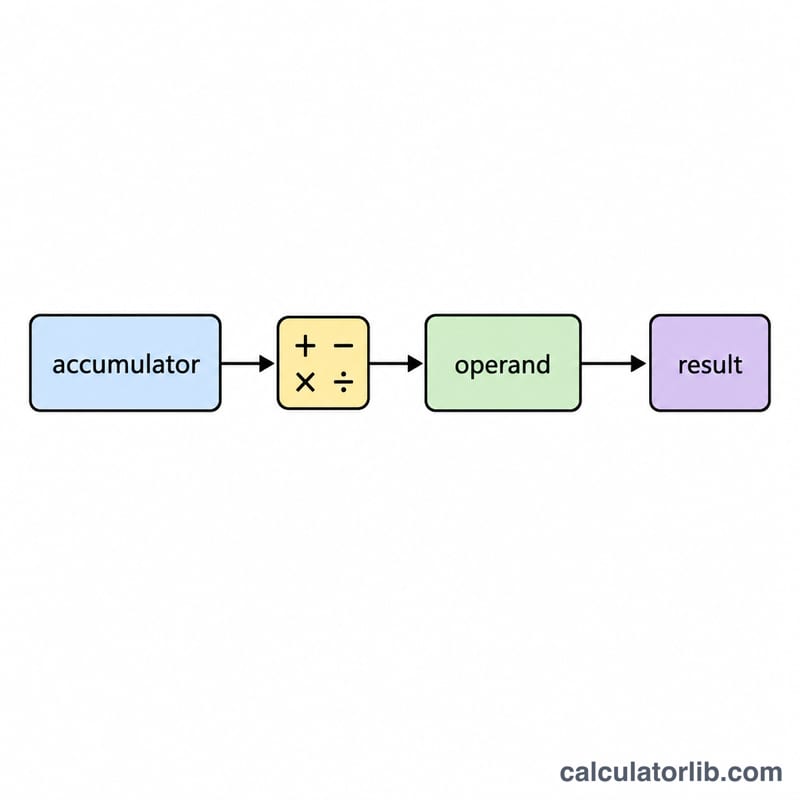
Unlike an algebraic calculator that obeys order of operations, this tool evaluates strictly left to right, exactly like a physical pocket calculator. It keeps a running accumulator and a pending operator. When you press a new operator (or "="), it first applies the pending operation, $$\text{accumulator} = \text{applyOp}(\text{accumulator},\ \text{op},\ \text{currentNumber})$$ then stores the new operator. So 2 + 3 x 4 = gives 20, not 14, because \(2 + 3 = 5\) is computed before multiplying by 4.
Worked example
Press 5 + 2 = and the display shows 7. Press = again to repeat "+2" and you get 9, then 11. For memory: press mc, type 10 then m+ (memory = 10), type 4 then m+ (memory = 14), type 5 then m- (memory = 9), then mr to recall 9. For functions: \(\sqrt{16} = 4\); 50 then percent gives \(\frac{50}{100} = 0.5\); pi then R2 gives 3.14; and \(2^{10} = 1024\).
Definitions & Glossary
A basic handheld-style calculator keeps a single running value (the accumulator) and applies one operation at a time. The terms below define each key and concept used by this calculator.
| Key / Term | Definition |
|---|---|
| mc (memory clear) | Erases whatever value is stored in the calculator's memory, resetting it to 0. It does not change the number shown on the display. |
| mr (memory recall) | Retrieves the value currently held in memory and places it onto the display so it can be used in the next calculation. |
| m+ (memory add) | Adds the displayed value to the value already in memory. For example, with 10 in memory, pressing m+ on a display of 5 leaves 15 in memory. |
| m- (memory subtract) | Subtracts the displayed value from the value in memory. With 10 in memory, m- on a display of 5 leaves 5 in memory. |
| AC (all clear) | Resets the calculator completely: the display returns to 0, any pending operator is discarded, and the accumulator is cleared. (Memory is typically left untouched unless mc is also pressed.) |
| sqrt (square root) | Replaces the displayed value with its non-negative square root, \(\sqrt{x}\). For example, \(\sqrt{144}=12\). Square root of a negative number is undefined (an error). |
| percent (%) | Interprets the displayed number as a percentage by dividing it by 100, i.e. \(x \div 100\). It is most often used with a pending operation, e.g. \(200 \times 15\% = 30\). |
| pi (\(\pi\)) | Inserts the mathematical constant \(\pi \approx 3.14159265\), the ratio of a circle's circumference to its diameter, onto the display. |
| power (\(x^y\)) | Raises the first operand to the exponent given by the second operand: \(\text{result}=x^{y}\). For example \(2^{10}=1024\). |
| negate (\(\pm\)) | Flips the sign of the displayed number, turning a positive value negative and vice versa (multiplying by \(-1\)). It does not perform a subtraction. |
| R2 (round to 2 decimals) | Rounds the displayed value to two decimal places, e.g. \(3.14159\) becomes \(3.14\). Useful for presenting money or tidy results. |
| accumulator | The internal running total that stores the result of operations so far. New operands and operators are applied to this value via \(\text{result}=\text{applyOp}(\text{accumulator},\ \text{op},\ \text{operand})\). |
| pending operator | An operation (\(+\), \(-\), \(\times\), \(\div\), or power) that has been chosen but not yet executed because the second operand has not been entered. It is applied when the next number is completed or the equals key is pressed. |
FAQ
Why does percent show 0.5 for 50? The percent key divides the displayed value by 100, converting it to its decimal equivalent.
What happens if I divide by zero? The calculator guards against it and shows "Error" instead of crashing. Press AC to reset.
Does AC clear memory? No. AC (All Clear) resets the display, accumulator and pending operator, but the stored memory value is kept. Use mc to clear memory.