What is a Hex to Binary Converter?
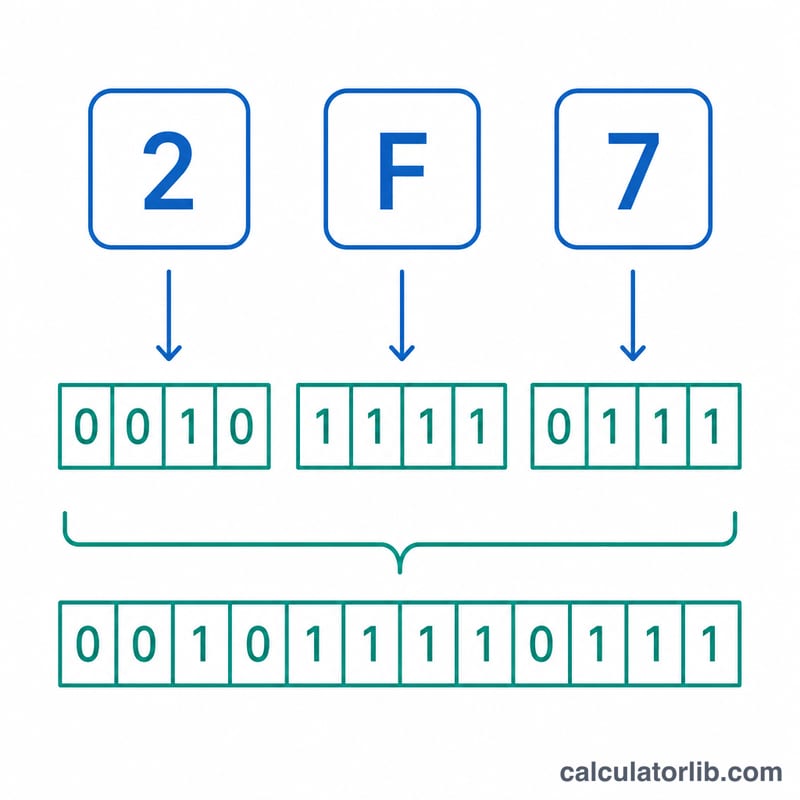
A hex to binary converter turns a hexadecimal (base-16) number into its binary (base-2) representation. Because 16 is a power of 2 (\(16 = 2^4\)), the conversion is wonderfully simple: every single hexadecimal digit maps to exactly four binary bits, called a nibble. This makes hexadecimal a compact, human-friendly shorthand for binary, which is why it is used everywhere in computing — memory addresses, color codes, machine code, and data dumps.
How to use it
Type a hexadecimal value into the box (for example 1A3F). You may include an optional 0x prefix and use upper- or lowercase letters. Press calculate to see the binary string. The result shows the padded binary (4 bits per hex digit), a trimmed version with leading zeros removed, and the decimal equivalent for reference.
The formula explained
Each hex digit has a value from 0 to 15, which fits in exactly 4 bits. Convert each digit to its 4-bit pattern, then write those groups left to right:
$$\text{Binary}_2 = \left(\;\Vert_{i}\; \text{nibble}_4\!\left(d_i\right)\right), \quad d_i \in \text{Hexadecimal value}$$
- 0 → 0000, 1 → 0001, 2 → 0010, 3 → 0011
- 4 → 0100, 5 → 0101, 6 → 0110, 7 → 0111
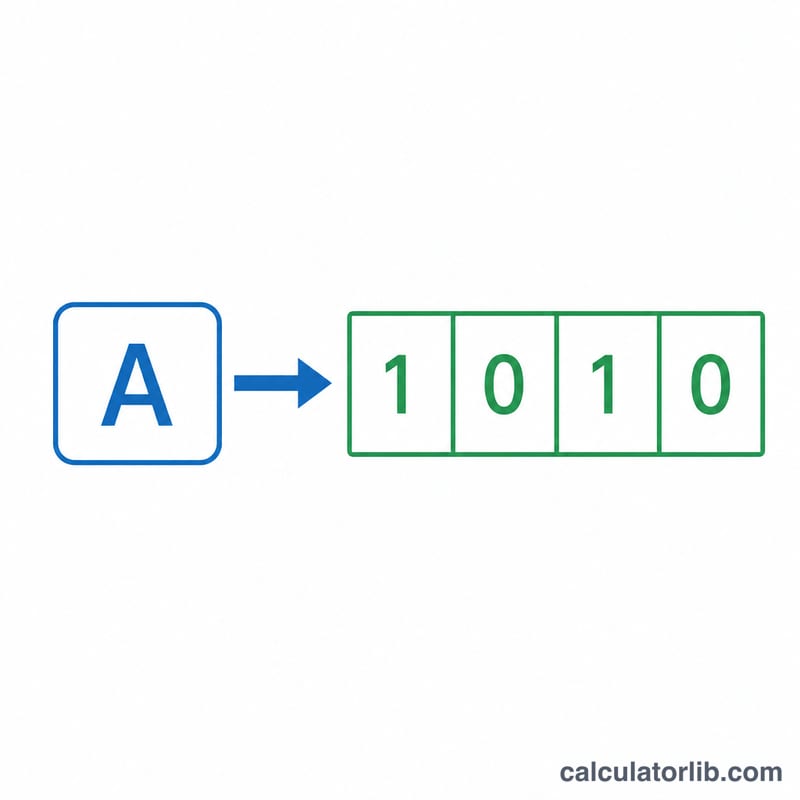
- 8 → 1000, 9 → 1001, A → 1010, B → 1011
- C → 1100, D → 1101, E → 1110, F → 1111
Worked example
Convert 1A3F: \(1 \to 0001\), \(A \to 1010\), \(3 \to 0011\), \(F \to 1111\). Concatenate to get 0001 1010 0011 1111, or 0001101000111111. In decimal that is 6719.
More Hex to Binary Examples
Each hexadecimal digit converts independently to exactly 4 bits (a nibble), so you never need to go through decimal. Just replace every digit with its 4-bit group and join the groups.
Example 1: 0xFF
- Split into digits: F, F.
- F = 15 = 1111, so each digit becomes 1111.
- Join: 1111 1111, which is 11111111.
- Decimal check: \(15 \times 16 + 15 = 255\).
Example 2: 00A5 (padded vs. trimmed)
- Split into digits: 0, 0, A, 5.
- 0 = 0000, 0 = 0000, A (10) = 1010, 5 = 0101.
- Padded binary: 0000 0000 1010 0101 (16 bits, one group per hex digit).
- Trimmed binary: drop the leading zeros to get 10100101 (8 bits).
- Decimal check: \(10 \times 16 + 5 = 165\); the leading 00 adds nothing to the value.
Use padded binary when the width matters (registers, fixed-width fields, protocols). Use trimmed binary when you only need the numeric value.
Example 3: 0xDEADBEEF
- Split into digits: D, E, A, D, B, E, E, F.
- D = 1101, E = 1110, A = 1010, D = 1101, B = 1011, E = 1110, E = 1110, F = 1111.
- Join: 1101 1110 1010 1101 1011 1110 1110 1111 (32 bits).
- Decimal value: 3735928559.
Common Hex Values and Their Binary Forms
Padded binary uses 4 bits per hex digit; trimmed binary removes leading zeros. Decimal values are unsigned.
| Hex value | Padded binary | Trimmed binary | Decimal | Typical use |
|---|---|---|---|---|
| 0xFF | 1111 1111 | 11111111 | 255 | Maximum unsigned byte; full-intensity color channel |
| 0x80 | 1000 0000 | 10000000 | 128 | High bit of a byte (sign bit in signed bytes) |
| 0x0F | 0000 1111 | 1111 | 15 | Bit mask for the low nibble |
| 0xFFFF | 1111 1111 1111 1111 | 1111111111111111 | 65535 | Maximum unsigned 16-bit value |
| 0x7F | 0111 1111 | 1111111 | 127 | Maximum signed 8-bit value (two's complement) |
| 0x20 | 0010 0000 | 100000 | 32 | ASCII space character (00100000) |
FAQ
Does case matter? No — both 1a3f and 1A3F give the same result.
Why is each group 4 bits? Because \(16 = 2^4\), one hex digit always encodes exactly four binary digits, with no remainder.
What about the 0x prefix? The optional 0x prefix is recognized and stripped automatically before conversion.