
What This Calculator Does
This tool finds the new value that results when an original number is increased (or decreased) by a given percentage. Enter the starting amount and the percent change, and it returns the resulting value plus the absolute amount of change. Use a positive percent for an increase and a negative percent for a decrease.
How to Use It
Type the original value into the first field. In the second field, enter the percent change — for example, 15 for a 15% increase or -20 for a 20% decrease. The calculator instantly displays the new value and how much it changed.
The Formula Explained
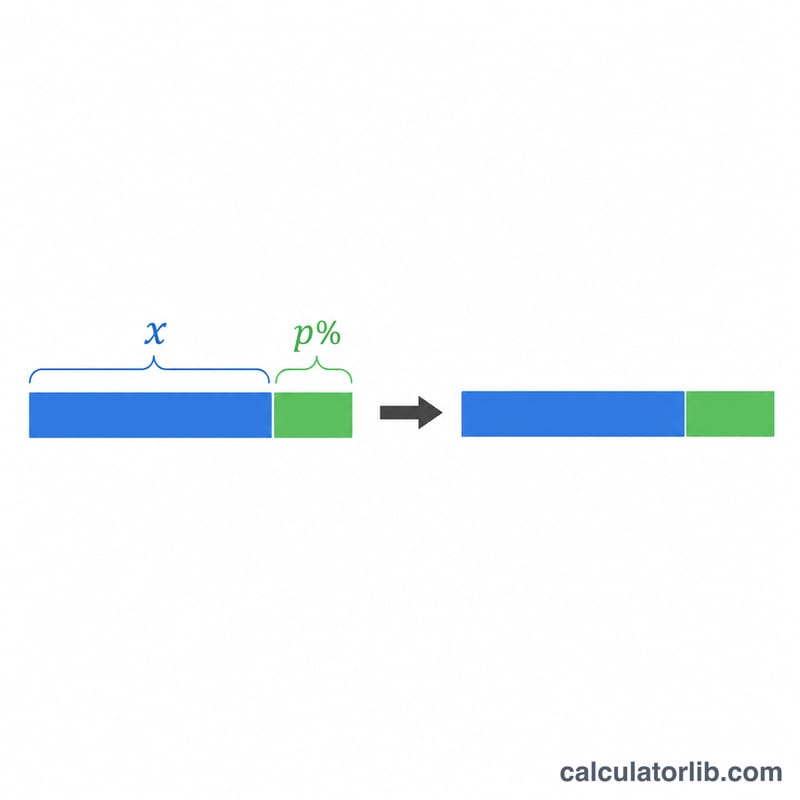
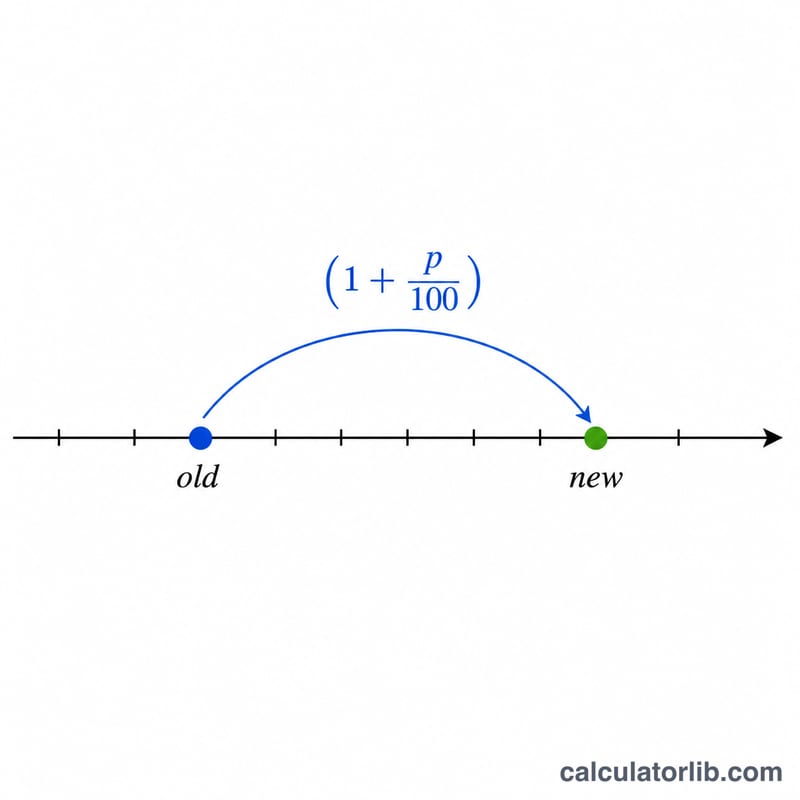
The core equation is $$\text{new} = \text{old} \times \left(1 + \frac{p}{100}\right)$$ Dividing the percent by 100 converts it to a decimal fraction. Adding 1 keeps the original amount and layers the change on top. Multiplying by the original value scales it to the final result. The amount of change is simply \(\text{old} \times \frac{p}{100}\).
Worked Example
Suppose a product costs $200 and the price rises by 15%. Then $$\text{new} = 200 \times \left(1 + \frac{15}{100}\right) = 200 \times 1.15 = \$230$$ The amount of change is \(200 \times 0.15 = \$30\). If instead the price fell 20%, \(\text{new} = 200 \times (1 - 0.20) = \$160\).
FAQ
Can I enter a decrease? Yes — use a negative percent such as -10 to subtract 10%.
What if the percent is 0? The new value equals the original value, and the amount of change is 0.
Is this the same as percent of change? It is the inverse: here you know the percent and the original value, and you solve for the new value.