
What is the Time Clock Calculator?
This is a simple punch-card and time-tracking tool. Enter the clock-in and clock-out time for each work period of your day, and the calculator adds up every period into a single Total Time, shown as hours and zero-padded minutes (for example 8:05). It works for time sheets, project tracking, payroll prep, or just figuring out how long a shift really lasted.
How to use it
Pick your time zone (this only affects how times are labeled, not the math). Then fill in the Clock-In and Clock-Out boxes for as many of the four periods as you need. Leave a row blank to skip it. Click calculate to see your Total Time, the number of completed periods, the total minutes, and the equivalent decimal hours used by most payroll systems.
The formula
For each period the duration is simply clock-out minus clock-in. If a clock-out is earlier in the day than its clock-in, the tool assumes an overnight shift and adds 24 hours, so an 18:00 to 02:00 shift correctly returns 8 hours. The durations are summed, then the total is divided by 60 to get whole hours, with the remainder shown as minutes. Decimal hours are the total divided by 60 minutes per hour.
$$\Delta_i = \text{clockOut}_i - \text{clockIn}_i$$$$\text{Total Time} = \sum_i (\text{clockOut}_i - \text{clockIn}_i)$$$$H = \left\lfloor \frac{\sum \Delta_i}{60} \right\rfloor,\quad M = \left(\sum \Delta_i\right) \bmod 60$$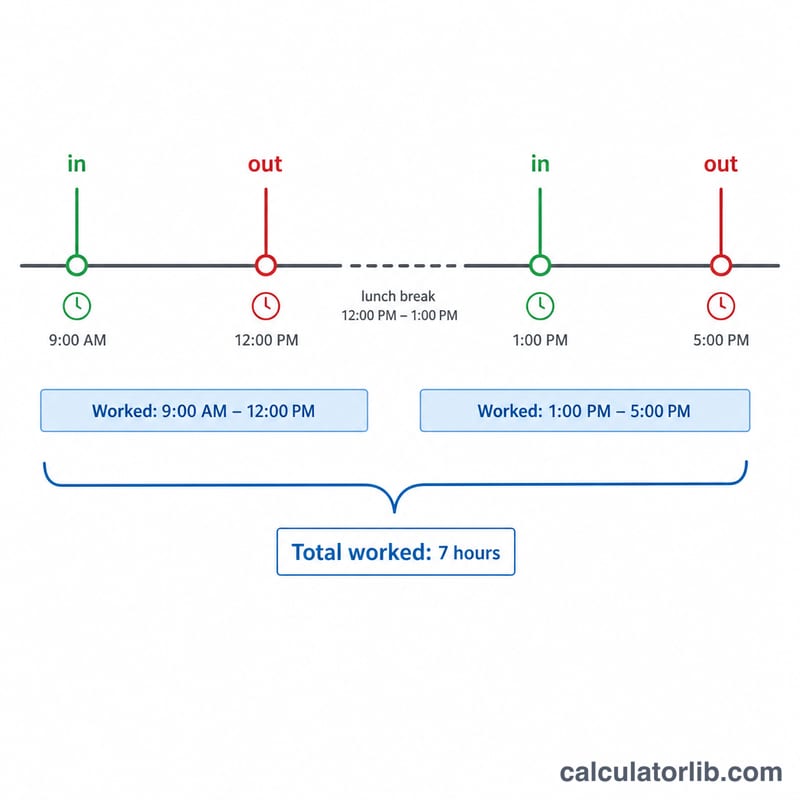
Worked example
Period 1: 09:00 to 12:30 = 3 h 30 min. Period 2: 13:15 to 17:45 = 4 h 30 min. The sum is 8 h 0 min, so the Total Time is 8:00, equal to 8.00 decimal hours. Add a 12:45 to 16:50 stretch instead and you get 4 h 5 min, giving a total such as 8:05 (8.0833 decimal hours).
$$3\text{ h }30\text{ min} + 4\text{ h }30\text{ min} = 8\text{ h }0\text{ min} = 8.00 \text{ decimal hours}$$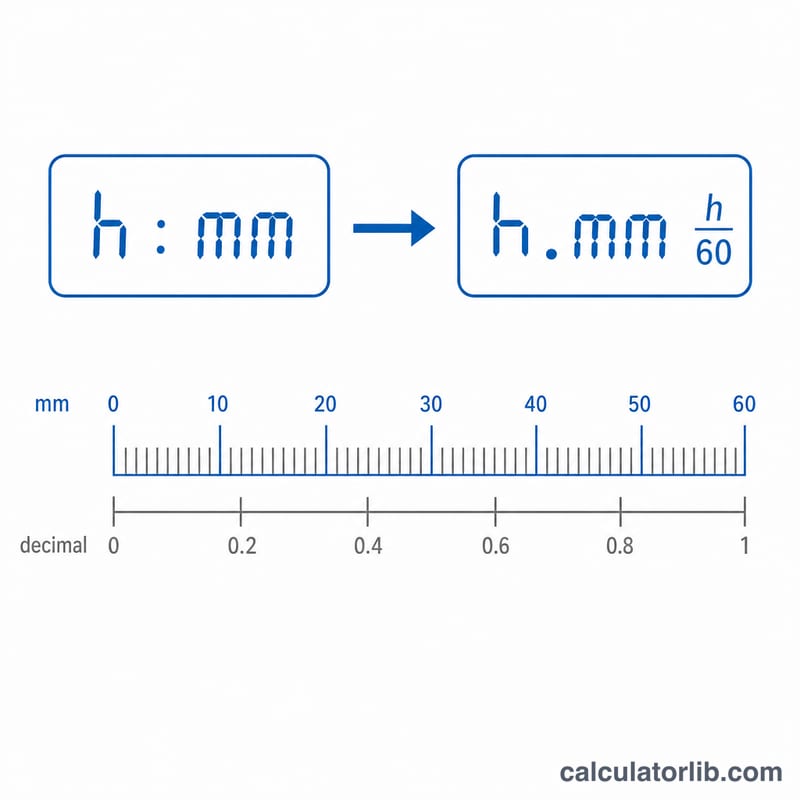
FAQ
Does it handle overnight shifts? Yes. If the clock-out time is earlier than the clock-in, the calculator adds 24 hours automatically.
Why are decimal hours shown? Many payroll and invoicing systems bill in decimal hours (e.g. 8.5) rather than hours:minutes, so both are provided.
Does the time zone change my total? No. The time zone only labels the displayed times; the duration math is identical in every zone.