
What is PPI (Pixel Density)?
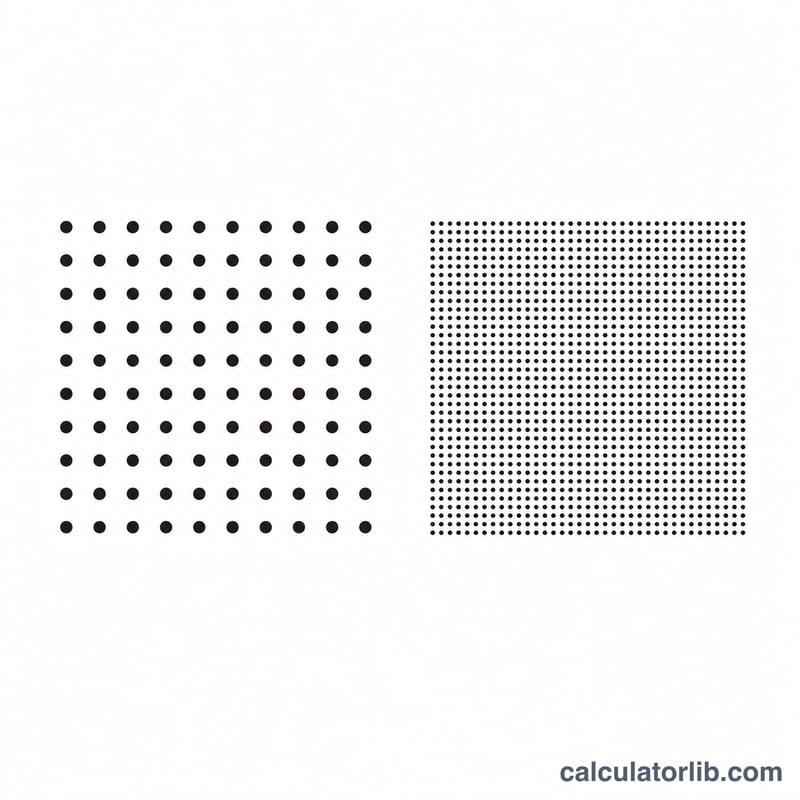
PPI stands for pixels per inch, a measure of how densely pixels are packed on a display. Higher PPI means a sharper, more detailed image because individual pixels become harder to distinguish. This calculator derives PPI and several related screen metrics from a display's pixel resolution and its diagonal screen size. It works for phones, tablets, monitors, laptops and TVs, and it is a pure geometric calculation that applies universally.
How to Use It
Enter the horizontal resolution (width in pixels), the vertical resolution (height in pixels), and the diagonal screen size. Choose whether the diagonal is given in inches, centimeters or millimeters — the tool converts it to inches internally (2.54 cm or 25.4 mm per inch) because PPI is defined per inch. The result shows pixel density plus dot pitch, physical width and height, total pixels, pixels per square inch and the reduced aspect ratio.
The Formula Explained
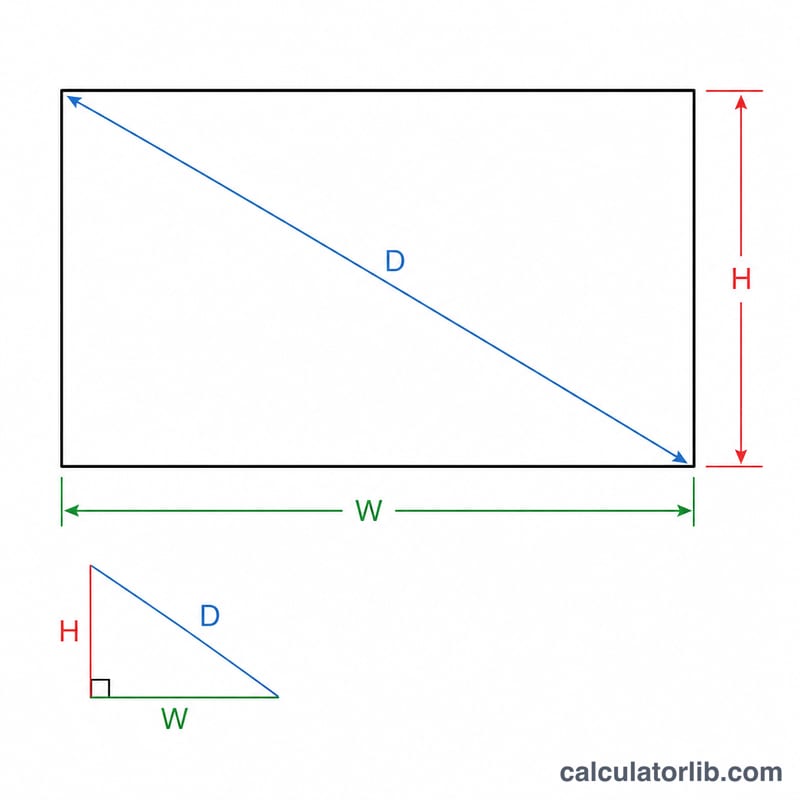
First the diagonal resolution in pixels is found with the Pythagorean theorem: \(dp = \sqrt{W^2 + H^2}\). Dividing that by the diagonal size in inches gives PPI:
$$\text{PPI} = \dfrac{\sqrt{W^2 + H^2}}{D}$$From PPI, dot pitch is \(25.4 / \text{PPI}\) mm, and the physical width and height are \(W / \text{PPI}\) and \(H / \text{PPI}\) inches. The aspect ratio reduces W:H by their greatest common divisor.
Worked Example
A 1920×1080 display on a 15.6-inch diagonal:
$$dp = \sqrt{1920^2 + 1080^2} = \sqrt{4{,}852{,}800} \approx 2202.91 \text{ pixels}$$$$\text{PPI} = \dfrac{2202.91}{15.6} \approx 141.2$$$$\text{Dot Pitch} = \dfrac{25.4}{141.2} \approx 0.18 \text{ mm}$$Total pixels = 2,073,600 (about 2.07 MP). The aspect ratio reduces to 16:9.
FAQ
What is a good PPI? Phones often exceed 300–500 PPI; desktop monitors typically sit around 90–160 PPI. Higher is sharper, but the benefit depends on viewing distance.
Why does the diagonal need converting to inches? PPI literally means pixels per inch, so the diagonal must be expressed in inches before dividing.
What is dot pitch? It is the physical spacing between pixel centers in millimeters — the inverse view of pixel density. Smaller dot pitch means a finer display.