What this calculator does
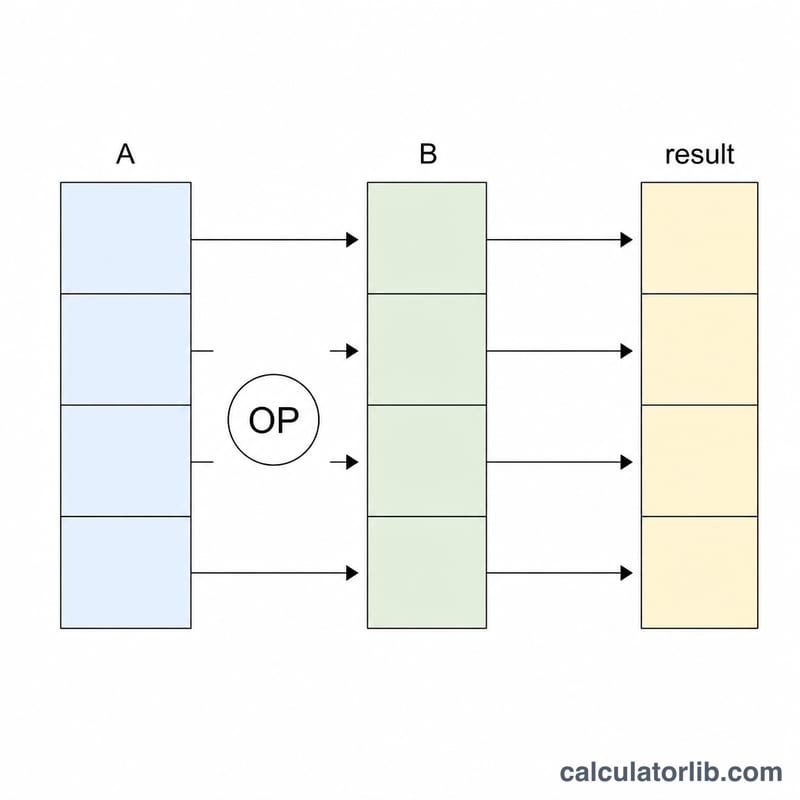
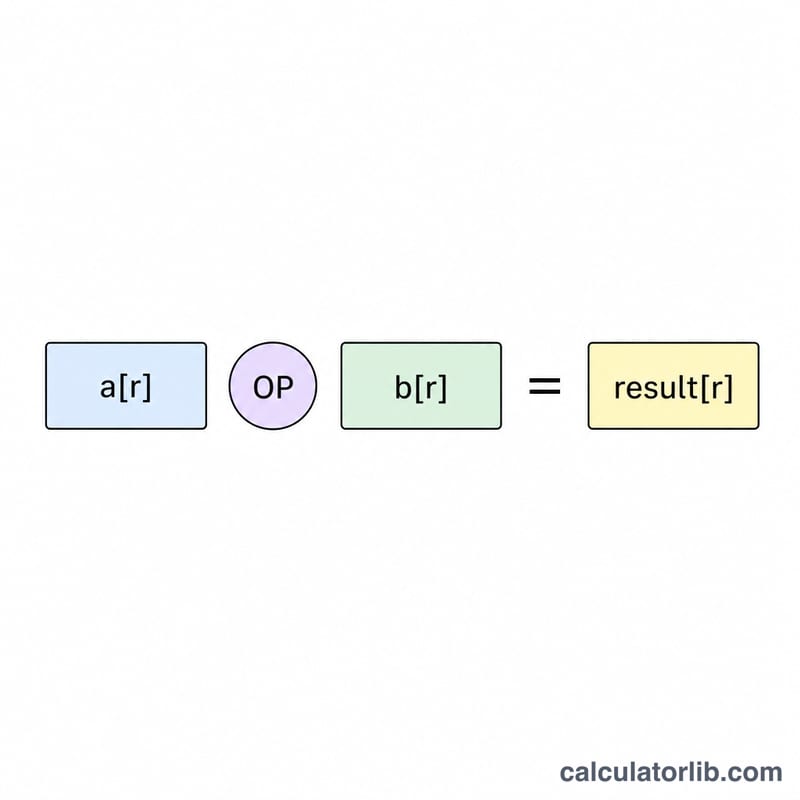
The Table Column Arithmetic Calculator takes two numeric columns — column a and column b — entered row by row, and applies a single arithmetic operation to each pair of values. This is element-wise arithmetic: for every row r it computes a[r] OP b[r] and returns a third result column of the same length. It is pure, dimensionless math, so it works with any units you supply and applies everywhere with no regional rules.
How to use it
Paste or type the values of column a (one number per line) and the values of column b (one number per line). Pick the operation you want — addition, subtraction in either direction, multiplication, or division in either direction. Choose how many significant digits to display (6 to 50). The calculator pairs the lines top to bottom, processes only rows where data is present, and shows each result beside its inputs.
The formula
For each row \(r\) from 1 to \(N\) the result is one of:
$$r_i = \text{a}_i + \text{b}_i,\quad r_i = \text{a}_i - \text{b}_i,\quad r_i = \text{b}_i - \text{a}_i,\quad r_i = \text{a}_i \times \text{b}_i,\quad r_i = \frac{\text{a}_i}{\text{b}_i},\quad r_i = \frac{\text{b}_i}{\text{a}_i}$$Division checks the divisor first: \(\frac{\text{a}_i}{\text{b}_i}\) requires \(b \neq 0\) and \(\frac{\text{b}_i}{\text{a}_i}\) requires \(a \neq 0\); otherwise that row is marked undefined. The display-digits setting only rounds what you see, not the underlying value.
Worked example
With column a = [2, 10, 7] and column b = [5, 4, 3] and operation a × b, the result column is
$$[2\times5,\ 10\times4,\ 7\times3] = [10,\ 40,\ 21]$$Switching to a / b gives \([0.4,\ 2.5,\ 2.333333333]\). Switching to b - a gives \([3,\ -6,\ -4]\).
Same Columns, Different Operations: Scenario Comparison
The table applies every operation to one set of sample rows, with column a = [8, -6, 0, 5] and column b = [2, 3, 4, 0]. Each row is computed independently as \(a_i \oplus b_i\), where \(\oplus\) is the chosen operation.
| Row | a | b | a + b | a - b | b - a | a × b | a / b | b / a |
|---|---|---|---|---|---|---|---|---|
| 1 | 8 | 2 | 10 | 6 | -6 | 16 | 4 | 0.25 |
| 2 | -6 | 3 | -3 | -9 | 9 | -18 | -2 | -0.5 |
| 3 | 0 | 4 | 4 | -4 | 4 | 0 | 0 | undefined (a = 0) |
| 4 | 5 | 0 | 5 | 5 | -5 | 0 | undefined (b = 0) | 0 |
Undefined cells: division by zero has no real-number result, so a / b is undefined where b = 0 (row 4) and b / a is undefined where a = 0 (row 3). Note that 0 / 4 = 0 is perfectly valid, because only the divisor must be nonzero.
Sign behavior with negatives:
- Addition and subtraction follow ordinary signed arithmetic: for row 2, -6 + 3 = -3 and -6 - 3 = -9.
- Swapping the order of subtraction flips the sign: b - a = -(a - b). Row 1 gives 6 and -6.
- Multiplication and division give a negative result when exactly one operand is negative (row 2: -18, -2, -0.5) and a positive result when both are negative or both are positive.
- Addition and multiplication are commutative (a + b = b + a), but subtraction and division are not, so the order of the columns matters.
Key Terms
- Element-wise operation
- An operation applied to each pair of corresponding entries separately, giving one output per pair. Row 1 of the result depends only on row 1 of each input column, never on other rows.
- Column vector
- An ordered list of numbers read top to bottom, such as the values in one table column. Order matters because each position is matched with the same position in the other column.
- Row pairing
- The rule that the first value of column a is combined with the first value of column b, the second with the second, and so on. The result is \(r_i = a_i \oplus b_i\).
- Truncation to the shorter column
- When the two columns have different lengths, only rows that have a value in both columns can be paired. The extra values at the end of the longer column are left out. For example, columns of lengths 5 and 3 produce 3 results.
- Undefined result (division by zero)
- Dividing by 0 has no real-number answer, so any row where the divisor is 0 cannot be given a numeric value and is flagged as undefined. It is not treated as 0 or infinity. Other rows are still calculated normally.
- Significant digits vs. decimal places
- Decimal places count digits after the decimal point: 0.3333 has 4 decimal places. Significant digits count meaningful digits from the first nonzero digit: 0.003333 has 4 significant digits but 6 decimal places. The precision setting controls how the displayed results are rounded; it does not change the underlying values being combined.
- Difference from a column reduction
- An element-wise operation returns a column with one result per row. A reduction, such as the sum, mean or maximum of a column, collapses the whole column into a single number. For a = [8, -6, 0, 5], the element-wise result of a + b has four entries, whereas the sum of a is the single value 7.
FAQ
Is this a column sum? No. It is row-paired arithmetic (a[i] against b[i] for each row), not a total or reduction of a single column.
What happens on divide by zero? The offending row is reported as undefined rather than crashing the whole table.
Do negatives and decimals work? Yes — both columns accept negative numbers and decimals, and mismatched column lengths are truncated to the shorter column.