What is the LLM VRAM Requirement Calculator?
This tool estimates how much GPU video memory (VRAM) you need to load and run a large language model (LLM) for inference. The amount of memory is driven primarily by the number of model parameters and the numeric precision used to store each weight. A safety/overhead factor accounts for the KV cache, activations, and CUDA context that consume memory beyond the raw weights.
How to use it
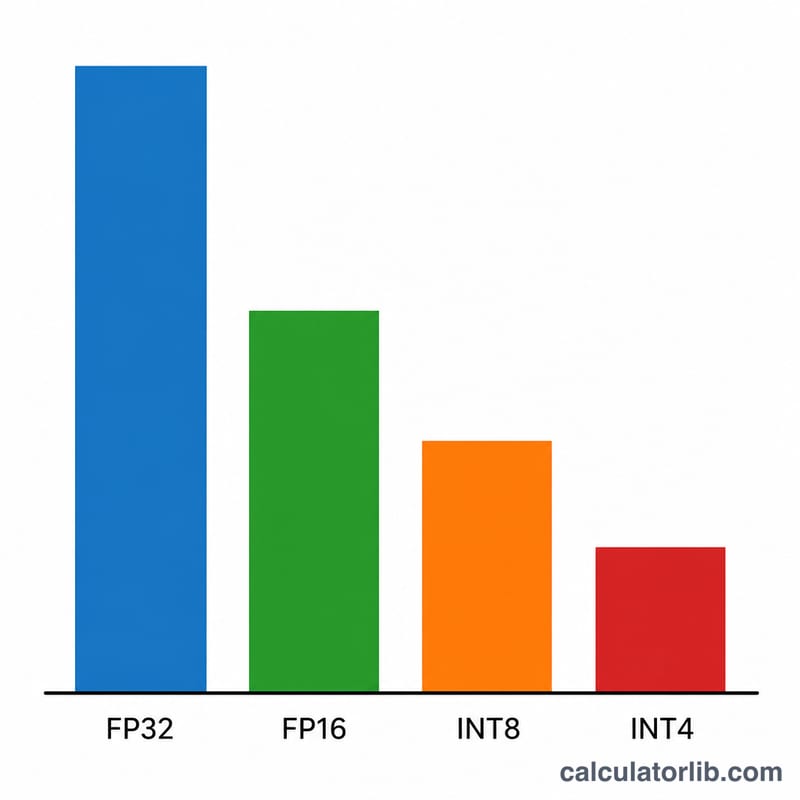
Enter the model size in billions of parameters (e.g. 7 for a 7B model, 70 for Llama-3 70B). Choose the precision: FP32 uses 4 bytes per weight, FP16/BF16 uses 2 bytes, INT8 uses 1 byte, and INT4 quantization uses 0.5 bytes. Finally set the overhead factor — 1.2 (a 20% buffer) is a reasonable default for short-context inference; raise it for long contexts or batching.
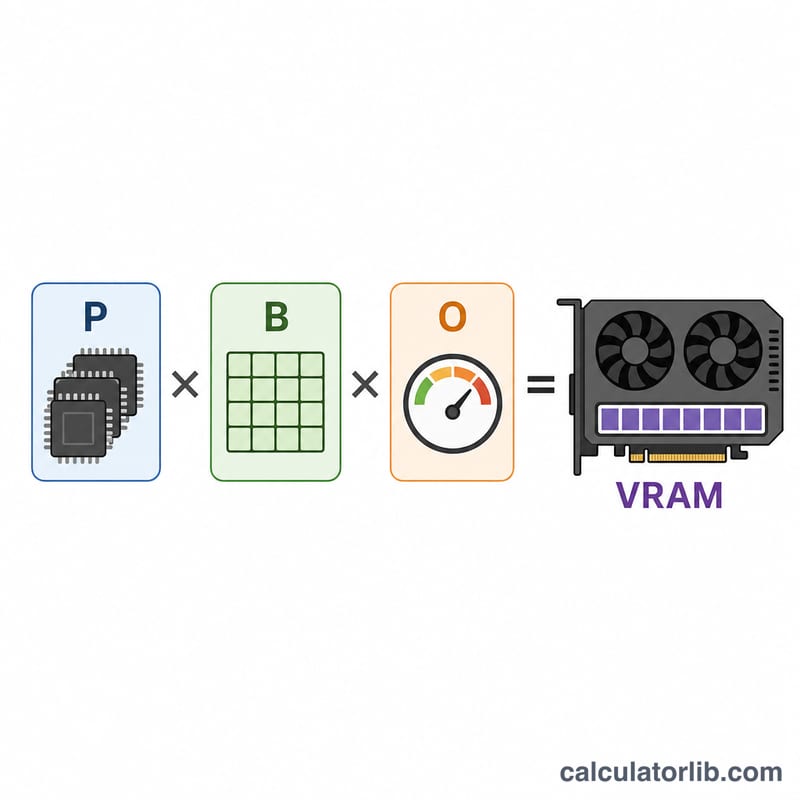
The formula explained
$$\text{VRAM (GB)} = \text{Params (B)} \times \text{Bytes/Param} \times \text{Overhead}$$ Because 1 billion bytes ≈ 1 GB, multiplying parameters in billions by bytes per parameter gives gigabytes directly. The overhead factor then scales that up to cover runtime memory.
Worked example
For a 7B model in FP16 with a 1.2 overhead factor: $$7 \times 2 \times 1.2 = 16.8 \text{ GB}$$ That comfortably fits on a 24 GB card. The same model in INT4: $$7 \times 0.5 \times 1.2 = 4.2 \text{ GB}$$ easily running on an 8 GB GPU.
VRAM Estimates for Common Model Sizes and Precisions
The table uses the calculator's formula at the default overhead of 1.2: \(\text{VRAM (GB)} = \text{Params (B)} \times \text{Bytes/Param} \times 1.2\). Bytes per parameter are 2 for FP16, 1 for INT8 and 0.5 for INT4. The "Fits on" notes compare each result to the nominal capacity of a single GPU, and the real usable amount is a little lower.
| Model size | FP16 (GB) | INT8 (GB) | INT4 (GB) |
|---|---|---|---|
| 7B | 16.8 | 8.4 | 4.2 |
| 13B | 31.2 | 15.6 | 7.8 |
| 34B | 81.6 | 40.8 | 20.4 |
| 70B | 168 | 84 | 42 |
| 405B | 972 | 486 | 243 |
Which GPU tier can fit each estimate
- 7B: FP16 needs a 24 GB card (16.8 GB is too much for 16 GB). INT8 fits 16 GB. INT4 fits 8 GB.
- 13B: FP16 needs 48 GB. INT8 (15.6 GB) only just fits 16 GB, so 24 GB is more comfortable. INT4 (7.8 GB) is very tight on 8 GB, so 16 GB is the practical choice.
- 34B: FP16 (81.6 GB) exceeds a single 80 GB card, so it needs multiple GPUs. INT8 fits 48 GB. INT4 fits 24 GB.
- 70B: FP16 (168 GB) needs at least three 80 GB GPUs. INT8 (84 GB) exceeds one 80 GB card, so it needs two GPUs, for example 2×48 GB or 2×80 GB. INT4 (42 GB) fits 48 GB.
- 405B: every precision needs multiple GPUs. FP16 needs at least thirteen 80 GB cards, INT8 at least seven, and INT4 at least four.
When the estimate exceeds the memory of one card, the model has to be split across several GPUs (tensor or pipeline parallelism). Interconnect speed and per-GPU overhead then matter, so allow some extra headroom beyond the simple division.
Bytes per Parameter by Precision Format
| Format | Bytes per parameter | Typical use |
|---|---|---|
| FP32 | 4 | Training baselines, research, and numerically sensitive work; rarely used for serving LLMs |
| FP16 / BF16 | 2 | Standard full-quality inference and the usual storage format of released checkpoints |
| FP8 / INT8 | 1 | Efficient serving with little quality loss on supported hardware and software |
| INT4 | 0.5 | Aggressive quantization for local inference and consumer GPUs, with some quality loss |
Note on real 4-bit formats: practical 4-bit schemes such as GGUF Q4_K_M, GPTQ and AWQ store per-group scales and other metadata. They therefore use slightly more than 0.5 bytes per weight, roughly 0.55 to 0.65. For these formats, either raise the overhead factor a little or treat the INT4 result as a slight underestimate.
Typical overhead factors by use case
| Use case | Overhead factor |
|---|---|
| Short context, single user | about 1.2 |
| Long context or moderate batching | about 1.5 to 2.0 |
| Heavy batching or very long context serving | 2.0 or more |
These are rules of thumb, not fixed standards. Your inference engine, context length and concurrency decide the true value.
Interpreting Your VRAM Estimate
The result is an approximate, lower-bound-style estimate for inference. It takes the memory for the weights and adds a flat percentage for the KV cache, activations, CUDA context and framework buffers. It is not an exact measurement, and it does not cover training. Training also stores gradients and optimizer states, which can need several times more memory.
How the KV cache scales
The KV cache grows linearly with context length, batch size, number of layers and the hidden size of the key/value projections:
$$\text{KV cache (bytes)} \approx 2 \times L \times d_{kv} \times T \times B \times b$$
Here \(L\) is the number of layers, \(d_{kv}\) is the key/value width, \(T\) is the context length in tokens, \(B\) is the batch size (concurrent sequences) and \(b\) is bytes per cache element. The factor 2 covers keys and values. As an example, a model with standard multi-head attention, 32 layers, hidden size 4096 and an FP16 cache at 4096 tokens needs \(2 \times 32 \times 4096 \times 4096 \times 2 = 2{,}147{,}483{,}648\) bytes, about 2.1 GB per sequence. Models that use grouped-query attention have a smaller \(d_{kv}\) and so a much smaller cache. With long contexts or many concurrent users, the cache can rival or exceed the weights, so raise the overhead factor in those cases.
Compare to usable memory
Compare the estimate with the GPU's usable memory, not the nominal figure. The driver, the CUDA context and the display (if the GPU also drives a monitor) take some memory, and inference engines usually reserve a fraction of the rest. A card sold as 24 GB typically offers noticeably less for the model. If your estimate is within a few percent of the card size, assume it will not fit.
Multiple GPUs
With tensor parallelism, the weights and the KV cache are split across GPUs, so each card holds roughly its share of the total. Each GPU still carries its own CUDA context and buffers, and communication buffers add more, so the total across all GPUs ends up somewhat higher than the single-GPU estimate.
Mixture-of-Experts models
For Mixture-of-Experts (MoE) models, enter the total parameter count, not the active count. Only some experts run for each token, which reduces compute, but all expert weights must normally stay resident in VRAM so the router can choose any of them.
This is general information for planning purposes. Check real usage with your own software and workload.
FAQ
Why is the actual usage higher than the raw weights? The KV cache grows with context length and batch size, and the framework reserves memory for activations and buffers — that is what the overhead factor approximates.
Does this include training? No. Training needs roughly 3–4× more memory for optimizer states and gradients; this estimate targets inference.
What overhead should I use? Use ~1.2 for short prompts, and 1.5–2.0+ for long contexts or heavy batching.