What Is the Resolution Scale Calculator?
The Resolution Scale Calculator lets you resize an image or video resolution by a chosen scale factor. Enter the original width and height in pixels along with a multiplier (for example 2 to double, or 0.5 to halve), and the tool returns the new dimensions, the total pixel count, and the resolution in megapixels.
How to Use It
Type the original width and height in pixels — for instance 1920 × 1080 for Full HD. Then enter a scale factor: use values above 1 to upscale and values below 1 to downscale. Decimals such as 1.5 or 0.75 are fully supported. The results update to show your scaled resolution.
The Formula Explained
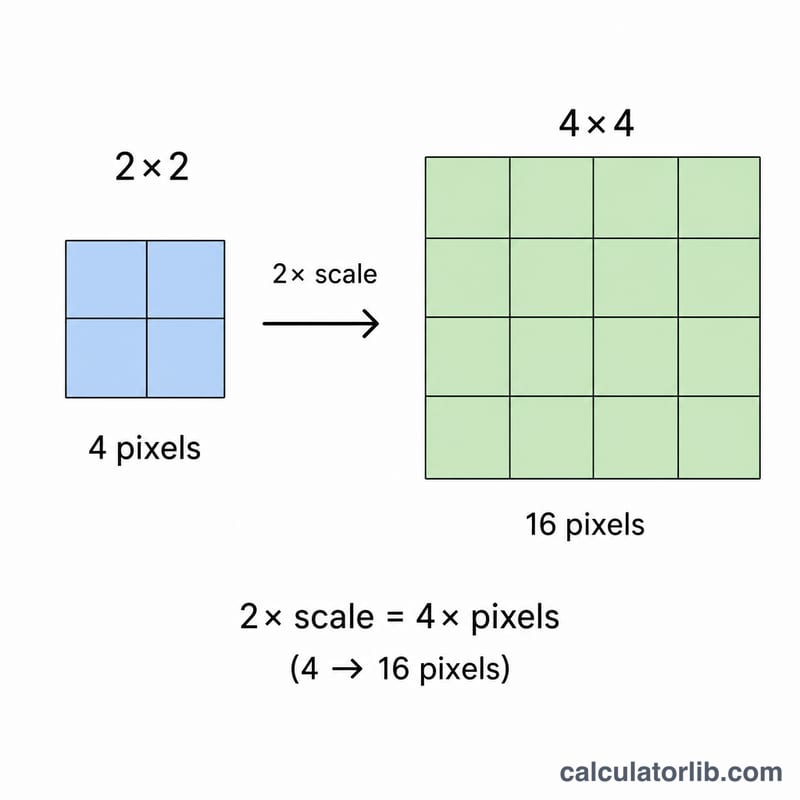
Scaling is a simple proportional operation. The new width is the original width multiplied by the scale factor, and the new height is the original height multiplied by the same factor: \(W' = W \times S\) and \(H' = H \times S\). Because both dimensions use the same factor, the aspect ratio is preserved. The total pixel count is the product of the scaled dimensions, \(P = W' \times H'\), which means doubling the scale quadruples the pixel count.
$$\begin{gathered} W_{new} = \text{Width} \times \text{Scale} \qquad H_{new} = \text{Height} \times \text{Scale} \\[1.5em] \text{Megapixels} = \frac{W_{new} \times H_{new}}{1{,}000{,}000} \end{gathered}$$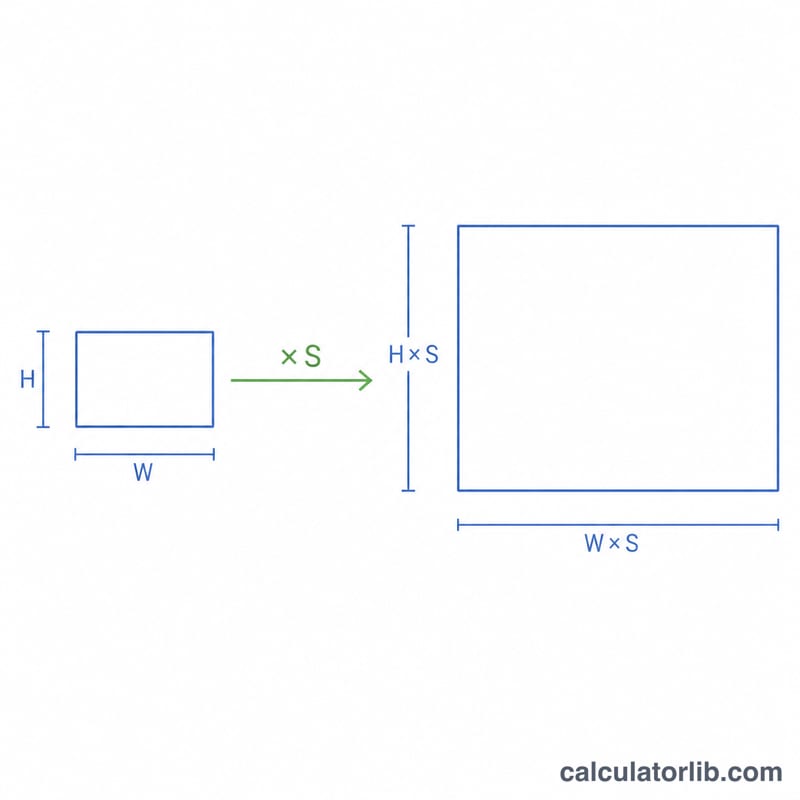
Worked Example
Start with a 1920 × 1080 image and a scale of 2. The new width is \(1920 \times 2 = 3840\) px and the new height is \(1080 \times 2 = 2160\) px — that is a 4K (UHD) frame. The pixel count is $$3840 \times 2160 = 8{,}294{,}400 \text{ pixels},$$ or about 8.29 megapixels.
Standard Resolution Reference Table
Common display and video resolutions, with total pixels, megapixels (pixels ÷ 1,000,000) and the scale factor relative to 1920×1080 (Full HD), measured on width. Note that 640×480 is 4:3, while the others are 16:9.
| Name | Resolution (W × H) | Total pixels | Megapixels | Scale from 1920×1080 |
|---|---|---|---|---|
| VGA | 640 × 480 | 307,200 | 0.307 | 0.333 (width); height 0.444, since the aspect ratio differs |
| HD (720p) | 1280 × 720 | 921,600 | 0.922 | 0.667 |
| Full HD (1080p) | 1920 × 1080 | 2,073,600 | 2.074 | 1 |
| QHD (1440p) | 2560 × 1440 | 3,686,400 | 3.686 | 1.333 |
| 4K UHD | 3840 × 2160 | 8,294,400 | 8.294 | 2 |
| 8K UHD | 7680 × 4320 | 33,177,600 | 33.178 | 4 |
Scale Factor Comparison for 1920×1080
Applying \(W_{new} = 1920 \times S\) and \(H_{new} = 1080 \times S\). The pixel-count multiplier is \(S^2\) because both dimensions are scaled. For example, at \(S = 1.5\) the width is 1920 × 1.5 = 2880 pixels and the height is 1080 × 1.5 = 1620 pixels.
| Scale (S) | New width | New height | Total pixels | Megapixels | Pixel multiplier (S²) |
|---|---|---|---|---|---|
| 0.25 | 480 | 270 | 129,600 | 0.130 | 0.0625× |
| 0.5 | 960 | 540 | 518,400 | 0.518 | 0.25× |
| 0.75 | 1440 | 810 | 1,166,400 | 1.166 | 0.5625× |
| 1 | 1920 | 1080 | 2,073,600 | 2.074 | 1× |
| 1.5 | 2880 | 1620 | 4,665,600 | 4.666 | 2.25× |
| 2 | 3840 | 2160 | 8,294,400 | 8.294 | 4× |
| 4 | 7680 | 4320 | 33,177,600 | 33.178 | 16× |
Interpreting Your Scaled Resolution
- Rounding: Images and video need whole pixels. If \(W \times S\) or \(H \times S\) is fractional (for example 1367 × 0.5 = 683.5), the value must be rounded, and the width and height may be rounded differently. This can shift the aspect ratio very slightly. Many video codecs also require even dimensions, so you may need to adjust by one pixel.
- Upscaling (S > 1): Enlarging creates more pixels by interpolation, but it does not add real detail. A 1280×720 image scaled to 3840×2160 has more pixels but no more genuine information, and it can look soft.
- Downscaling (S < 1): Reducing resolution discards pixels. Fine detail cannot be recovered afterwards, so keep the original file if you may need it later.
- Pixel count grows with S²: Doubling both dimensions gives 4× the pixels, and quadrupling gives 16×. File size, memory use, rendering time and processing load generally rise in the same direction, although compression means file size does not scale exactly.
- Matching standards: To reach a standard such as 1080p (1920×1080) or 4K UHD (3840×2160), your source should be 16:9 and the scale factor should equal target width ÷ source width. For example, a 1280×720 source needs S = 1.5 for 1080p and S = 3 for 4K UHD. Sources with other aspect ratios will not land exactly on these sizes without cropping or padding.
FAQ
Does scaling keep the aspect ratio? Yes. Applying the same factor to both width and height preserves the original aspect ratio.
Can I downscale? Absolutely — use a scale factor below 1, such as 0.5 to halve each dimension.
Why does pixel count grow so fast? Pixel count scales with the square of the factor, so a 2× scale yields 4× the pixels.