
What this calculator does
This tool performs arithmetic on two numbers written in scientific notation, E notation, engineering notation, or ordinary decimal form. You can add, subtract, multiply, or divide them, and it returns the answer in three equivalent formats at once: scientific notation, E notation, and engineering notation (with the matching SI metric prefix when one exists). It is a universal math tool with no country or jurisdiction restrictions.
How to use it
Type each operand in any supported form. For example 1.22 * 10^5, 1.22e5, 122000, and 122,500 are all accepted. Choose the operator, then read off the result. Tick Auto calculate significant figures if you want the answer rounded by standard sig-fig rules; leave it off to keep the exact arithmetic result.
The formula explained
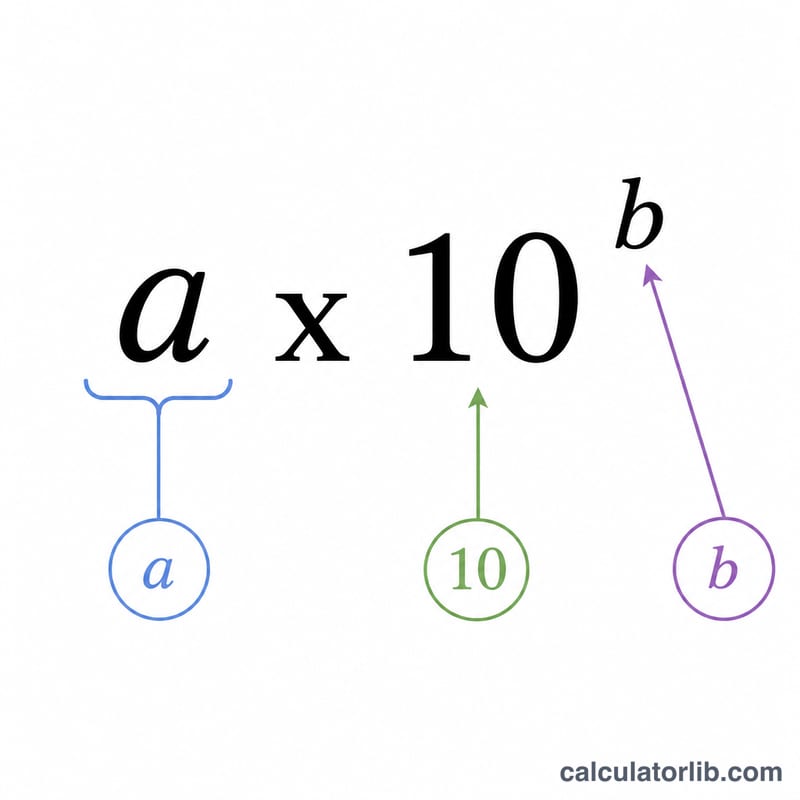
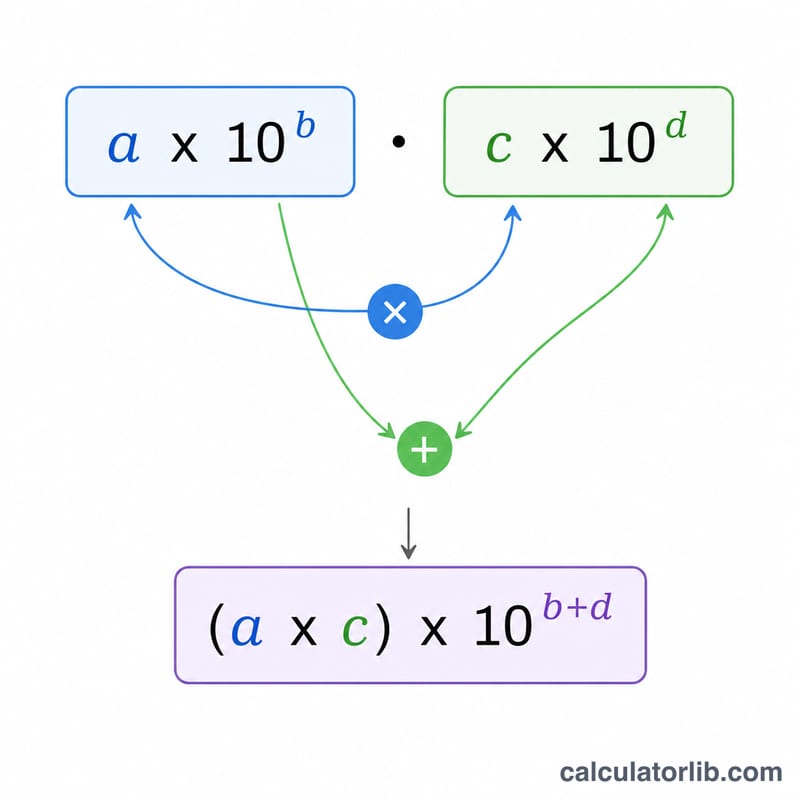
Each operand is normalized to a single real number \(v = m \times 10^e\). The two values are combined with the chosen operator. The result \(r\) is then re-expressed as \(a \times 10^b\) with one nonzero digit before the decimal point (scientific). For engineering notation the exponent is forced to a multiple of three using $$b_{eng} = 3 \times \left\lfloor \frac{b}{3} \right\rfloor$$ giving a mantissa between 1 and 1000, which lines up with SI prefixes like kilo, mega, milli, and micro.
Worked example
Operand 1 = 1.22 * 10^5 (122000), add, Operand 2 = 3.655 * 10^5 (365500). The sum is 487500. Scientific: \(4.875 \times 10^5\). E notation: 4.875e5. Engineering: \(487.5 \times 10^3\) (thousand; prefix kilo- k).
FAQ
What forms can I type? Plain decimals, comma-grouped numbers, m * 10^e, m x 10^e, m × 10^e, and m e e / m E e.
How are significant figures handled? For multiply/divide the answer uses the smaller sig-fig count; for add/subtract it uses the least precise decimal place. This is an approximation of standard rules and may differ in edge cases.
What about dividing by zero? The calculator returns "undefined / cannot divide by zero" instead of a number.