
What the Interquartile Range Calculator Does
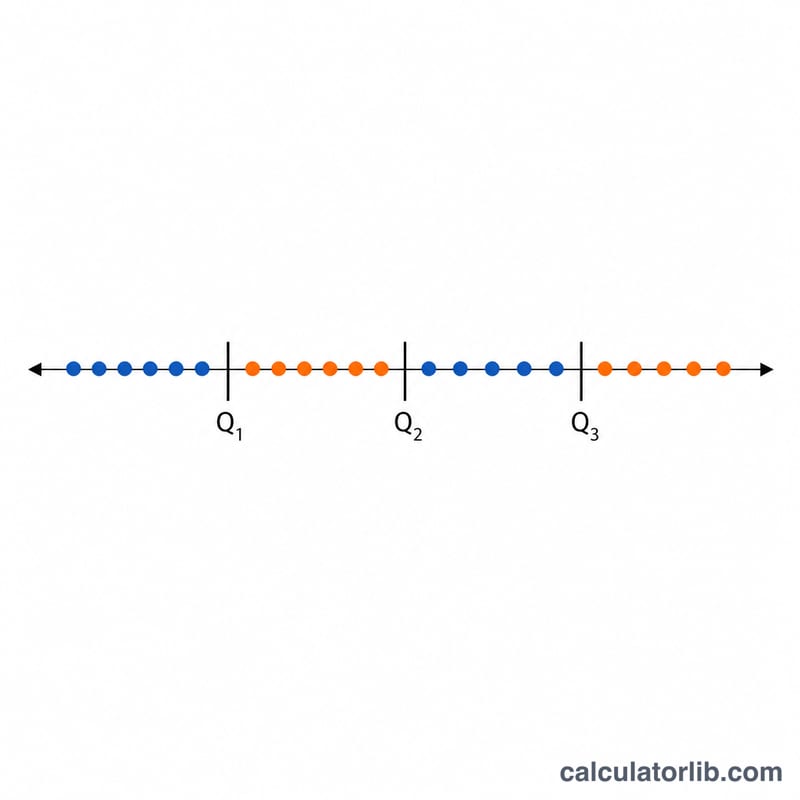
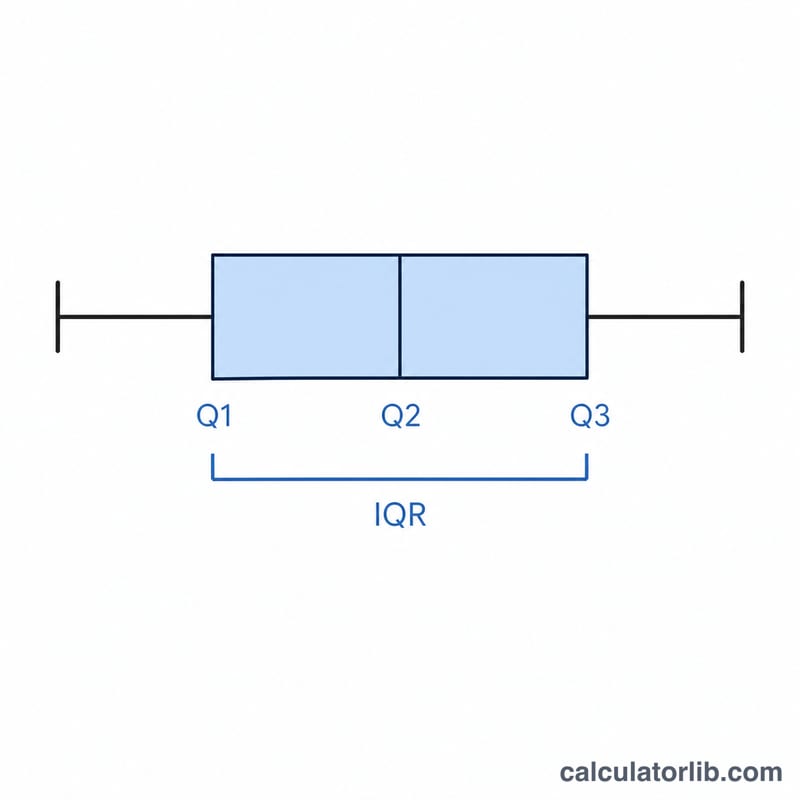
This calculator takes a list of numbers and computes the three quartiles — Q1 (lower quartile), Q2 (the median), and Q3 (upper quartile) — along with the interquartile range (IQR). It also produces a box plot showing the minimum, Q1, median, Q3 and maximum so you can see the spread and skew of your data at a glance. It is a general statistics tool, so it works for any country, currency or unit.
How to Use It
There is a single input field: Enter numbers (comma-separated). Type or paste your values separated by commas, for example 4, 7, 2, 9, 5, 1, 8. Spaces are ignored and the calculator sorts the values automatically, so the order you enter them in does not matter. Decimals and negative numbers are accepted.
The Formula Explained
The tool first sorts your numbers, then locates each quartile using a position-based method with linear interpolation:
- Q1 position = \((n + 1) / 4\)
- Q2 position = \((n + 1) / 2\)
- Q3 position = \(3 \times (n + 1) / 4\)
Here n is how many values you entered. If a position lands between two data points, the calculator interpolates: it takes the lower value and adds the fractional distance to the next value. Finally:
- \(\text{IQR} = Q_3 - Q_1\)
- \(\text{Range} = \text{Max} - \text{Min}\)
Worked Example
Suppose you enter 1, 2, 5, 7, 8, 9. After sorting (already sorted), n = 6.
- Q1 position = \((6 + 1) / 4 = 1.75\) → between the 1st value (1) and 2nd value (2): $$1 + 0.75 \times (2 - 1) = \mathbf{1.75}$$
- Q2 position = \(7 / 2 = 3.5\) → between the 3rd (5) and 4th (7): $$5 + 0.5 \times (7 - 5) = \mathbf{6}$$
- Q3 position = \(21 / 4 = 5.25\) → between the 5th (8) and 6th (9): $$8 + 0.25 \times (9 - 8) = \mathbf{8.25}$$
So IQR = \(8.25 - 1.75 = \mathbf{6.5}\), the range is \(9 - 1 = 8\), and the box plot draws the box from 1.75 to 8.25 with the median line at 6.
FAQ
Why is the IQR more useful than the full range? The IQR measures the spread of the middle 50% of your data, so it ignores extreme values. This makes it far more robust to outliers than the simple max-minus-min range.
How can I use the IQR to find outliers? A common rule flags any value below \(Q_1 - 1.5 \times \text{IQR}\) or above \(Q_3 + 1.5 \times \text{IQR}\) as a potential outlier. Using the example above, that would be below \(1.75 - 9.75 = -8\) or above \(8.25 + 9.75 = 18\).
Does the quartile method matter? Yes. This calculator uses the \((n + 1)\) positioning method with interpolation. Other tools may use slightly different conventions (such as the median-of-halves method), so results can differ marginally between software.