
What the Inverse Cosine Calculator Does
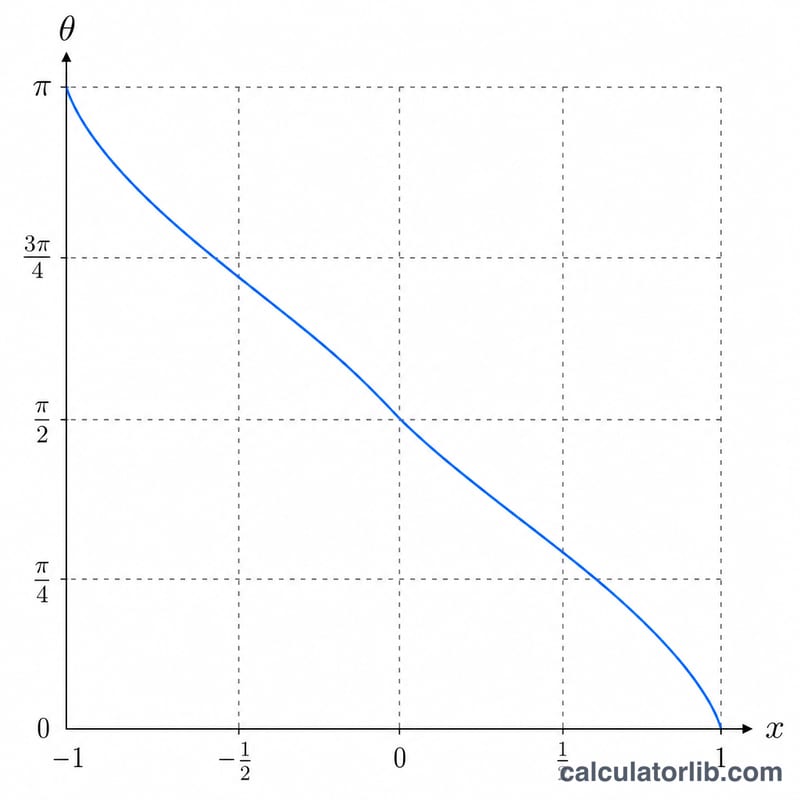
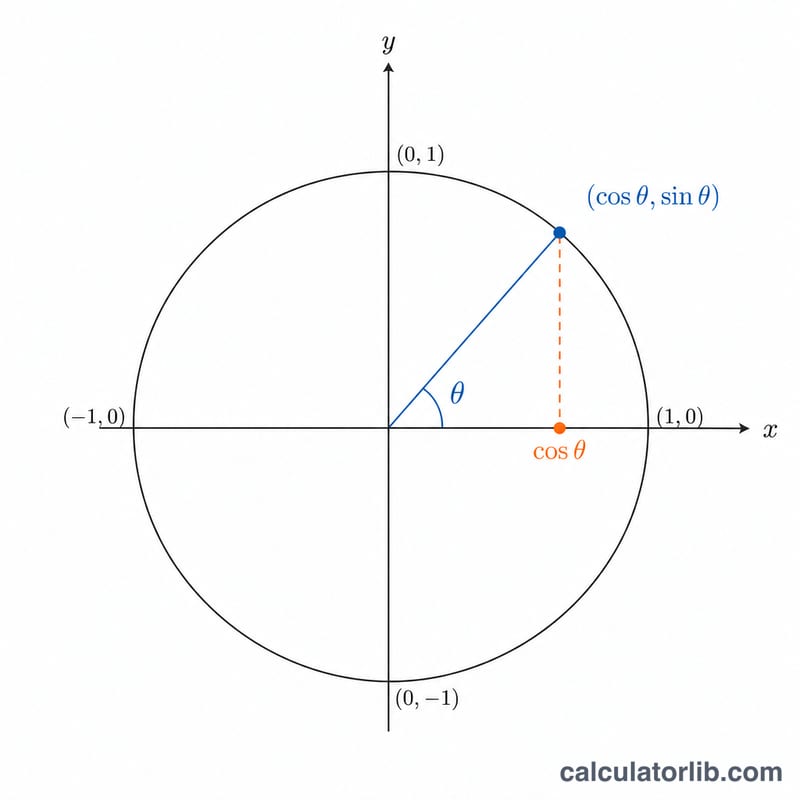
This calculator finds the angle whose cosine equals a value you supply. The cosine function takes an angle and returns a ratio between -1 and 1; the inverse cosine (written arccos or cos⁻¹) reverses that process, taking the ratio back to an angle. Enter any number from -1 to 1 and the tool instantly returns the matching angle in both radians and degrees.
How to Use It
- Cosine value (-1 to 1): Type the cosine you want to invert. Valid entries run from -1 up to 1, because cosine never produces a value outside that range.
- Read off the result, which is shown in radians and converted to degrees.
Note that arccos returns the principal value only — an angle between 0 and π radians (0° to 180°). This is the standard mathematical convention.
The Formula Explained
The calculator first computes the angle in radians using Math.acos(x), then converts to degrees:
So the radian result comes straight from the inverse cosine function, and the degree result simply multiplies the radians by \(180/\pi\) (about 57.29578). Both values describe the same angle in different units.
Worked Example
Suppose you enter a cosine value of 0.5:
- \(\arccos(0.5) = 1.047198\) radians
- $$1.047198 \times \left(\frac{180}{\pi}\right) = 60°$$
The calculator reports approximately 1.0472 radians and 60 degrees — the well-known angle whose cosine is exactly one half.
Frequently Asked Questions
Why must the input stay between -1 and 1? Cosine of any real angle always falls within this range, so there is no real angle with a cosine of, say, 1.5. Values outside -1 to 1 have no valid inverse cosine.
Why is the answer always between 0° and 180°? Many angles share the same cosine, so to give a single, unambiguous result arccos returns the principal value in the range 0° to 180° (0 to π radians).
How do I convert the result back to radians or degrees myself? Multiply radians by \(180/\pi\) to get degrees, or multiply degrees by \(\pi/180\) to get radians. The calculator does both conversions for you.