What this calculator does
TV and monitor sizes are advertised by a single number: the diagonal length of the screen in inches. But the diagonal alone does not tell you how wide or tall the screen actually is — that depends on the aspect ratio. This tool converts a diagonal size and aspect ratio into the real width, height and area of the screen, shown in both inches and centimetres. It works for any rectangular display, so it applies identically everywhere.
How to use it
Pick the aspect ratio (the classic 4:3 of older TVs, or the widescreen 16:9 used by virtually all modern TVs and computers). Enter the screen size in inches — decimals are fine for tablets and phones (for example 9.7). The calculator returns the width, height and screen area. Because a widescreen and a classic screen with the same diagonal are not the same size, you can switch the dropdown to compare them directly.
The formula
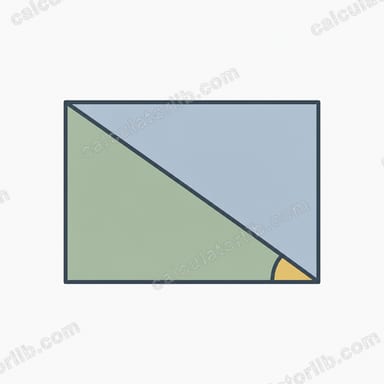
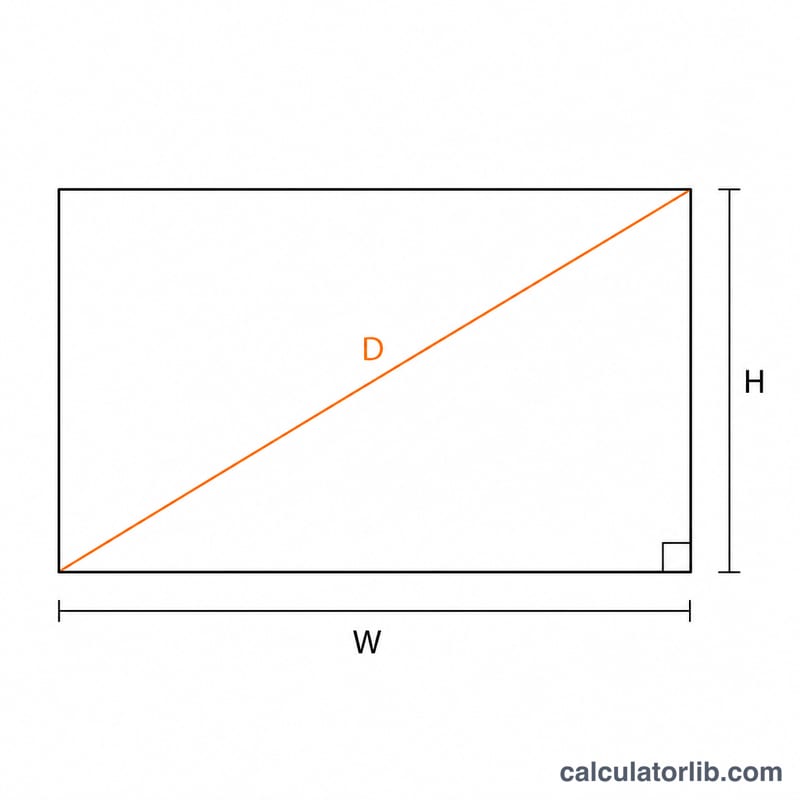
For a rectangle with aspect ratio Rw:Rh and diagonal D, the width and height satisfy \( \text{width}/\text{height} = R_w/R_h \) and \( \text{width}^2 + \text{height}^2 = D^2 \). Solving gives
$$\text{width} = D \times \frac{R_w}{\sqrt{R_w^2 + R_h^2}}, \quad \text{height} = D \times \frac{R_h}{\sqrt{R_w^2 + R_h^2}}$$The area is simply \( \text{width} \times \text{height} \). Inches are converted to centimetres using the exact factor \( 1\ \text{inch} = 2.54\ \text{cm} \).
Worked example
A 37-inch 16:9 screen: the diagonal factor is \( \sqrt{16^2 + 9^2} = \sqrt{337} \approx 18.358 \).
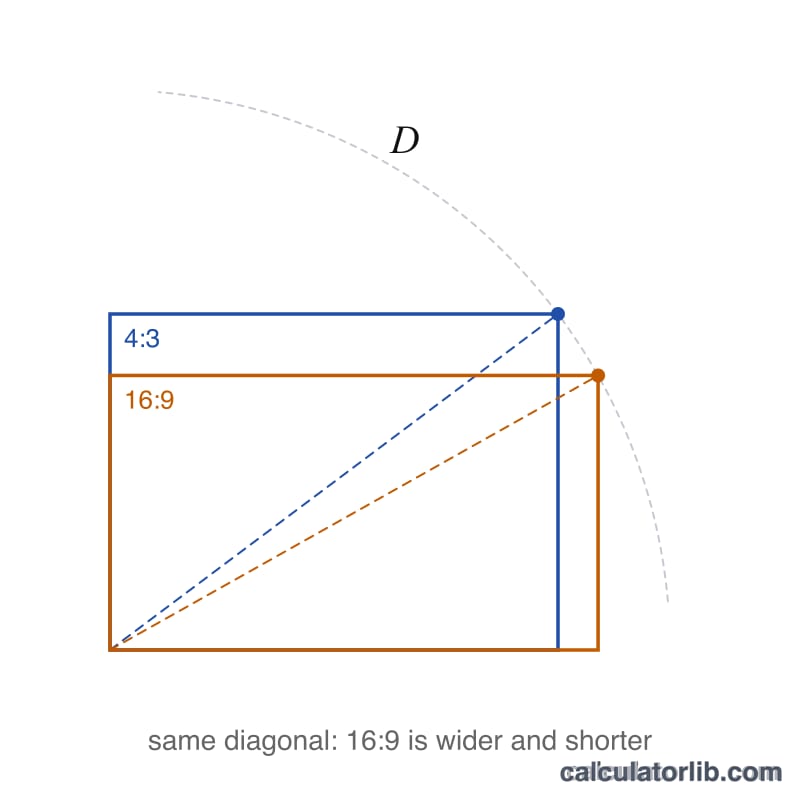
$$\text{Width} = \frac{37 \times 16}{18.358} \approx 32.25\ \text{in}\ (81.91\ \text{cm})$$$$\text{height} = \frac{37 \times 9}{18.358} \approx 18.14\ \text{in}\ (46.08\ \text{cm})$$area \( \approx 585\ \text{in}^2\ (3774\ \text{cm}^2) \). The same 37 inches in 4:3 gives \( 29.6 \times 22.2 \) in and an area of \( 657\ \text{in}^2 \) — wider but shorter, with more total area for the classic ratio.
Common TV Sizes: Width, Height and Area (16:9)
For a 16:9 screen with diagonal \(D\), the width and height follow from the Pythagorean theorem: \(W = D \cdot \frac{16}{\sqrt{337}} \approx 0.8716\,D\) and \(H = D \cdot \frac{9}{\sqrt{337}} \approx 0.4903\,D\), because \(16^2 + 9^2 = 337\). The area is \(W \times H = \frac{144}{337}D^2 \approx 0.4273\,D^2\). Centimetres use 1 in = 2.54 cm. Values are the visible screen area only, not the frame, and are rounded.
| Diagonal (in) | Width (in) | Height (in) | Width (cm) | Height (cm) | Area (in²) |
|---|---|---|---|---|---|
| 24 | 20.92 | 11.77 | 53.13 | 29.89 | 246.12 |
| 32 | 27.89 | 15.69 | 70.84 | 39.85 | 437.55 |
| 43 | 37.48 | 21.08 | 95.19 | 53.55 | 790.08 |
| 50 | 43.58 | 24.51 | 110.69 | 62.26 | 1068.25 |
| 55 | 47.94 | 26.96 | 121.75 | 68.49 | 1292.58 |
| 65 | 56.65 | 31.87 | 143.90 | 80.94 | 1805.34 |
| 75 | 65.37 | 36.77 | 166.04 | 93.40 | 2403.56 |
| 85 | 74.08 | 41.67 | 188.17 | 105.85 | 3087.24 |
Because area grows with the square of the diagonal, a 65 in TV has about 40% more screen area than a 55 in TV (1805.34 ÷ 1292.58 ≈ 1.40), even though the diagonal is only about 18% larger.
4:3 vs 16:9 vs Other Ratios at the Same Diagonal
For a ratio \(R_w:R_h\), \(W = D \cdot \frac{R_w}{\sqrt{R_w^2 + R_h^2}}\) and \(H = D \cdot \frac{R_h}{\sqrt{R_w^2 + R_h^2}}\). The table fixes the diagonal at 55 in (139.7 cm). Values are rounded. The last column compares each area with the 4:3 area.
| Aspect ratio | Width (in) | Height (in) | Width (cm) | Height (cm) | Area (in²) | Area (cm²) | Area vs 4:3 |
|---|---|---|---|---|---|---|---|
| 4:3 | 44.00 | 33.00 | 111.76 | 83.82 | 1452.00 | 9367.72 | 100% |
| 16:10 | 46.64 | 29.15 | 118.47 | 74.04 | 1359.55 | 8771.28 | 93.6% |
| 16:9 | 47.94 | 26.96 | 121.75 | 68.49 | 1292.58 | 8339.22 | 89.0% |
| 21:9 | 50.55 | 21.67 | 128.41 | 55.03 | 1095.26 | 7066.17 | 75.4% |
| 1:1 | 38.89 | 38.89 | 98.78 | 98.78 | 1512.50 | 9758.05 | 104.2% |
Worked check for 4:3: \(\sqrt{4^2 + 3^2} = 5\), so \(W = 55 \cdot \frac{4}{5} = 44\) in, \(H = 55 \cdot \frac{3}{5} = 33\) in, and \(\text{Area} = 44 \times 33 = 1452\) in².
Worked check for 16:9: \(W = 55 \cdot 0.87158 \approx 47.94\) in, \(H = 55 \cdot 0.49026 \approx 26.96\) in, and \(\text{Area} \approx 47.94 \times 26.96 \approx 1292.6\) in², about 89% of the 4:3 area.
At the same diagonal, the wider the ratio, the smaller the total area. A 16:9 screen is not smaller in width than a 4:3 one, but it is noticeably shorter. This is why a 16:9 TV needs a larger diagonal than a 4:3 TV to match its screen area.
Key Terms: Diagonal, Aspect Ratio, Bezel
- Diagonal screen size
- The distance between opposite corners of the visible display area, usually quoted in inches (1 in = 2.54 cm). It does not include the frame around the screen.
- Aspect ratio (\(R_w:R_h\))
- The proportion of screen width to height. A 16:9 screen is 16 units wide for every 9 units tall, so \(W/H = 16/9 \approx 1.78\).
- Width
- The horizontal side of the visible screen, \(W = D \cdot R_w / \sqrt{R_w^2 + R_h^2}\).
- Height
- The vertical side of the visible screen, \(H = D \cdot R_h / \sqrt{R_w^2 + R_h^2}\).
- Screen area
- The visible surface, \(W \times H\), in in² or cm² (1 in² = 6.4516 cm²). It is the best measure for comparing how large different screens really look.
- Bezel
- The frame around the display panel. It is not part of the diagonal measurement, but it adds to the overall dimensions of the TV or monitor, which matters when fitting a TV to a stand or wall space.
- 4:3 (1.33:1)
- The standard for older analogue TVs and CRT monitors. Some photography and tablet displays still use it.
- 16:9 (1.78:1)
- The standard for modern TVs, HD and 4K video, streaming and most monitors.
- 16:10 (1.6:1)
- Common on laptops and some productivity monitors. It gives extra vertical room for documents and web pages.
- 21:9 (about 2.33:1)
- Ultrawide monitors and some TVs. It suits cinema-format films and wide multitasking layouts. The ratio is often marketed as 21:9 and is in practice close to 64:27.
Note: the 21:9 row in the comparison table uses exactly 21:9. Real ultrawide products may use slightly different pixel ratios, so their dimensions can differ a little.
FAQ
Why is a 16:9 TV smaller in area than a 4:3 TV of the same inches? The diagonal is fixed, but a wider rectangle "spends" more of that diagonal on width and less on height, which reduces the total area for a given diagonal.
Does the bezel count? No. The calculation assumes the diagonal equals the stated inch size of the visible screen; physical products may differ slightly due to bezels and rounding.
Can I use other ratios? The same formula works for any ratio (3:2, 16:10, 21:9, etc.); just plug in the width and height parts.