

What This Geometric Sequence Calculator Does
A geometric sequence is a list of numbers where each term is found by multiplying the previous term by a fixed value called the common ratio. This calculator takes three inputs and instantly builds the full sequence, identifies the nth (last) term, and adds every term together to give you the total sum.
- First Term (a): the starting value of the sequence (a₁).
- Common Ratio (r): the number each term is multiplied by to get the next one.
- Number of Terms (n): how many terms you want the calculator to generate.
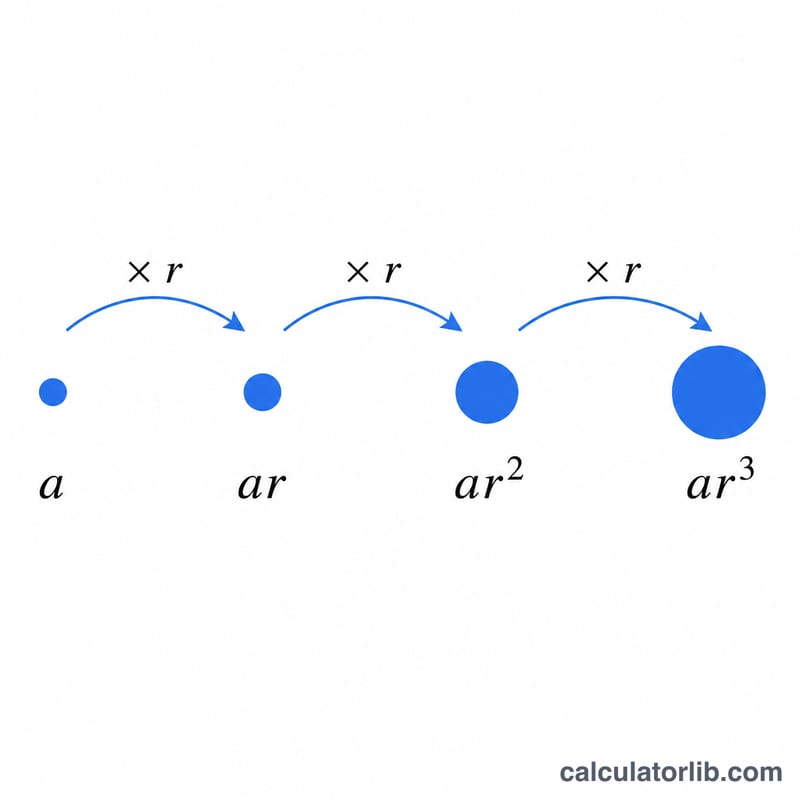
The Formula Behind It
The calculator finds any term using the standard geometric sequence formula:
aₙ = a₁ · r^(n−1)
Internally, the tool loops from the 1st through the nth term, computing each value as first term × ratio raised to its position index. It collects every term into the displayed sequence, sets the last computed value as the nth term, and keeps a running total to produce the sum. Very large or very small results (above 1,000,000 or below 0.000001) are shown in scientific notation for readability.
Worked Example
Suppose you enter a First Term of 3, a Common Ratio of 2, and 5 for the Number of Terms.
- Term 1: 3 × 2⁰ = 3
- Term 2: 3 × 2¹ = 6
- Term 3: 3 × 2² = 12
- Term 4: 3 × 2³ = 24
- Term 5: 3 × 2⁴ = 48
The sequence is 3, 6, 12, 24, 48. The nth (5th) term is 48, and the sum of all terms is 93.
Frequently Asked Questions
Can the common ratio be a fraction or negative? Yes. A ratio between 0 and 1 (like 0.5) creates a shrinking sequence, while a negative ratio (like −2) produces terms that alternate between positive and negative values.
What if the ratio is 1? Every term equals the first term, so the sequence is constant and the sum is simply a₁ × n.
Why are some results shown with an "E"? When values become extremely large or extremely small, the calculator switches to scientific notation (for example, 1.2345E7) so the numbers stay easy to read instead of running on with many digits.